

A webinar is one of the highest-converting tools a creator has — live or automated, it lets you demonstrate expertise, answer objections in real time, and move an audience from "just browsing" to "ready to buy" faster than almost any other format. It's also one of the most technically demanding things a creator asks their software to do: streaming smoothly to hundreds of attendees, managing a live chat, running polls, and closing with a checkout link, all without freezing at the exact moment you're making your offer. The platform you choose determines whether that moment goes smoothly or turns into an apology in the chat about lag and dropped connections. If you're building out a broader course business, our guide on the best online course platforms for creators covers where students land after the webinar ends — this one is about the tool that gets them there in the first place. Here are the five best webinar software platforms for creators who need reliable streaming, real engagement features, and a smooth path from live event to sale. Table of Contents What to Look for in Webinar Software Zoom Webinars — Best Overall for Reliability WebinarJam — Best for Sales-Focused Webinars Demio — Best for Simplicity & Design EverWebinar — Best for Automated/Evergreen Webinars StreamYard — Best Value Pick for Multi-Platform Streaming Comparison Table How to Choose Based on Your Business Goal FAQs Final Verdict What to Look for in Webinar Software Before comparing specific platforms, it's worth understanding which features actually affect whether a webinar converts — and which ones are just nice-to-have extras. Streaming reliability and attendee capacity. This is the single most important factor. A platform that lags, freezes, or drops attendees during a live pitch doesn't just lose that sale — it damages trust for future launches. Check the platform's stated attendee limits and read reviews specifically about stability during live, high-traffic sessions. Registration and reminder automation. A polished registration page with automated email and SMS reminders significantly increases show-up rates, since a large share of registrants forget without a nudge. Look for platforms with built-in sequences rather than requiring a separate email tool to be stitched in. Live engagement features. Chat, polls, Q&A, and handouts keep attendees active rather than passively watching, which correlates directly with higher conversion at the offer stage. A webinar with no interaction beyond a static video feed loses attention fast. Evergreen or automated replay options. If your business model depends on running the same webinar repeatedly rather than live each time, look specifically for platforms that support automated "fake live" playback with real-time chat simulation, not just a basic on-demand video. Integrated checkout and offer tools. The best platforms let you display a countdown timer, a special offer, and a direct checkout link during the webinar itself, removing friction between the pitch and the purchase. Platforms without this force attendees to leave the session to buy, which measurably reduces conversion. Analytics on attendee behavior. Detailed data on when attendees dropped off, how long they stayed, and which questions came up in chat helps you refine future webinars instead of guessing what worked. With those criteria in mind, here are the five platforms that consistently deliver for creators running webinars as part of their business. 1. Zoom Webinars — Best Overall for Reliability Best for: Creators who prioritize rock-solid streaming stability above specialized sales features, especially those already using Zoom for other business calls. Zoom's webinar product benefits from the same infrastructure that made it the default video conferencing tool for millions of businesses — genuinely reliable streaming even at large attendee counts, minimal lag, and a familiar interface that most attendees already know how to use without technical friction. For creators who've had bad experiences with less established platforms freezing during a launch, that reliability alone often justifies the choice. Pros: Exceptional streaming reliability, even at high attendee counts Familiar interface reduces technical friction for attendees Strong built-in polling, Q&A, and breakout room features Integrates well with existing Zoom-based business workflows Cons: Sales-specific features (offer overlays, countdown timers) are more limited than dedicated marketing webinar tools Registration page design is more basic and less customizable No native evergreen/automated webinar functionality Ideal for: Creators who prioritize technical reliability above all else and don't need heavy sales-funnel features built directly into the webinar interface. 2. WebinarJam — Best for Sales-Focused Webinars Best for: Creators running product launches or course sales where the webinar's primary purpose is converting attendees into buyers. WebinarJam was built specifically around the sales webinar use case, and it shows in the feature set — customizable registration pages designed for conversion, built-in countdown timers and offer overlays during the live session, and automated follow-up sequences for both attendees and no-shows. For creators whose webinars exist primarily to sell a course, coaching program, or digital product, this sales-first design reduces the need to bolt on separate tools. Pros: Purpose-built sales features (offer overlays, countdown timers, checkout integration) Highly customizable, conversion-focused registration pages Automated email/SMS follow-up sequences for attendees and no-shows Supports large attendee capacity for bigger launches Cons: Interface feels less polished and more dated than newer competitors Steeper learning curve to set up the full funnel correctly Higher price point at higher attendee tiers Ideal for: Course creators and coaches running dedicated sales webinars where conversion is the primary goal of the session. 3. Demio — Best for Simplicity & Design Best for: Creators who want a genuinely clean, modern-looking webinar experience without a complicated setup process. Demio stands out for how much attention has gone into the actual look and feel of the webinar room — a clean, modern interface that doesn't feel dated compared to some longer-established platforms, combined with a genuinely simple setup process that doesn't require watching multiple tutorial videos just to launch a first session. For creators whose brand depends on a polished, professional feel, Demio's design consistently gets singled out as a strength. Pros: Clean, modern interface for both hosts and attendees Simple, fast setup process with minimal learning curve No download required for attendees — runs entirely in-browser Solid engagement features including handouts and polls Cons: Attendee capacity on lower tiers is smaller than some competitors Evergreen/automated webinar functionality is more limited Fewer advanced sales-funnel customization options than WebinarJam Ideal for: Creators who prioritize a polished, professional brand experience and want the simplest possible path to hosting a live webinar. 4. EverWebinar — Best for Automated/Evergreen Webinars Best for: Creators who want to run the same high-converting webinar repeatedly on autopilot rather than hosting it live every time. EverWebinar (built by the same company as WebinarJam) is specifically designed around the "evergreen" model — recording a webinar once and then playing it back on a recurring schedule with simulated live chat and real-time-feeling interaction, so attendees experience it as a genuine live event even though it's automated. For creators whose business model depends on continuously running the same proven webinar rather than repeating live sessions, this is the most purpose-built option available. Pros: Purpose-built for automated, recurring "evergreen" webinars Simulated live chat creates a genuinely convincing live-feeling experience Flexible scheduling — attendees can join at multiple times throughout the week Detailed analytics on attendee behavior across automated sessions Cons: Not designed for genuinely live, real-time interactive webinars Requires a separate tool (or WebinarJam) if you also want to run live sessions Setup takes more time upfront to record and configure the automated flow Ideal for: Creators with a proven, repeatable webinar pitch who want to scale it without hosting a live session every single time. 5. StreamYard — Best Value Pick for Multi-Platform Streaming Best for: Creators on a tighter budget who want to stream webinars to multiple platforms (YouTube, Facebook, LinkedIn) simultaneously without a dedicated webinar-specific price tag. StreamYard wasn't originally built as a dedicated webinar platform, but its combination of a low price point, genuinely easy-to-use interface, and the ability to simultaneously stream to multiple social platforms has made it a popular choice for creators running informal or hybrid webinars, especially those building an audience across several channels at once rather than relying on a single registration-based event. Pros: Strong value — significantly lower cost than dedicated webinar platforms Simultaneous multi-platform streaming (YouTube, Facebook, LinkedIn) Simple, intuitive interface with minimal setup time Good for building audience reach across multiple channels at once Cons: Lacks dedicated sales-funnel features like offer overlays and countdown timers No built-in evergreen/automated webinar functionality Registration and follow-up automation is more limited than dedicated webinar tools Ideal for: Creators building audience across multiple platforms who want an affordable way to run live sessions without committing to a specialized, pricier webinar platform. Comparison Table Platform Best For Sales Features Evergreen Option Price Range Zoom Webinars Reliability Basic No $$$ WebinarJam Sales-focused webinars Strong Via EverWebinar $$$ Demio Simplicity & design Moderate Limited $$$ EverWebinar Automated webinars Strong Core feature $$$ StreamYard Multi-platform value Basic No $ (Price ranges are relative indicators, not fixed figures — always check current pricing before purchasing.) How to Choose Based on Your Business Goal The right platform depends less on brand reputation and more on what the webinar is actually meant to accomplish for your business. Creators who prioritize technical reliability above all else should default to Zoom Webinars, especially if already using Zoom for other business functions. Course creators and coaches running dedicated sales presentations will benefit most from WebinarJam's purpose-built conversion features. Creators focused on brand polish and simplicity should prioritize Demio's clean design and fast setup. Businesses running the same proven pitch repeatedly will get the most value from EverWebinar's automated, evergreen model. Creators building audience across multiple platforms on a tighter budget should consider StreamYard for its multi-platform streaming and lower price point. Common Mistakes Creators Make When Choosing Webinar Software Choosing a platform without testing it live first. A platform that looks polished in the dashboard can behave very differently under the pressure of a real live session with dozens or hundreds of attendees. Run a genuine test session, ideally with a few real people, before relying on it for an actual launch. Underestimating the importance of reminder sequences. Registration numbers can look strong while live attendance disappoints badly without proper reminder automation. A platform with weak reminder tools needs to be paired with a separate email sequence to avoid this gap. Ignoring mobile attendee experience. A meaningful share of webinar attendees join from a phone, and a platform with a poor mobile viewing experience creates real drop-off during exactly the moments that matter most. Overcommitting to an evergreen platform before validating the webinar live. Automating a webinar before confirming it actually converts in a live setting risks scaling a pitch that doesn't work yet. Validate with a few live sessions first, then automate once the format is proven. Skipping analytics review after each session. The data on where attendees dropped off or what questions came up in chat is one of the most valuable feedback loops available to a creator, and it's frequently ignored in the rush to move on to the next launch. Where to Start and How to Protect Your Business Most platforms on this list offer a free trial or a low-cost entry tier, making it realistic to test two options with a small, low-stakes session before committing to a paid annual plan. Pay attention to how each platform handles attendee data — since your webinar registrants are a valuable list for future marketing, confirm you can export that data freely rather than being locked into the platform's ecosystem. Once you've chosen a platform, a few habits protect the business as webinars become a regular part of your marketing: always have a backup plan (a second device or an alternate platform link) in case of a technical failure during a live high-stakes session, record every session even when running live, since the recording becomes valuable reusable content, and review attendee questions after each webinar to refine your offer and messaging over time. FAQs What's the best webinar software for someone running their very first webinar? Demio is generally the easiest starting point, thanks to its clean interface and fast setup process, letting first-time hosts focus on content rather than fighting with technical setup. Is Zoom good enough for a sales-focused webinar, or do I need a dedicated platform? Zoom's reliability is excellent, but its sales-specific features (offer overlays, countdown timers, integrated checkout) are more limited than WebinarJam's. For webinars where conversion is the primary goal, a dedicated sales-focused platform typically performs better. What's the difference between a live webinar and an evergreen webinar? A live webinar happens in real time with genuine audience interaction, while an evergreen webinar is pre-recorded and played back on a schedule with simulated chat to feel live. EverWebinar is purpose-built for the evergreen model. How many attendees can most webinar platforms support? Capacity varies significantly by platform and pricing tier, ranging from a few dozen attendees on entry-level plans to several thousand on enterprise tiers. Always check the specific plan's attendee limit against your expected registration numbers. Do I need separate email marketing software if I use a webinar platform? Some platforms like WebinarJam and Demio include reminder and follow-up automation, while others like Zoom and StreamYard have more limited built-in email tools and often work best paired with a dedicated email marketing platform. Final Verdict If reliability matters more than sales-specific features, Zoom Webinars remains the safest overall pick, especially for creators already using Zoom elsewhere in their business. If your webinar's primary job is converting attendees into buyers, WebinarJam is purpose-built for exactly that. And if you want to scale a proven pitch without hosting it live every time, EverWebinar turns a single recorded session into a recurring, automated sales engine. Whichever you choose, remember that the webinar is just one part of the sales system — what happens before and after it matters just as much. Pair it with the right platform from our guide to best online course platforms for creators, and you've connected the full path from live pitch to paying student.

Best Webinar Software for Creators: Top 5 Picks

A webinar is one of the highest-converting tools a creator has — live or automated, it lets you demonstrate expertise, answer objections in real time, and move an audience from “just browsing” to “ready to buy” faster than almost any other format. It’s also one of the most technically demanding things a creator asks their software to do: streaming smoothly to hundreds of attendees, managing a live chat, running polls, and closing with a checkout link, all without freezing at the exact moment you’re making your offer.

The platform you choose determines whether that moment goes smoothly or turns into an apology in the chat about lag and dropped connections. If you’re building out a broader course business, our guide on the best online course platforms for creators covers where students land after the webinar ends — this one is about the tool that gets them there in the first place. Here are the five best webinar software platforms for creators who need reliable streaming, real engagement features, and a smooth path from live event to sale.

A webinar is one of the highest-converting tools a creator has — live or automated, it lets you demonstrate expertise, answer objections in real time, and move an audience from "just browsing" to "ready to buy" faster than almost any other format. It's also one of the most technically demanding things a creator asks their software to do: streaming smoothly to hundreds of attendees, managing a live chat, running polls, and closing with a checkout link, all without freezing at the exact moment you're making your offer.

The platform you choose determines whether that moment goes smoothly or turns into an apology in the chat about lag and dropped connections. If you're building out a broader course business, our guide on the best online course platforms for creators covers where students land after the webinar ends — this one is about the tool that gets them there in the first place. Here are the five best webinar software platforms for creators who need reliable streaming, real engagement features, and a smooth path from live event to sale.

Table of Contents
What to Look for in Webinar Software
Zoom Webinars — Best Overall for Reliability
WebinarJam — Best for Sales-Focused Webinars
Demio — Best for Simplicity & Design
EverWebinar — Best for Automated/Evergreen Webinars
StreamYard — Best Value Pick for Multi-Platform Streaming
Comparison Table
How to Choose Based on Your Business Goal
FAQs
Final Verdict
What to Look for in Webinar Software

Before comparing specific platforms, it's worth understanding which features actually affect whether a webinar converts — and which ones are just nice-to-have extras.

Streaming reliability and attendee capacity. This is the single most important factor. A platform that lags, freezes, or drops attendees during a live pitch doesn't just lose that sale — it damages trust for future launches. Check the platform's stated attendee limits and read reviews specifically about stability during live, high-traffic sessions.

Registration and reminder automation. A polished registration page with automated email and SMS reminders significantly increases show-up rates, since a large share of registrants forget without a nudge. Look for platforms with built-in sequences rather than requiring a separate email tool to be stitched in.

Live engagement features. Chat, polls, Q&A, and handouts keep attendees active rather than passively watching, which correlates directly with higher conversion at the offer stage. A webinar with no interaction beyond a static video feed loses attention fast.

Evergreen or automated replay options. If your business model depends on running the same webinar repeatedly rather than live each time, look specifically for platforms that support automated "fake live" playback with real-time chat simulation, not just a basic on-demand video.

Integrated checkout and offer tools. The best platforms let you display a countdown timer, a special offer, and a direct checkout link during the webinar itself, removing friction between the pitch and the purchase. Platforms without this force attendees to leave the session to buy, which measurably reduces conversion.

Analytics on attendee behavior. Detailed data on when attendees dropped off, how long they stayed, and which questions came up in chat helps you refine future webinars instead of guessing what worked.

With those criteria in mind, here are the five platforms that consistently deliver for creators running webinars as part of their business.
1. Zoom Webinars — Best Overall for Reliability

Best for: Creators who prioritize rock-solid streaming stability above specialized sales features, especially those already using Zoom for other business calls.

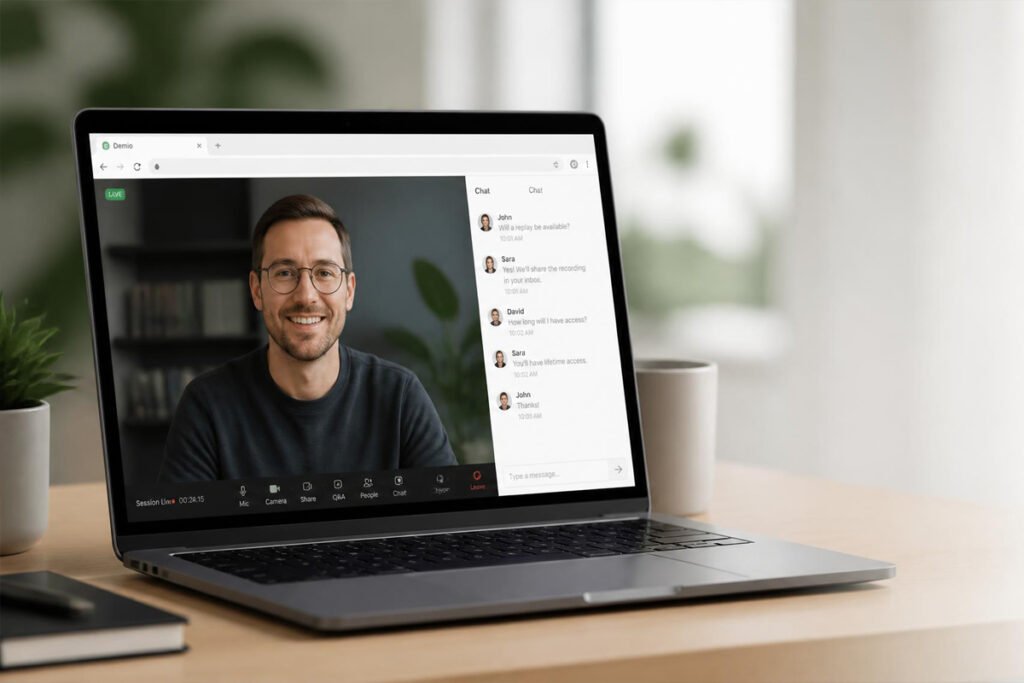
Zoom's webinar product benefits from the same infrastructure that made it the default video conferencing tool for millions of businesses — genuinely reliable streaming even at large attendee counts, minimal lag, and a familiar interface that most attendees already know how to use without technical friction. For creators who've had bad experiences with less established platforms freezing during a launch, that reliability alone often justifies the choice.

Pros:

Exceptional streaming reliability, even at high attendee counts
Familiar interface reduces technical friction for attendees
Strong built-in polling, Q&A, and breakout room features
Integrates well with existing Zoom-based business workflows

Cons:

Sales-specific features (offer overlays, countdown timers) are more limited than dedicated marketing webinar tools
Registration page design is more basic and less customizable
No native evergreen/automated webinar functionality

Ideal for: Creators who prioritize technical reliability above all else and don't need heavy sales-funnel features built directly into the webinar interface.

2. WebinarJam — Best for Sales-Focused Webinars

Best for: Creators running product launches or course sales where the webinar's primary purpose is converting attendees into buyers.

WebinarJam was built specifically around the sales webinar use case, and it shows in the feature set — customizable registration pages designed for conversion, built-in countdown timers and offer overlays during the live session, and automated follow-up sequences for both attendees and no-shows. For creators whose webinars exist primarily to sell a course, coaching program, or digital product, this sales-first design reduces the need to bolt on separate tools.

Pros:

Purpose-built sales features (offer overlays, countdown timers, checkout integration)
Highly customizable, conversion-focused registration pages
Automated email/SMS follow-up sequences for attendees and no-shows
Supports large attendee capacity for bigger launches

Cons:

Interface feels less polished and more dated than newer competitors
Steeper learning curve to set up the full funnel correctly
Higher price point at higher attendee tiers

Ideal for: Course creators and coaches running dedicated sales webinars where conversion is the primary goal of the session.

3. Demio — Best for Simplicity & Design

Best for: Creators who want a genuinely clean, modern-looking webinar experience without a complicated setup process.

Demio stands out for how much attention has gone into the actual look and feel of the webinar room — a clean, modern interface that doesn't feel dated compared to some longer-established platforms, combined with a genuinely simple setup process that doesn't require watching multiple tutorial videos just to launch a first session. For creators whose brand depends on a polished, professional feel, Demio's design consistently gets singled out as a strength.

Pros:

Clean, modern interface for both hosts and attendees
Simple, fast setup process with minimal learning curve
No download required for attendees — runs entirely in-browser
Solid engagement features including handouts and polls

Cons:

Attendee capacity on lower tiers is smaller than some competitors
Evergreen/automated webinar functionality is more limited
Fewer advanced sales-funnel customization options than WebinarJam

Ideal for: Creators who prioritize a polished, professional brand experience and want the simplest possible path to hosting a live webinar.

4. EverWebinar — Best for Automated/Evergreen Webinars

Best for: Creators who want to run the same high-converting webinar repeatedly on autopilot rather than hosting it live every time.

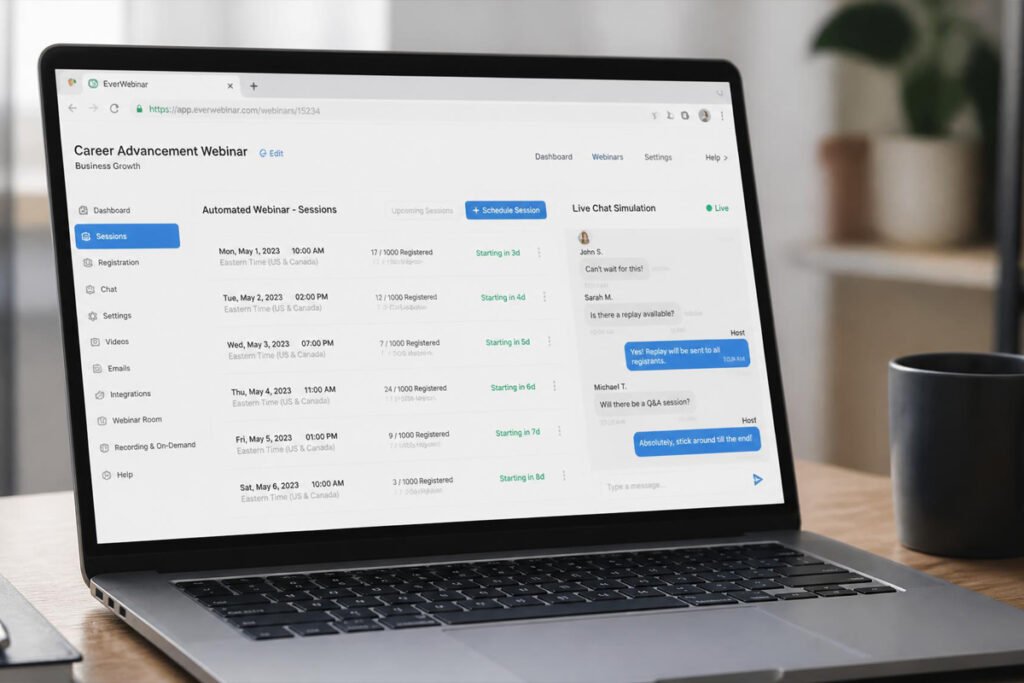
EverWebinar (built by the same company as WebinarJam) is specifically designed around the "evergreen" model — recording a webinar once and then playing it back on a recurring schedule with simulated live chat and real-time-feeling interaction, so attendees experience it as a genuine live event even though it's automated. For creators whose business model depends on continuously running the same proven webinar rather than repeating live sessions, this is the most purpose-built option available.

Pros:

Purpose-built for automated, recurring "evergreen" webinars
Simulated live chat creates a genuinely convincing live-feeling experience
Flexible scheduling — attendees can join at multiple times throughout the week
Detailed analytics on attendee behavior across automated sessions

Cons:

Not designed for genuinely live, real-time interactive webinars
Requires a separate tool (or WebinarJam) if you also want to run live sessions
Setup takes more time upfront to record and configure the automated flow

Ideal for: Creators with a proven, repeatable webinar pitch who want to scale it without hosting a live session every single time.

5. StreamYard — Best Value Pick for Multi-Platform Streaming

Best for: Creators on a tighter budget who want to stream webinars to multiple platforms (YouTube, Facebook, LinkedIn) simultaneously without a dedicated webinar-specific price tag.

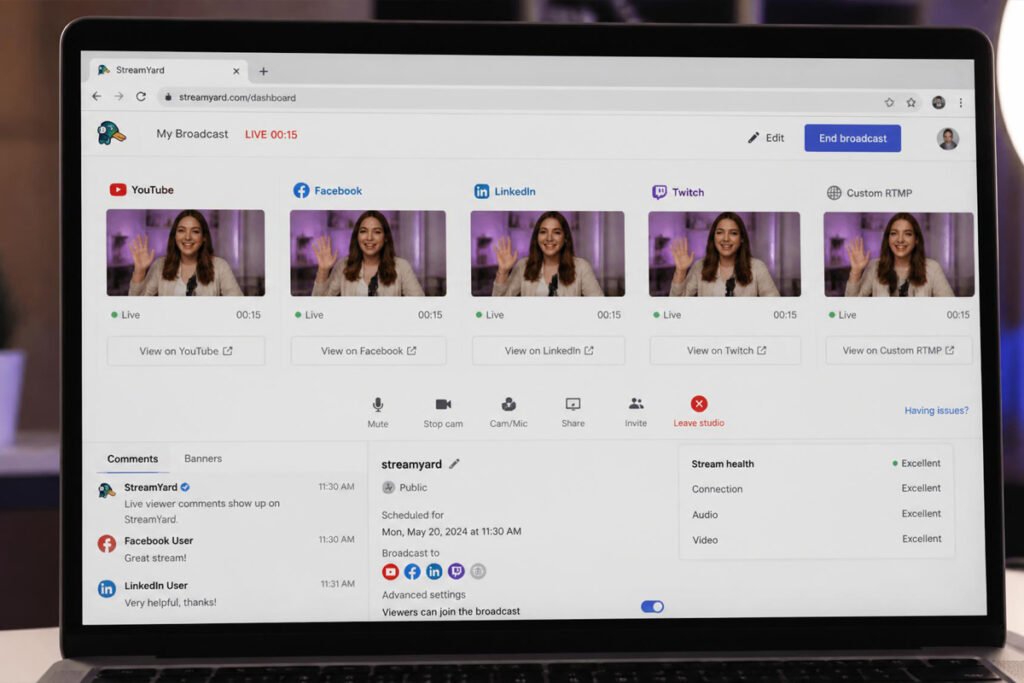
StreamYard wasn't originally built as a dedicated webinar platform, but its combination of a low price point, genuinely easy-to-use interface, and the ability to simultaneously stream to multiple social platforms has made it a popular choice for creators running informal or hybrid webinars, especially those building an audience across several channels at once rather than relying on a single registration-based event.

Pros:

Strong value — significantly lower cost than dedicated webinar platforms
Simultaneous multi-platform streaming (YouTube, Facebook, LinkedIn)
Simple, intuitive interface with minimal setup time
Good for building audience reach across multiple channels at once

Cons:

Lacks dedicated sales-funnel features like offer overlays and countdown timers
No built-in evergreen/automated webinar functionality
Registration and follow-up automation is more limited than dedicated webinar tools

Ideal for: Creators building audience across multiple platforms who want an affordable way to run live sessions without committing to a specialized, pricier webinar platform.
Comparison Table
Platform	Best For	Sales Features	Evergreen Option	Price Range
Zoom Webinars	Reliability	Basic	No	$$$
WebinarJam	Sales-focused webinars	Strong	Via EverWebinar	$$$
Demio	Simplicity & design	Moderate	Limited	$$$
EverWebinar	Automated webinars	Strong	Core feature	$$$
StreamYard	Multi-platform value	Basic	No	$

(Price ranges are relative indicators, not fixed figures — always check current pricing before purchasing.)

How to Choose Based on Your Business Goal

The right platform depends less on brand reputation and more on what the webinar is actually meant to accomplish for your business.

Creators who prioritize technical reliability above all else should default to Zoom Webinars, especially if already using Zoom for other business functions.
Course creators and coaches running dedicated sales presentations will benefit most from WebinarJam's purpose-built conversion features.
Creators focused on brand polish and simplicity should prioritize Demio's clean design and fast setup.
Businesses running the same proven pitch repeatedly will get the most value from EverWebinar's automated, evergreen model.
Creators building audience across multiple platforms on a tighter budget should consider StreamYard for its multi-platform streaming and lower price point.
Common Mistakes Creators Make When Choosing Webinar Software

Choosing a platform without testing it live first. A platform that looks polished in the dashboard can behave very differently under the pressure of a real live session with dozens or hundreds of attendees. Run a genuine test session, ideally with a few real people, before relying on it for an actual launch.

Underestimating the importance of reminder sequences. Registration numbers can look strong while live attendance disappoints badly without proper reminder automation. A platform with weak reminder tools needs to be paired with a separate email sequence to avoid this gap.

Ignoring mobile attendee experience. A meaningful share of webinar attendees join from a phone, and a platform with a poor mobile viewing experience creates real drop-off during exactly the moments that matter most.

Overcommitting to an evergreen platform before validating the webinar live. Automating a webinar before confirming it actually converts in a live setting risks scaling a pitch that doesn't work yet. Validate with a few live sessions first, then automate once the format is proven.

Skipping analytics review after each session. The data on where attendees dropped off or what questions came up in chat is one of the most valuable feedback loops available to a creator, and it's frequently ignored in the rush to move on to the next launch.

Where to Start and How to Protect Your Business

Most platforms on this list offer a free trial or a low-cost entry tier, making it realistic to test two options with a small, low-stakes session before committing to a paid annual plan. Pay attention to how each platform handles attendee data — since your webinar registrants are a valuable list for future marketing, confirm you can export that data freely rather than being locked into the platform's ecosystem.

Once you've chosen a platform, a few habits protect the business as webinars become a regular part of your marketing: always have a backup plan (a second device or an alternate platform link) in case of a technical failure during a live high-stakes session, record every session even when running live, since the recording becomes valuable reusable content, and review attendee questions after each webinar to refine your offer and messaging over time.

FAQs

What's the best webinar software for someone running their very first webinar? Demio is generally the easiest starting point, thanks to its clean interface and fast setup process, letting first-time hosts focus on content rather than fighting with technical setup.

Is Zoom good enough for a sales-focused webinar, or do I need a dedicated platform? Zoom's reliability is excellent, but its sales-specific features (offer overlays, countdown timers, integrated checkout) are more limited than WebinarJam's. For webinars where conversion is the primary goal, a dedicated sales-focused platform typically performs better.

What's the difference between a live webinar and an evergreen webinar? A live webinar happens in real time with genuine audience interaction, while an evergreen webinar is pre-recorded and played back on a schedule with simulated chat to feel live. EverWebinar is purpose-built for the evergreen model.

How many attendees can most webinar platforms support? Capacity varies significantly by platform and pricing tier, ranging from a few dozen attendees on entry-level plans to several thousand on enterprise tiers. Always check the specific plan's attendee limit against your expected registration numbers.

Do I need separate email marketing software if I use a webinar platform? Some platforms like WebinarJam and Demio include reminder and follow-up automation, while others like Zoom and StreamYard have more limited built-in email tools and often work best paired with a dedicated email marketing platform.

Final Verdict

If reliability matters more than sales-specific features, Zoom Webinars remains the safest overall pick, especially for creators already using Zoom elsewhere in their business. If your webinar's primary job is converting attendees into buyers, WebinarJam is purpose-built for exactly that. And if you want to scale a proven pitch without hosting it live every time, EverWebinar turns a single recorded session into a recurring, automated sales engine.

Whichever you choose, remember that the webinar is just one part of the sales system — what happens before and after it matters just as much. Pair it with the right platform from our guide to best online course platforms for creators, and you've connected the full path from live pitch to paying student.
Best Webinar Software for Creators: Top 5 Picks

Table of Contents

  1. What to Look for in Webinar Software
  2. Zoom Webinars — Best Overall for Reliability
  3. WebinarJam — Best for Sales-Focused Webinars
  4. Demio — Best for Simplicity & Design
  5. EverWebinar — Best for Automated/Evergreen Webinars
  6. StreamYard — Best Value Pick for Multi-Platform Streaming
  7. Comparison Table
  8. How to Choose Based on Your Business Goal
  9. FAQs
  10. Final Verdict

What to Look for in Webinar Software

Before comparing specific platforms, it’s worth understanding which features actually affect whether a webinar converts — and which ones are just nice-to-have extras.

Streaming reliability and attendee capacity. This is the single most important factor. A platform that lags, freezes, or drops attendees during a live pitch doesn’t just lose that sale — it damages trust for future launches. Check the platform’s stated attendee limits and read reviews specifically about stability during live, high-traffic sessions.

Registration and reminder automation. A polished registration page with automated email and SMS reminders significantly increases show-up rates, since a large share of registrants forget without a nudge. Look for platforms with built-in sequences rather than requiring a separate email tool to be stitched in.

Live engagement features. Chat, polls, Q&A, and handouts keep attendees active rather than passively watching, which correlates directly with higher conversion at the offer stage. A webinar with no interaction beyond a static video feed loses attention fast.

Evergreen or automated replay options. If your business model depends on running the same webinar repeatedly rather than live each time, look specifically for platforms that support automated “fake live” playback with real-time chat simulation, not just a basic on-demand video.

Integrated checkout and offer tools. The best platforms let you display a countdown timer, a special offer, and a direct checkout link during the webinar itself, removing friction between the pitch and the purchase. Platforms without this force attendees to leave the session to buy, which measurably reduces conversion.

Analytics on attendee behavior. Detailed data on when attendees dropped off, how long they stayed, and which questions came up in chat helps you refine future webinars instead of guessing what worked.

With those criteria in mind, here are the five platforms that consistently deliver for creators running webinars as part of their business.

A webinar is one of the highest-converting tools a creator has — live or automated, it lets you demonstrate expertise, answer objections in real time, and move an audience from "just browsing" to "ready to buy" faster than almost any other format. It's also one of the most technically demanding things a creator asks their software to do: streaming smoothly to hundreds of attendees, managing a live chat, running polls, and closing with a checkout link, all without freezing at the exact moment you're making your offer.

The platform you choose determines whether that moment goes smoothly or turns into an apology in the chat about lag and dropped connections. If you're building out a broader course business, our guide on the best online course platforms for creators covers where students land after the webinar ends — this one is about the tool that gets them there in the first place. Here are the five best webinar software platforms for creators who need reliable streaming, real engagement features, and a smooth path from live event to sale.

Table of Contents
What to Look for in Webinar Software
Zoom Webinars — Best Overall for Reliability
WebinarJam — Best for Sales-Focused Webinars
Demio — Best for Simplicity & Design
EverWebinar — Best for Automated/Evergreen Webinars
StreamYard — Best Value Pick for Multi-Platform Streaming
Comparison Table
How to Choose Based on Your Business Goal
FAQs
Final Verdict
What to Look for in Webinar Software

Before comparing specific platforms, it's worth understanding which features actually affect whether a webinar converts — and which ones are just nice-to-have extras.

Streaming reliability and attendee capacity. This is the single most important factor. A platform that lags, freezes, or drops attendees during a live pitch doesn't just lose that sale — it damages trust for future launches. Check the platform's stated attendee limits and read reviews specifically about stability during live, high-traffic sessions.

Registration and reminder automation. A polished registration page with automated email and SMS reminders significantly increases show-up rates, since a large share of registrants forget without a nudge. Look for platforms with built-in sequences rather than requiring a separate email tool to be stitched in.

Live engagement features. Chat, polls, Q&A, and handouts keep attendees active rather than passively watching, which correlates directly with higher conversion at the offer stage. A webinar with no interaction beyond a static video feed loses attention fast.

Evergreen or automated replay options. If your business model depends on running the same webinar repeatedly rather than live each time, look specifically for platforms that support automated "fake live" playback with real-time chat simulation, not just a basic on-demand video.

Integrated checkout and offer tools. The best platforms let you display a countdown timer, a special offer, and a direct checkout link during the webinar itself, removing friction between the pitch and the purchase. Platforms without this force attendees to leave the session to buy, which measurably reduces conversion.

Analytics on attendee behavior. Detailed data on when attendees dropped off, how long they stayed, and which questions came up in chat helps you refine future webinars instead of guessing what worked.

With those criteria in mind, here are the five platforms that consistently deliver for creators running webinars as part of their business.

1. Zoom Webinars — Best Overall for Reliability

Best for: Creators who prioritize rock-solid streaming stability above specialized sales features, especially those already using Zoom for other business calls.

Zoom's webinar product benefits from the same infrastructure that made it the default video conferencing tool for millions of businesses — genuinely reliable streaming even at large attendee counts, minimal lag, and a familiar interface that most attendees already know how to use without technical friction. For creators who've had bad experiences with less established platforms freezing during a launch, that reliability alone often justifies the choice.

Pros:

Exceptional streaming reliability, even at high attendee counts
Familiar interface reduces technical friction for attendees
Strong built-in polling, Q&A, and breakout room features
Integrates well with existing Zoom-based business workflows

Cons:

Sales-specific features (offer overlays, countdown timers) are more limited than dedicated marketing webinar tools
Registration page design is more basic and less customizable
No native evergreen/automated webinar functionality

Ideal for: Creators who prioritize technical reliability above all else and don't need heavy sales-funnel features built directly into the webinar interface.

2. WebinarJam — Best for Sales-Focused Webinars

Best for: Creators running product launches or course sales where the webinar's primary purpose is converting attendees into buyers.

WebinarJam was built specifically around the sales webinar use case, and it shows in the feature set — customizable registration pages designed for conversion, built-in countdown timers and offer overlays during the live session, and automated follow-up sequences for both attendees and no-shows. For creators whose webinars exist primarily to sell a course, coaching program, or digital product, this sales-first design reduces the need to bolt on separate tools.

Pros:

Purpose-built sales features (offer overlays, countdown timers, checkout integration)
Highly customizable, conversion-focused registration pages
Automated email/SMS follow-up sequences for attendees and no-shows
Supports large attendee capacity for bigger launches

Cons:

Interface feels less polished and more dated than newer competitors
Steeper learning curve to set up the full funnel correctly
Higher price point at higher attendee tiers

Ideal for: Course creators and coaches running dedicated sales webinars where conversion is the primary goal of the session.

3. Demio — Best for Simplicity & Design

Best for: Creators who want a genuinely clean, modern-looking webinar experience without a complicated setup process.

Demio stands out for how much attention has gone into the actual look and feel of the webinar room — a clean, modern interface that doesn't feel dated compared to some longer-established platforms, combined with a genuinely simple setup process that doesn't require watching multiple tutorial videos just to launch a first session. For creators whose brand depends on a polished, professional feel, Demio's design consistently gets singled out as a strength.

Pros:

Clean, modern interface for both hosts and attendees
Simple, fast setup process with minimal learning curve
No download required for attendees — runs entirely in-browser
Solid engagement features including handouts and polls

Cons:

Attendee capacity on lower tiers is smaller than some competitors
Evergreen/automated webinar functionality is more limited
Fewer advanced sales-funnel customization options than WebinarJam

Ideal for: Creators who prioritize a polished, professional brand experience and want the simplest possible path to hosting a live webinar.

4. EverWebinar — Best for Automated/Evergreen Webinars

Best for: Creators who want to run the same high-converting webinar repeatedly on autopilot rather than hosting it live every time.

EverWebinar (built by the same company as WebinarJam) is specifically designed around the "evergreen" model — recording a webinar once and then playing it back on a recurring schedule with simulated live chat and real-time-feeling interaction, so attendees experience it as a genuine live event even though it's automated. For creators whose business model depends on continuously running the same proven webinar rather than repeating live sessions, this is the most purpose-built option available.

Pros:

Purpose-built for automated, recurring "evergreen" webinars
Simulated live chat creates a genuinely convincing live-feeling experience
Flexible scheduling — attendees can join at multiple times throughout the week
Detailed analytics on attendee behavior across automated sessions

Cons:

Not designed for genuinely live, real-time interactive webinars
Requires a separate tool (or WebinarJam) if you also want to run live sessions
Setup takes more time upfront to record and configure the automated flow

Ideal for: Creators with a proven, repeatable webinar pitch who want to scale it without hosting a live session every single time.

5. StreamYard — Best Value Pick for Multi-Platform Streaming

Best for: Creators on a tighter budget who want to stream webinars to multiple platforms (YouTube, Facebook, LinkedIn) simultaneously without a dedicated webinar-specific price tag.

StreamYard wasn't originally built as a dedicated webinar platform, but its combination of a low price point, genuinely easy-to-use interface, and the ability to simultaneously stream to multiple social platforms has made it a popular choice for creators running informal or hybrid webinars, especially those building an audience across several channels at once rather than relying on a single registration-based event.

Pros:

Strong value — significantly lower cost than dedicated webinar platforms
Simultaneous multi-platform streaming (YouTube, Facebook, LinkedIn)
Simple, intuitive interface with minimal setup time
Good for building audience reach across multiple channels at once

Cons:

Lacks dedicated sales-funnel features like offer overlays and countdown timers
No built-in evergreen/automated webinar functionality
Registration and follow-up automation is more limited than dedicated webinar tools

Ideal for: Creators building audience across multiple platforms who want an affordable way to run live sessions without committing to a specialized, pricier webinar platform.

Comparison Table
Platform	Best For	Sales Features	Evergreen Option	Price Range
Zoom Webinars	Reliability	Basic	No	$$$
WebinarJam	Sales-focused webinars	Strong	Via EverWebinar	$$$
Demio	Simplicity & design	Moderate	Limited	$$$
EverWebinar	Automated webinars	Strong	Core feature	$$$
StreamYard	Multi-platform value	Basic	No	$

(Price ranges are relative indicators, not fixed figures — always check current pricing before purchasing.)

How to Choose Based on Your Business Goal

The right platform depends less on brand reputation and more on what the webinar is actually meant to accomplish for your business.

Creators who prioritize technical reliability above all else should default to Zoom Webinars, especially if already using Zoom for other business functions.
Course creators and coaches running dedicated sales presentations will benefit most from WebinarJam's purpose-built conversion features.
Creators focused on brand polish and simplicity should prioritize Demio's clean design and fast setup.
Businesses running the same proven pitch repeatedly will get the most value from EverWebinar's automated, evergreen model.
Creators building audience across multiple platforms on a tighter budget should consider StreamYard for its multi-platform streaming and lower price point.
Common Mistakes Creators Make When Choosing Webinar Software

Choosing a platform without testing it live first. A platform that looks polished in the dashboard can behave very differently under the pressure of a real live session with dozens or hundreds of attendees. Run a genuine test session, ideally with a few real people, before relying on it for an actual launch.

Underestimating the importance of reminder sequences. Registration numbers can look strong while live attendance disappoints badly without proper reminder automation. A platform with weak reminder tools needs to be paired with a separate email sequence to avoid this gap.

Ignoring mobile attendee experience. A meaningful share of webinar attendees join from a phone, and a platform with a poor mobile viewing experience creates real drop-off during exactly the moments that matter most.

Overcommitting to an evergreen platform before validating the webinar live. Automating a webinar before confirming it actually converts in a live setting risks scaling a pitch that doesn't work yet. Validate with a few live sessions first, then automate once the format is proven.

Skipping analytics review after each session. The data on where attendees dropped off or what questions came up in chat is one of the most valuable feedback loops available to a creator, and it's frequently ignored in the rush to move on to the next launch.

Where to Start and How to Protect Your Business

Most platforms on this list offer a free trial or a low-cost entry tier, making it realistic to test two options with a small, low-stakes session before committing to a paid annual plan. Pay attention to how each platform handles attendee data — since your webinar registrants are a valuable list for future marketing, confirm you can export that data freely rather than being locked into the platform's ecosystem.

Once you've chosen a platform, a few habits protect the business as webinars become a regular part of your marketing: always have a backup plan (a second device or an alternate platform link) in case of a technical failure during a live high-stakes session, record every session even when running live, since the recording becomes valuable reusable content, and review attendee questions after each webinar to refine your offer and messaging over time.

FAQs

What's the best webinar software for someone running their very first webinar? Demio is generally the easiest starting point, thanks to its clean interface and fast setup process, letting first-time hosts focus on content rather than fighting with technical setup.

Is Zoom good enough for a sales-focused webinar, or do I need a dedicated platform? Zoom's reliability is excellent, but its sales-specific features (offer overlays, countdown timers, integrated checkout) are more limited than WebinarJam's. For webinars where conversion is the primary goal, a dedicated sales-focused platform typically performs better.

What's the difference between a live webinar and an evergreen webinar? A live webinar happens in real time with genuine audience interaction, while an evergreen webinar is pre-recorded and played back on a schedule with simulated chat to feel live. EverWebinar is purpose-built for the evergreen model.

How many attendees can most webinar platforms support? Capacity varies significantly by platform and pricing tier, ranging from a few dozen attendees on entry-level plans to several thousand on enterprise tiers. Always check the specific plan's attendee limit against your expected registration numbers.

Do I need separate email marketing software if I use a webinar platform? Some platforms like WebinarJam and Demio include reminder and follow-up automation, while others like Zoom and StreamYard have more limited built-in email tools and often work best paired with a dedicated email marketing platform.

Final Verdict

If reliability matters more than sales-specific features, Zoom Webinars remains the safest overall pick, especially for creators already using Zoom elsewhere in their business. If your webinar's primary job is converting attendees into buyers, WebinarJam is purpose-built for exactly that. And if you want to scale a proven pitch without hosting it live every time, EverWebinar turns a single recorded session into a recurring, automated sales engine.

Whichever you choose, remember that the webinar is just one part of the sales system — what happens before and after it matters just as much. Pair it with the right platform from our guide to best online course platforms for creators, and you've connected the full path from live pitch to paying student.
Best Webinar Software for Creators: Top 5 Picks

1. Zoom Webinars — Best Overall for Reliability

Best for: Creators who prioritize rock-solid streaming stability above specialized sales features, especially those already using Zoom for other business calls.

Zoom’s webinar product benefits from the same infrastructure that made it the default video conferencing tool for millions of businesses — genuinely reliable streaming even at large attendee counts, minimal lag, and a familiar interface that most attendees already know how to use without technical friction. For creators who’ve had bad experiences with less established platforms freezing during a launch, that reliability alone often justifies the choice.

Pros:

  • Exceptional streaming reliability, even at high attendee counts
  • Familiar interface reduces technical friction for attendees
  • Strong built-in polling, Q&A, and breakout room features
  • Integrates well with existing Zoom-based business workflows

Cons:

  • Sales-specific features (offer overlays, countdown timers) are more limited than dedicated marketing webinar tools
  • Registration page design is more basic and less customizable
  • No native evergreen/automated webinar functionality

Ideal for: Creators who prioritize technical reliability above all else and don’t need heavy sales-funnel features built directly into the webinar interface.

2. WebinarJam — Best for Sales-Focused Webinars

Best for: Creators running product launches or course sales where the webinar’s primary purpose is converting attendees into buyers.

WebinarJam was built specifically around the sales webinar use case, and it shows in the feature set — customizable registration pages designed for conversion, built-in countdown timers and offer overlays during the live session, and automated follow-up sequences for both attendees and no-shows. For creators whose webinars exist primarily to sell a course, coaching program, or digital product, this sales-first design reduces the need to bolt on separate tools.

Pros:

  • Purpose-built sales features (offer overlays, countdown timers, checkout integration)
  • Highly customizable, conversion-focused registration pages
  • Automated email/SMS follow-up sequences for attendees and no-shows
  • Supports large attendee capacity for bigger launches

Cons:

  • Interface feels less polished and more dated than newer competitors
  • Steeper learning curve to set up the full funnel correctly
  • Higher price point at higher attendee tiers

Ideal for: Course creators and coaches running dedicated sales webinars where conversion is the primary goal of the session.

3. Demio — Best for Simplicity & Design

Best for: Creators who want a genuinely clean, modern-looking webinar experience without a complicated setup process.

Demio stands out for how much attention has gone into the actual look and feel of the webinar room — a clean, modern interface that doesn’t feel dated compared to some longer-established platforms, combined with a genuinely simple setup process that doesn’t require watching multiple tutorial videos just to launch a first session. For creators whose brand depends on a polished, professional feel, Demio’s design consistently gets singled out as a strength.

Pros:

  • Clean, modern interface for both hosts and attendees
  • Simple, fast setup process with minimal learning curve
  • No download required for attendees — runs entirely in-browser
  • Solid engagement features including handouts and polls

Cons:

  • Attendee capacity on lower tiers is smaller than some competitors
  • Evergreen/automated webinar functionality is more limited
  • Fewer advanced sales-funnel customization options than WebinarJam

Ideal for: Creators who prioritize a polished, professional brand experience and want the simplest possible path to hosting a live webinar.

4. EverWebinar — Best for Automated/Evergreen Webinars

Best for: Creators who want to run the same high-converting webinar repeatedly on autopilot rather than hosting it live every time.

EverWebinar (built by the same company as WebinarJam) is specifically designed around the “evergreen” model — recording a webinar once and then playing it back on a recurring schedule with simulated live chat and real-time-feeling interaction, so attendees experience it as a genuine live event even though it’s automated. For creators whose business model depends on continuously running the same proven webinar rather than repeating live sessions, this is the most purpose-built option available.

Pros:

  • Purpose-built for automated, recurring “evergreen” webinars
  • Simulated live chat creates a genuinely convincing live-feeling experience
  • Flexible scheduling — attendees can join at multiple times throughout the week
  • Detailed analytics on attendee behavior across automated sessions

Cons:

  • Not designed for genuinely live, real-time interactive webinars
  • Requires a separate tool (or WebinarJam) if you also want to run live sessions
  • Setup takes more time upfront to record and configure the automated flow

Ideal for: Creators with a proven, repeatable webinar pitch who want to scale it without hosting a live session every single time.

5. StreamYard — Best Value Pick for Multi-Platform Streaming

Best for: Creators on a tighter budget who want to stream webinars to multiple platforms (YouTube, Facebook, LinkedIn) simultaneously without a dedicated webinar-specific price tag.

StreamYard wasn’t originally built as a dedicated webinar platform, but its combination of a low price point, genuinely easy-to-use interface, and the ability to simultaneously stream to multiple social platforms has made it a popular choice for creators running informal or hybrid webinars, especially those building an audience across several channels at once rather than relying on a single registration-based event.

Pros:

  • Strong value — significantly lower cost than dedicated webinar platforms
  • Simultaneous multi-platform streaming (YouTube, Facebook, LinkedIn)
  • Simple, intuitive interface with minimal setup time
  • Good for building audience reach across multiple channels at once

Cons:

  • Lacks dedicated sales-funnel features like offer overlays and countdown timers
  • No built-in evergreen/automated webinar functionality
  • Registration and follow-up automation is more limited than dedicated webinar tools

Ideal for: Creators building audience across multiple platforms who want an affordable way to run live sessions without committing to a specialized, pricier webinar platform.

A webinar is one of the highest-converting tools a creator has — live or automated, it lets you demonstrate expertise, answer objections in real time, and move an audience from "just browsing" to "ready to buy" faster than almost any other format. It's also one of the most technically demanding things a creator asks their software to do: streaming smoothly to hundreds of attendees, managing a live chat, running polls, and closing with a checkout link, all without freezing at the exact moment you're making your offer.

The platform you choose determines whether that moment goes smoothly or turns into an apology in the chat about lag and dropped connections. If you're building out a broader course business, our guide on the best online course platforms for creators covers where students land after the webinar ends — this one is about the tool that gets them there in the first place. Here are the five best webinar software platforms for creators who need reliable streaming, real engagement features, and a smooth path from live event to sale.

Table of Contents
What to Look for in Webinar Software
Zoom Webinars — Best Overall for Reliability
WebinarJam — Best for Sales-Focused Webinars
Demio — Best for Simplicity & Design
EverWebinar — Best for Automated/Evergreen Webinars
StreamYard — Best Value Pick for Multi-Platform Streaming
Comparison Table
How to Choose Based on Your Business Goal
FAQs
Final Verdict
What to Look for in Webinar Software

Before comparing specific platforms, it's worth understanding which features actually affect whether a webinar converts — and which ones are just nice-to-have extras.

Streaming reliability and attendee capacity. This is the single most important factor. A platform that lags, freezes, or drops attendees during a live pitch doesn't just lose that sale — it damages trust for future launches. Check the platform's stated attendee limits and read reviews specifically about stability during live, high-traffic sessions.

Registration and reminder automation. A polished registration page with automated email and SMS reminders significantly increases show-up rates, since a large share of registrants forget without a nudge. Look for platforms with built-in sequences rather than requiring a separate email tool to be stitched in.

Live engagement features. Chat, polls, Q&A, and handouts keep attendees active rather than passively watching, which correlates directly with higher conversion at the offer stage. A webinar with no interaction beyond a static video feed loses attention fast.

Evergreen or automated replay options. If your business model depends on running the same webinar repeatedly rather than live each time, look specifically for platforms that support automated "fake live" playback with real-time chat simulation, not just a basic on-demand video.

Integrated checkout and offer tools. The best platforms let you display a countdown timer, a special offer, and a direct checkout link during the webinar itself, removing friction between the pitch and the purchase. Platforms without this force attendees to leave the session to buy, which measurably reduces conversion.

Analytics on attendee behavior. Detailed data on when attendees dropped off, how long they stayed, and which questions came up in chat helps you refine future webinars instead of guessing what worked.

With those criteria in mind, here are the five platforms that consistently deliver for creators running webinars as part of their business.

1. Zoom Webinars — Best Overall for Reliability

Best for: Creators who prioritize rock-solid streaming stability above specialized sales features, especially those already using Zoom for other business calls.

Zoom's webinar product benefits from the same infrastructure that made it the default video conferencing tool for millions of businesses — genuinely reliable streaming even at large attendee counts, minimal lag, and a familiar interface that most attendees already know how to use without technical friction. For creators who've had bad experiences with less established platforms freezing during a launch, that reliability alone often justifies the choice.

Pros:

Exceptional streaming reliability, even at high attendee counts
Familiar interface reduces technical friction for attendees
Strong built-in polling, Q&A, and breakout room features
Integrates well with existing Zoom-based business workflows

Cons:

Sales-specific features (offer overlays, countdown timers) are more limited than dedicated marketing webinar tools
Registration page design is more basic and less customizable
No native evergreen/automated webinar functionality

Ideal for: Creators who prioritize technical reliability above all else and don't need heavy sales-funnel features built directly into the webinar interface.

2. WebinarJam — Best for Sales-Focused Webinars

Best for: Creators running product launches or course sales where the webinar's primary purpose is converting attendees into buyers.

WebinarJam was built specifically around the sales webinar use case, and it shows in the feature set — customizable registration pages designed for conversion, built-in countdown timers and offer overlays during the live session, and automated follow-up sequences for both attendees and no-shows. For creators whose webinars exist primarily to sell a course, coaching program, or digital product, this sales-first design reduces the need to bolt on separate tools.

Pros:

Purpose-built sales features (offer overlays, countdown timers, checkout integration)
Highly customizable, conversion-focused registration pages
Automated email/SMS follow-up sequences for attendees and no-shows
Supports large attendee capacity for bigger launches

Cons:

Interface feels less polished and more dated than newer competitors
Steeper learning curve to set up the full funnel correctly
Higher price point at higher attendee tiers

Ideal for: Course creators and coaches running dedicated sales webinars where conversion is the primary goal of the session.

3. Demio — Best for Simplicity & Design

Best for: Creators who want a genuinely clean, modern-looking webinar experience without a complicated setup process.

Demio stands out for how much attention has gone into the actual look and feel of the webinar room — a clean, modern interface that doesn't feel dated compared to some longer-established platforms, combined with a genuinely simple setup process that doesn't require watching multiple tutorial videos just to launch a first session. For creators whose brand depends on a polished, professional feel, Demio's design consistently gets singled out as a strength.

Pros:

Clean, modern interface for both hosts and attendees
Simple, fast setup process with minimal learning curve
No download required for attendees — runs entirely in-browser
Solid engagement features including handouts and polls

Cons:

Attendee capacity on lower tiers is smaller than some competitors
Evergreen/automated webinar functionality is more limited
Fewer advanced sales-funnel customization options than WebinarJam

Ideal for: Creators who prioritize a polished, professional brand experience and want the simplest possible path to hosting a live webinar.

4. EverWebinar — Best for Automated/Evergreen Webinars

Best for: Creators who want to run the same high-converting webinar repeatedly on autopilot rather than hosting it live every time.

EverWebinar (built by the same company as WebinarJam) is specifically designed around the "evergreen" model — recording a webinar once and then playing it back on a recurring schedule with simulated live chat and real-time-feeling interaction, so attendees experience it as a genuine live event even though it's automated. For creators whose business model depends on continuously running the same proven webinar rather than repeating live sessions, this is the most purpose-built option available.

Pros:

Purpose-built for automated, recurring "evergreen" webinars
Simulated live chat creates a genuinely convincing live-feeling experience
Flexible scheduling — attendees can join at multiple times throughout the week
Detailed analytics on attendee behavior across automated sessions

Cons:

Not designed for genuinely live, real-time interactive webinars
Requires a separate tool (or WebinarJam) if you also want to run live sessions
Setup takes more time upfront to record and configure the automated flow

Ideal for: Creators with a proven, repeatable webinar pitch who want to scale it without hosting a live session every single time.

5. StreamYard — Best Value Pick for Multi-Platform Streaming

Best for: Creators on a tighter budget who want to stream webinars to multiple platforms (YouTube, Facebook, LinkedIn) simultaneously without a dedicated webinar-specific price tag.

StreamYard wasn't originally built as a dedicated webinar platform, but its combination of a low price point, genuinely easy-to-use interface, and the ability to simultaneously stream to multiple social platforms has made it a popular choice for creators running informal or hybrid webinars, especially those building an audience across several channels at once rather than relying on a single registration-based event.

Pros:

Strong value — significantly lower cost than dedicated webinar platforms
Simultaneous multi-platform streaming (YouTube, Facebook, LinkedIn)
Simple, intuitive interface with minimal setup time
Good for building audience reach across multiple channels at once

Cons:

Lacks dedicated sales-funnel features like offer overlays and countdown timers
No built-in evergreen/automated webinar functionality
Registration and follow-up automation is more limited than dedicated webinar tools

Ideal for: Creators building audience across multiple platforms who want an affordable way to run live sessions without committing to a specialized, pricier webinar platform.

Comparison Table
Platform	Best For	Sales Features	Evergreen Option	Price Range
Zoom Webinars	Reliability	Basic	No	$$$
WebinarJam	Sales-focused webinars	Strong	Via EverWebinar	$$$
Demio	Simplicity & design	Moderate	Limited	$$$
EverWebinar	Automated webinars	Strong	Core feature	$$$
StreamYard	Multi-platform value	Basic	No	$

(Price ranges are relative indicators, not fixed figures — always check current pricing before purchasing.)

How to Choose Based on Your Business Goal

The right platform depends less on brand reputation and more on what the webinar is actually meant to accomplish for your business.

Creators who prioritize technical reliability above all else should default to Zoom Webinars, especially if already using Zoom for other business functions.
Course creators and coaches running dedicated sales presentations will benefit most from WebinarJam's purpose-built conversion features.
Creators focused on brand polish and simplicity should prioritize Demio's clean design and fast setup.
Businesses running the same proven pitch repeatedly will get the most value from EverWebinar's automated, evergreen model.
Creators building audience across multiple platforms on a tighter budget should consider StreamYard for its multi-platform streaming and lower price point.
Common Mistakes Creators Make When Choosing Webinar Software

Choosing a platform without testing it live first. A platform that looks polished in the dashboard can behave very differently under the pressure of a real live session with dozens or hundreds of attendees. Run a genuine test session, ideally with a few real people, before relying on it for an actual launch.

Underestimating the importance of reminder sequences. Registration numbers can look strong while live attendance disappoints badly without proper reminder automation. A platform with weak reminder tools needs to be paired with a separate email sequence to avoid this gap.

Ignoring mobile attendee experience. A meaningful share of webinar attendees join from a phone, and a platform with a poor mobile viewing experience creates real drop-off during exactly the moments that matter most.

Overcommitting to an evergreen platform before validating the webinar live. Automating a webinar before confirming it actually converts in a live setting risks scaling a pitch that doesn't work yet. Validate with a few live sessions first, then automate once the format is proven.

Skipping analytics review after each session. The data on where attendees dropped off or what questions came up in chat is one of the most valuable feedback loops available to a creator, and it's frequently ignored in the rush to move on to the next launch.

Where to Start and How to Protect Your Business

Most platforms on this list offer a free trial or a low-cost entry tier, making it realistic to test two options with a small, low-stakes session before committing to a paid annual plan. Pay attention to how each platform handles attendee data — since your webinar registrants are a valuable list for future marketing, confirm you can export that data freely rather than being locked into the platform's ecosystem.

Once you've chosen a platform, a few habits protect the business as webinars become a regular part of your marketing: always have a backup plan (a second device or an alternate platform link) in case of a technical failure during a live high-stakes session, record every session even when running live, since the recording becomes valuable reusable content, and review attendee questions after each webinar to refine your offer and messaging over time.

FAQs

What's the best webinar software for someone running their very first webinar? Demio is generally the easiest starting point, thanks to its clean interface and fast setup process, letting first-time hosts focus on content rather than fighting with technical setup.

Is Zoom good enough for a sales-focused webinar, or do I need a dedicated platform? Zoom's reliability is excellent, but its sales-specific features (offer overlays, countdown timers, integrated checkout) are more limited than WebinarJam's. For webinars where conversion is the primary goal, a dedicated sales-focused platform typically performs better.

What's the difference between a live webinar and an evergreen webinar? A live webinar happens in real time with genuine audience interaction, while an evergreen webinar is pre-recorded and played back on a schedule with simulated chat to feel live. EverWebinar is purpose-built for the evergreen model.

How many attendees can most webinar platforms support? Capacity varies significantly by platform and pricing tier, ranging from a few dozen attendees on entry-level plans to several thousand on enterprise tiers. Always check the specific plan's attendee limit against your expected registration numbers.

Do I need separate email marketing software if I use a webinar platform? Some platforms like WebinarJam and Demio include reminder and follow-up automation, while others like Zoom and StreamYard have more limited built-in email tools and often work best paired with a dedicated email marketing platform.

Final Verdict

If reliability matters more than sales-specific features, Zoom Webinars remains the safest overall pick, especially for creators already using Zoom elsewhere in their business. If your webinar's primary job is converting attendees into buyers, WebinarJam is purpose-built for exactly that. And if you want to scale a proven pitch without hosting it live every time, EverWebinar turns a single recorded session into a recurring, automated sales engine.

Whichever you choose, remember that the webinar is just one part of the sales system — what happens before and after it matters just as much. Pair it with the right platform from our guide to best online course platforms for creators, and you've connected the full path from live pitch to paying student.
Best Webinar Software for Creators: Top 5 Picks

Comparison Table

PlatformBest ForSales FeaturesEvergreen OptionPrice Range
Zoom WebinarsReliabilityBasicNo$$$
WebinarJamSales-focused webinarsStrongVia EverWebinar$$$
DemioSimplicity & designModerateLimited$$$
EverWebinarAutomated webinarsStrongCore feature$$$
StreamYardMulti-platform valueBasicNo$

(Price ranges are relative indicators, not fixed figures — always check current pricing before purchasing.)

How to Choose Based on Your Business Goal

The right platform depends less on brand reputation and more on what the webinar is actually meant to accomplish for your business.

  • Creators who prioritize technical reliability above all else should default to Zoom Webinars, especially if already using Zoom for other business functions.
  • Course creators and coaches running dedicated sales presentations will benefit most from WebinarJam’s purpose-built conversion features.
  • Creators focused on brand polish and simplicity should prioritize Demio’s clean design and fast setup.
  • Businesses running the same proven pitch repeatedly will get the most value from EverWebinar’s automated, evergreen model.
  • Creators building audience across multiple platforms on a tighter budget should consider StreamYard for its multi-platform streaming and lower price point.
A webinar is one of the highest-converting tools a creator has — live or automated, it lets you demonstrate expertise, answer objections in real time, and move an audience from "just browsing" to "ready to buy" faster than almost any other format. It's also one of the most technically demanding things a creator asks their software to do: streaming smoothly to hundreds of attendees, managing a live chat, running polls, and closing with a checkout link, all without freezing at the exact moment you're making your offer.

The platform you choose determines whether that moment goes smoothly or turns into an apology in the chat about lag and dropped connections. If you're building out a broader course business, our guide on the best online course platforms for creators covers where students land after the webinar ends — this one is about the tool that gets them there in the first place. Here are the five best webinar software platforms for creators who need reliable streaming, real engagement features, and a smooth path from live event to sale.

Table of Contents
What to Look for in Webinar Software
Zoom Webinars — Best Overall for Reliability
WebinarJam — Best for Sales-Focused Webinars
Demio — Best for Simplicity & Design
EverWebinar — Best for Automated/Evergreen Webinars
StreamYard — Best Value Pick for Multi-Platform Streaming
Comparison Table
How to Choose Based on Your Business Goal
FAQs
Final Verdict
What to Look for in Webinar Software

Before comparing specific platforms, it's worth understanding which features actually affect whether a webinar converts — and which ones are just nice-to-have extras.

Streaming reliability and attendee capacity. This is the single most important factor. A platform that lags, freezes, or drops attendees during a live pitch doesn't just lose that sale — it damages trust for future launches. Check the platform's stated attendee limits and read reviews specifically about stability during live, high-traffic sessions.

Registration and reminder automation. A polished registration page with automated email and SMS reminders significantly increases show-up rates, since a large share of registrants forget without a nudge. Look for platforms with built-in sequences rather than requiring a separate email tool to be stitched in.

Live engagement features. Chat, polls, Q&A, and handouts keep attendees active rather than passively watching, which correlates directly with higher conversion at the offer stage. A webinar with no interaction beyond a static video feed loses attention fast.

Evergreen or automated replay options. If your business model depends on running the same webinar repeatedly rather than live each time, look specifically for platforms that support automated "fake live" playback with real-time chat simulation, not just a basic on-demand video.

Integrated checkout and offer tools. The best platforms let you display a countdown timer, a special offer, and a direct checkout link during the webinar itself, removing friction between the pitch and the purchase. Platforms without this force attendees to leave the session to buy, which measurably reduces conversion.

Analytics on attendee behavior. Detailed data on when attendees dropped off, how long they stayed, and which questions came up in chat helps you refine future webinars instead of guessing what worked.

With those criteria in mind, here are the five platforms that consistently deliver for creators running webinars as part of their business.

1. Zoom Webinars — Best Overall for Reliability

Best for: Creators who prioritize rock-solid streaming stability above specialized sales features, especially those already using Zoom for other business calls.

Zoom's webinar product benefits from the same infrastructure that made it the default video conferencing tool for millions of businesses — genuinely reliable streaming even at large attendee counts, minimal lag, and a familiar interface that most attendees already know how to use without technical friction. For creators who've had bad experiences with less established platforms freezing during a launch, that reliability alone often justifies the choice.

Pros:

Exceptional streaming reliability, even at high attendee counts
Familiar interface reduces technical friction for attendees
Strong built-in polling, Q&A, and breakout room features
Integrates well with existing Zoom-based business workflows

Cons:

Sales-specific features (offer overlays, countdown timers) are more limited than dedicated marketing webinar tools
Registration page design is more basic and less customizable
No native evergreen/automated webinar functionality

Ideal for: Creators who prioritize technical reliability above all else and don't need heavy sales-funnel features built directly into the webinar interface.

2. WebinarJam — Best for Sales-Focused Webinars

Best for: Creators running product launches or course sales where the webinar's primary purpose is converting attendees into buyers.

WebinarJam was built specifically around the sales webinar use case, and it shows in the feature set — customizable registration pages designed for conversion, built-in countdown timers and offer overlays during the live session, and automated follow-up sequences for both attendees and no-shows. For creators whose webinars exist primarily to sell a course, coaching program, or digital product, this sales-first design reduces the need to bolt on separate tools.

Pros:

Purpose-built sales features (offer overlays, countdown timers, checkout integration)
Highly customizable, conversion-focused registration pages
Automated email/SMS follow-up sequences for attendees and no-shows
Supports large attendee capacity for bigger launches

Cons:

Interface feels less polished and more dated than newer competitors
Steeper learning curve to set up the full funnel correctly
Higher price point at higher attendee tiers

Ideal for: Course creators and coaches running dedicated sales webinars where conversion is the primary goal of the session.

3. Demio — Best for Simplicity & Design

Best for: Creators who want a genuinely clean, modern-looking webinar experience without a complicated setup process.

Demio stands out for how much attention has gone into the actual look and feel of the webinar room — a clean, modern interface that doesn't feel dated compared to some longer-established platforms, combined with a genuinely simple setup process that doesn't require watching multiple tutorial videos just to launch a first session. For creators whose brand depends on a polished, professional feel, Demio's design consistently gets singled out as a strength.

Pros:

Clean, modern interface for both hosts and attendees
Simple, fast setup process with minimal learning curve
No download required for attendees — runs entirely in-browser
Solid engagement features including handouts and polls

Cons:

Attendee capacity on lower tiers is smaller than some competitors
Evergreen/automated webinar functionality is more limited
Fewer advanced sales-funnel customization options than WebinarJam

Ideal for: Creators who prioritize a polished, professional brand experience and want the simplest possible path to hosting a live webinar.

4. EverWebinar — Best for Automated/Evergreen Webinars

Best for: Creators who want to run the same high-converting webinar repeatedly on autopilot rather than hosting it live every time.

EverWebinar (built by the same company as WebinarJam) is specifically designed around the "evergreen" model — recording a webinar once and then playing it back on a recurring schedule with simulated live chat and real-time-feeling interaction, so attendees experience it as a genuine live event even though it's automated. For creators whose business model depends on continuously running the same proven webinar rather than repeating live sessions, this is the most purpose-built option available.

Pros:

Purpose-built for automated, recurring "evergreen" webinars
Simulated live chat creates a genuinely convincing live-feeling experience
Flexible scheduling — attendees can join at multiple times throughout the week
Detailed analytics on attendee behavior across automated sessions

Cons:

Not designed for genuinely live, real-time interactive webinars
Requires a separate tool (or WebinarJam) if you also want to run live sessions
Setup takes more time upfront to record and configure the automated flow

Ideal for: Creators with a proven, repeatable webinar pitch who want to scale it without hosting a live session every single time.

5. StreamYard — Best Value Pick for Multi-Platform Streaming

Best for: Creators on a tighter budget who want to stream webinars to multiple platforms (YouTube, Facebook, LinkedIn) simultaneously without a dedicated webinar-specific price tag.

StreamYard wasn't originally built as a dedicated webinar platform, but its combination of a low price point, genuinely easy-to-use interface, and the ability to simultaneously stream to multiple social platforms has made it a popular choice for creators running informal or hybrid webinars, especially those building an audience across several channels at once rather than relying on a single registration-based event.

Pros:

Strong value — significantly lower cost than dedicated webinar platforms
Simultaneous multi-platform streaming (YouTube, Facebook, LinkedIn)
Simple, intuitive interface with minimal setup time
Good for building audience reach across multiple channels at once

Cons:

Lacks dedicated sales-funnel features like offer overlays and countdown timers
No built-in evergreen/automated webinar functionality
Registration and follow-up automation is more limited than dedicated webinar tools

Ideal for: Creators building audience across multiple platforms who want an affordable way to run live sessions without committing to a specialized, pricier webinar platform.

Comparison Table
Platform	Best For	Sales Features	Evergreen Option	Price Range
Zoom Webinars	Reliability	Basic	No	$$$
WebinarJam	Sales-focused webinars	Strong	Via EverWebinar	$$$
Demio	Simplicity & design	Moderate	Limited	$$$
EverWebinar	Automated webinars	Strong	Core feature	$$$
StreamYard	Multi-platform value	Basic	No	$

(Price ranges are relative indicators, not fixed figures — always check current pricing before purchasing.)

How to Choose Based on Your Business Goal

The right platform depends less on brand reputation and more on what the webinar is actually meant to accomplish for your business.

Creators who prioritize technical reliability above all else should default to Zoom Webinars, especially if already using Zoom for other business functions.
Course creators and coaches running dedicated sales presentations will benefit most from WebinarJam's purpose-built conversion features.
Creators focused on brand polish and simplicity should prioritize Demio's clean design and fast setup.
Businesses running the same proven pitch repeatedly will get the most value from EverWebinar's automated, evergreen model.
Creators building audience across multiple platforms on a tighter budget should consider StreamYard for its multi-platform streaming and lower price point.
Common Mistakes Creators Make When Choosing Webinar Software

Choosing a platform without testing it live first. A platform that looks polished in the dashboard can behave very differently under the pressure of a real live session with dozens or hundreds of attendees. Run a genuine test session, ideally with a few real people, before relying on it for an actual launch.

Underestimating the importance of reminder sequences. Registration numbers can look strong while live attendance disappoints badly without proper reminder automation. A platform with weak reminder tools needs to be paired with a separate email sequence to avoid this gap.

Ignoring mobile attendee experience. A meaningful share of webinar attendees join from a phone, and a platform with a poor mobile viewing experience creates real drop-off during exactly the moments that matter most.

Overcommitting to an evergreen platform before validating the webinar live. Automating a webinar before confirming it actually converts in a live setting risks scaling a pitch that doesn't work yet. Validate with a few live sessions first, then automate once the format is proven.

Skipping analytics review after each session. The data on where attendees dropped off or what questions came up in chat is one of the most valuable feedback loops available to a creator, and it's frequently ignored in the rush to move on to the next launch.

Where to Start and How to Protect Your Business

Most platforms on this list offer a free trial or a low-cost entry tier, making it realistic to test two options with a small, low-stakes session before committing to a paid annual plan. Pay attention to how each platform handles attendee data — since your webinar registrants are a valuable list for future marketing, confirm you can export that data freely rather than being locked into the platform's ecosystem.

Once you've chosen a platform, a few habits protect the business as webinars become a regular part of your marketing: always have a backup plan (a second device or an alternate platform link) in case of a technical failure during a live high-stakes session, record every session even when running live, since the recording becomes valuable reusable content, and review attendee questions after each webinar to refine your offer and messaging over time.

FAQs

What's the best webinar software for someone running their very first webinar? Demio is generally the easiest starting point, thanks to its clean interface and fast setup process, letting first-time hosts focus on content rather than fighting with technical setup.

Is Zoom good enough for a sales-focused webinar, or do I need a dedicated platform? Zoom's reliability is excellent, but its sales-specific features (offer overlays, countdown timers, integrated checkout) are more limited than WebinarJam's. For webinars where conversion is the primary goal, a dedicated sales-focused platform typically performs better.

What's the difference between a live webinar and an evergreen webinar? A live webinar happens in real time with genuine audience interaction, while an evergreen webinar is pre-recorded and played back on a schedule with simulated chat to feel live. EverWebinar is purpose-built for the evergreen model.

How many attendees can most webinar platforms support? Capacity varies significantly by platform and pricing tier, ranging from a few dozen attendees on entry-level plans to several thousand on enterprise tiers. Always check the specific plan's attendee limit against your expected registration numbers.

Do I need separate email marketing software if I use a webinar platform? Some platforms like WebinarJam and Demio include reminder and follow-up automation, while others like Zoom and StreamYard have more limited built-in email tools and often work best paired with a dedicated email marketing platform.

Final Verdict

If reliability matters more than sales-specific features, Zoom Webinars remains the safest overall pick, especially for creators already using Zoom elsewhere in their business. If your webinar's primary job is converting attendees into buyers, WebinarJam is purpose-built for exactly that. And if you want to scale a proven pitch without hosting it live every time, EverWebinar turns a single recorded session into a recurring, automated sales engine.

Whichever you choose, remember that the webinar is just one part of the sales system — what happens before and after it matters just as much. Pair it with the right platform from our guide to best online course platforms for creators, and you've connected the full path from live pitch to paying student.
Best Webinar Software for Creators: Top 5 Picks

Common Mistakes Creators Make When Choosing Webinar Software

Choosing a platform without testing it live first. A platform that looks polished in the dashboard can behave very differently under the pressure of a real live session with dozens or hundreds of attendees. Run a genuine test session, ideally with a few real people, before relying on it for an actual launch.

Underestimating the importance of reminder sequences. Registration numbers can look strong while live attendance disappoints badly without proper reminder automation. A platform with weak reminder tools needs to be paired with a separate email sequence to avoid this gap.

Ignoring mobile attendee experience. A meaningful share of webinar attendees join from a phone, and a platform with a poor mobile viewing experience creates real drop-off during exactly the moments that matter most.

Overcommitting to an evergreen platform before validating the webinar live. Automating a webinar before confirming it actually converts in a live setting risks scaling a pitch that doesn’t work yet. Validate with a few live sessions first, then automate once the format is proven.

Skipping analytics review after each session. The data on where attendees dropped off or what questions came up in chat is one of the most valuable feedback loops available to a creator, and it’s frequently ignored in the rush to move on to the next launch.

Where to Start and How to Protect Your Business

Most platforms on this list offer a free trial or a low-cost entry tier, making it realistic to test two options with a small, low-stakes session before committing to a paid annual plan. Pay attention to how each platform handles attendee data — since your webinar registrants are a valuable list for future marketing, confirm you can export that data freely rather than being locked into the platform’s ecosystem.

Once you’ve chosen a platform, a few habits protect the business as webinars become a regular part of your marketing: always have a backup plan (a second device or an alternate platform link) in case of a technical failure during a live high-stakes session, record every session even when running live, since the recording becomes valuable reusable content, and review attendee questions after each webinar to refine your offer and messaging over time.

FAQs

What’s the best webinar software for someone running their very first webinar? Demio is generally the easiest starting point, thanks to its clean interface and fast setup process, letting first-time hosts focus on content rather than fighting with technical setup.

Is Zoom good enough for a sales-focused webinar, or do I need a dedicated platform? Zoom’s reliability is excellent, but its sales-specific features (offer overlays, countdown timers, integrated checkout) are more limited than WebinarJam’s. For webinars where conversion is the primary goal, a dedicated sales-focused platform typically performs better.

What’s the difference between a live webinar and an evergreen webinar? A live webinar happens in real time with genuine audience interaction, while an evergreen webinar is pre-recorded and played back on a schedule with simulated chat to feel live. EverWebinar is purpose-built for the evergreen model.

How many attendees can most webinar platforms support? Capacity varies significantly by platform and pricing tier, ranging from a few dozen attendees on entry-level plans to several thousand on enterprise tiers. Always check the specific plan’s attendee limit against your expected registration numbers.

Do I need separate email marketing software if I use a webinar platform? Some platforms like WebinarJam and Demio include reminder and follow-up automation, while others like Zoom and StreamYard have more limited built-in email tools and often work best paired with a dedicated email marketing platform.

Final Verdict

If reliability matters more than sales-specific features, Zoom Webinars remains the safest overall pick, especially for creators already using Zoom elsewhere in their business. If your webinar’s primary job is converting attendees into buyers, WebinarJam is purpose-built for exactly that. And if you want to scale a proven pitch without hosting it live every time, EverWebinar turns a single recorded session into a recurring, automated sales engine.

Whichever you choose, remember that the webinar is just one part of the sales system — what happens before and after it matters just as much. Pair it with the right platform from our guide to best online course platforms for creators, and you’ve connected the full path from live pitch to paying student.

Leave a Comment

Your email address will not be published. Required fields are marked *

Scroll to Top