

Finding the best mind mapping software can feel harder than it should. Every tool promises faster brainstorming, cleaner maps and better teamwork, yet they are built for very different people. A solo writer planning a book needs something very different from a remote team running a workshop.
This guide cuts through the noise. We looked at current reviews, published pricing and real user feedback for the most popular mind mapping tools, then narrowed the list to five. You will see who each tool is best for, what it costs, where it falls short, and how to choose without wasting a weekend on free trials.
Quick answer: XMind is the best all-around pick for most people, Miro is best for team workshops, MindMeister is best for turning ideas into tasks, Whimsical is best for designers and product teams, and Coggle is best for fast, free, no-fuss maps.
Note: software prices change often. The prices below were checked in October 2026, but always confirm the current price on each official website before you buy.

Table of Contents
- What Is Mind Mapping Software?
- Why Use a Mind Map Maker for Your Ideas?
- Best Mind Mapping Software at a Glance
- XMind: Best Overall
- Miro: Best for Team Brainstorming
- MindMeister: Best for Turning Ideas into Tasks
- Whimsical: Best for Designers and Product Teams
- Coggle: Best Free Option for Quick Maps
- How to Choose the Right Mind Mapping Tool
- Tips for Getting More Out of Your Mind Maps
- Frequently Asked Questions
- Final Verdict
What Is Mind Mapping Software?
Mind mapping software is a digital tool that helps you organize thoughts in a visual, branching structure. You start with one central idea in the middle of the screen. From there, you add branches for main topics, and sub-branches for details, examples and next steps.
Think of it as a whiteboard that understands hierarchy. Instead of a flat list of notes, you get a living picture of how ideas connect. You can move a branch, collapse a section, or link two distant ideas with a single line.
Many people also call these programs a mind map maker, brain mapping software or brainstorming software. The names differ, but the job is the same: turn a messy cloud of thoughts into a clear structure you can actually use.
Why Use a Mind Map Maker for Your Ideas?
Paper and pen still work, so why bother with software? There are a few good reasons.
Your map never runs out of space. A paper page fills up quickly. A digital canvas keeps growing as your thinking grows.
Editing is effortless. Moving a branch on paper means redrawing it. In software, you drag it to a new place in a second.
You can share and collaborate. Most modern tools let teammates add ideas in real time, leave comments and vote on favorites. That is something a notebook cannot do.
Maps turn into action. Good tools export to documents, slides or task lists, so your brainstorm does not die in a folder.
AI can speed up the first draft. Several tools now generate a starting map from a prompt, a website or a file. You still do the thinking, but you skip the blank-page problem.
For an ideas-focused workflow, mind mapping is one of the simplest habits that pays off quickly. It pairs well with other creativity techniques like brainwriting and the “5 Whys” method. If you want more background on generating concepts, see our guide on creative brainstorming techniques (add your internal link here).

Best Mind Mapping Software at a Glance
Here is a quick comparison of our top five picks.
| Tool | Best For | Starting Price (as checked) | Standout Feature |
|---|---|---|---|
| XMind | Structured solo mapping and AI maps | Free plan; Pro from about $4.92/month | Many map structures and a polished desktop app |
| Miro | Team workshops and collaboration | Free plan; Business about $20/month | Voting, sticky notes and live cursors |
| MindMeister | Meetings and turning ideas into tasks | Free plan available; check site for paid tiers | Agendas, live notes and task follow-up |
| Whimsical | Designers and product teams | Free (3 boards); Pro about $10/month per editor | Docs, flowcharts and maps in one place |
| Coggle | Quick, simple, free maps | Free plan; Awesome about $5/month | Lowest friction and easy sharing |
1. XMind: Best Overall Mind Mapping Software
Best for: Individuals, students and professionals who want deep, structured maps.
If you only try one tool from this list, make it XMind. It has been a favorite in the mind mapping world for years, and recent reviews still rank it at or near the top for serious mapping work.
What We Like
XMind offers a wide range of map structures. Besides the classic radial mind map, you can use logic charts, org charts, tree charts, timelines and fishbone diagrams. That variety means one tool can cover brainstorming, planning and analysis.
It runs on Mac, Windows and Linux, and also has iOS and Android apps. That cross-platform support is rare for a polished desktop-first product.
The newer AI features are a real time-saver. According to a July 2026 TechRepublic review, XMind’s paid plans can convert files, websites and prompts into mind maps with organized topics and subtopics. For anyone who stares at a blank canvas too long, that is a helpful shortcut.
The presentation mode is another strong point. You can turn a finished map into a step-by-step presentation, which is handy for pitching an idea to a client or a class.
Pricing
XMind has a free plan, and the Pro plan has been listed at roughly $4.92 per month on annual billing. Some reviews note that annual billing can cut the price by up to 50 percent. AI features use a credit-based system, so heavy AI users should check how many credits each plan includes. Enterprise pricing is custom.
Pros
- Many map structures in one app
- Strong desktop experience on every major platform
- AI map generation on paid plans
- Good presentation mode and export options
- Affordable compared with team-focused tools
Cons
- Collaboration is not as smooth as in Miro
- AI credits can run out if you use them heavily
- The free plan limits some export and design options
Our Verdict
XMind is the best mind mapping software for most people. It balances power, price and polish better than any other option here.
2. Miro: Best for Team Brainstorming
Best for: Remote and hybrid teams running workshops.
Miro is not strictly a mind mapping app. It is a large online whiteboard where mind maps are one of many things you can build. That makes it less specialized than XMind, but much more flexible for group sessions.
What We Like
Miro shines when several people need to think together. You can drop sticky notes, cluster similar ideas, add comments and run votes to see which concepts the group likes best. Live cursors show who is working where, which keeps remote sessions lively.
The platform also connects with the tools many teams already use. Higher plans add deeper integrations with project tools such as Jira and Asana, so ideas can move into real work.
Capterra lists Miro with a strong average rating from well over a thousand reviews, which suggests that a large community of users finds it dependable.
Pricing
Miro offers a free plan with limits on boards. Paid business plans start around $20 per month per user, and that tier adds AI workflows and extra integrations. Larger organizations can ask for custom enterprise pricing.
Pros
- Excellent real-time collaboration
- Voting, clustering and sticky notes for workshops
- Huge template library
- Strong integrations with project management tools
Cons
- Not a deep, dedicated mind mapping tool
- Can feel heavy for simple solo maps
- Costs add up quickly for larger teams
- Some users find zooming and navigation clumsy on touch devices
Our Verdict
Pick Miro if your main goal is group brainstorming. If you mostly map alone, a dedicated tool like XMind will feel faster and cheaper.
3. MindMeister: Best for Turning Ideas into Tasks
Best for: Meetings, beginners and anyone who wants maps linked to action.
MindMeister has a clean, friendly interface and one of the lowest learning curves in the category. Reviewers often recommend it to beginners because you can build your first map within minutes.
What We Like
The standout feature is how well it handles meetings. You can keep an agenda, live notes and follow-up tasks inside one shared map. After a session, the map itself becomes a record of what was decided and who is doing what.
Turning a branch into a task is simple, so ideas do not sit in limbo. For managers and team leads, that link between thinking and doing is the main reason to choose this tool.
The free tier is also solid for light use, with a limit on how many maps you can create. Check the official site for the latest plan limits and paid prices before deciding.
Pros
- Very easy to learn
- Meeting-friendly features such as agendas and live notes
- Turns branches into tasks
- Clean, uncluttered interface
- Real-time sharing with teammates
Cons
- Fewer map layouts than XMind
- The free plan limits the number of maps
- Advanced styling options are modest
Our Verdict
MindMeister is a great choice if you want to move from brainstorm to action without switching apps. It is also one of the friendliest options for people new to mind mapping.
4. Whimsical: Best for Designers and Product Teams
Best for: Designers, product managers and anyone who mixes maps with flowcharts and docs.
Whimsical sits in a sweet spot between a mind mapping tool and a design surface. You can write a document, sketch a flowchart, plan a wireframe and build a mind map, all inside one workspace.
What We Like
The visuals are clean and modern. Everything looks tidy by default, so you spend less time fixing layouts and more time thinking. Because docs and maps live together, you can link a mind map straight into a project brief.
Product teams like that they can move from early brainstorm to rough flow without opening a second program.
Pricing
The free plan allows three boards. The Pro plan has been listed at about $10 per month per editor, with unlimited boards and a 90-day version history. A Business plan at about $20 per month adds single sign-on and other team controls.
Pros
- Beautiful, simple interface
- Mind maps, flowcharts, wireframes and docs in one tool
- Fast to learn
- Good for cross-functional teams
Cons
- Less powerful for huge, sprawling mind maps
- The free plan’s three-board limit is tight
- Per-editor pricing can grow with team size
Our Verdict
Whimsical is ideal when mind mapping is only one part of your design or product workflow. For pure mapping power, XMind is still stronger.
5. Coggle: Best Free Option for Quick Maps
Best for: Students, casual users and anyone who wants a fast, simple, free tool.
Coggle is proof that simple can be good. It strips away complicated menus and lets you create a branching map almost instantly. Reviewers regularly name it a top pick for the best free mind mapping software.
What We Like
The free plan includes unlimited public maps and basic collaboration, which is generous. Sharing is easy, so you can send a link to a classmate or colleague and work together right away.
Because it is so light, Coggle is a good place to start if you have never used a mind map maker before. You can learn the basics in a single session.
Pricing
The free plan covers most casual needs. The paid Awesome plan has been listed at about $5 per month and adds private maps and extra features.
Pros
- Very low friction and easy to learn
- Generous free plan
- Simple sharing and collaboration
- Low-cost paid plan
Cons
- Will not grow with you into complex projects
- Fewer templates and design options
- Free maps are public, so sensitive ideas need the paid plan
Our Verdict
Coggle is perfect for quick, everyday maps. If you outgrow it, upgrade to XMind or MindMeister.

How to Choose the Right Mind Mapping Tool
With five solid choices, the right pick depends on how you work. Use these questions to decide.
1. Will You Work Alone or With a Team?
If you map mostly on your own, XMind or Coggle will feel quicker and cost less. If you run group sessions with voting and clustering, Miro is the stronger fit. For small teams who need shared meeting notes and tasks, MindMeister is a balanced choice.
2. How Big Are Your Maps?
Large, detailed maps with many branches need a dedicated tool. XMind handles that best. Lighter tools like Coggle and Whimsical are better for compact maps.
3. What Is Your Budget?
Free plans from Coggle, XMind, MindMeister, Miro and Whimsical let you test before you pay. For low monthly cost, XMind Pro and Coggle’s paid plan are the most affordable of the five. Team tools such as Miro and Whimsical cost more per seat.
4. Do You Want AI Help?
If you like starting from an AI-generated draft, XMind’s AI features are a strong reason to choose it. Just remember that AI usage is credit-based, so check the limits.
5. What Devices Do You Use?
XMind supports desktop and mobile apps across major platforms. Browser-based tools like Miro, MindMeister, Whimsical and Coggle work anywhere you have an internet connection, which is handy if you switch between computers.

Tips for Getting More Out of Your Mind Maps
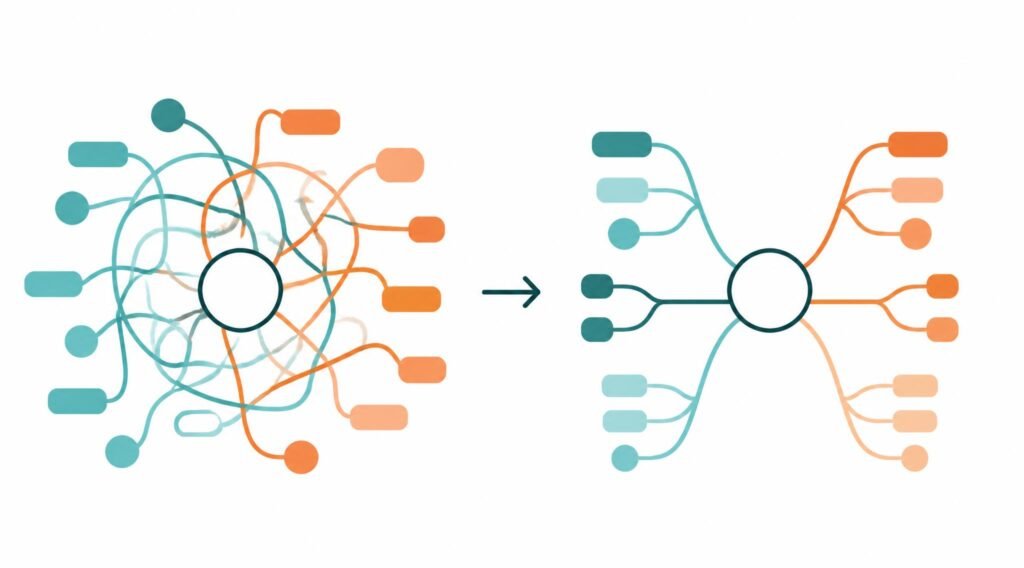
Buying the best mind mapping software will not help if your maps turn into a tangle. These habits keep them useful.
Start with one clear central idea. Write a short phrase, not a paragraph. A focused center keeps the whole map focused.
Use single words or short phrases on branches. Long sentences slow you down and hide connections.
Limit your main branches. Five to seven main branches are easier to scan than fifteen. If you have more, group them under broader headings.
Use color and icons with purpose. Assign one color per theme, such as red for risks and green for opportunities. Too many colors become noise.
Review and prune. After your first brainstorm, step away for a bit. When you return, merge duplicates and delete weak ideas.
Link ideas to actions. For every strong idea, add a next step and an owner. That is how a brainstorm becomes progress.
Combine with other methods. Try mind mapping first to expand your thinking, then use a simple matrix to rank ideas by effort and impact. Our readers also like pairing maps with the Eisenhower Matrix and the MoSCoW method for prioritizing.
Common Mistakes to Avoid
Even good tools can be misused. Watch out for these traps.
Overcomplicating the map. If you need a legend to read your own map, simplify it.
Skipping the free trial. Every tool in this list has a free option or trial. Test two before you commit to a paid plan.
Ignoring export options. Make sure you can export to PDF, image or text so your work is never locked inside one app.
Choosing a team tool for solo work. Paying for collaboration features you never use is a common waste of money.
Forgetting privacy. If your ideas are sensitive, check whether maps are public by default, as they are on some free plans.
Frequently Asked Questions
What is the best mind mapping software overall?
XMind is the best mind mapping software for most users in 2026. It offers many map structures, strong desktop apps, AI features and a low starting price. For team workshops, Miro is the better pick.
What is the best free mind mapping software?
Coggle is often named the best free option because it offers unlimited public maps and basic collaboration. XMind, MindMeister, Miro and Whimsical also have free plans, but each limits boards, maps or features.
Is Miro a real mind mapping tool?
Miro can create mind maps, but it is a broader online whiteboard rather than a pure mind mapping app. It works best when you need group collaboration, voting and workshops.
Can AI create mind maps for me?
Yes. Some tools, including XMind, can generate a starting map from a prompt, a file or a website. You should still review and edit the result, since AI drafts can miss context or include weak ideas.
Which mind mapping tool is best for students?
Coggle and XMind are both good for students. Coggle is simple and free, while XMind offers more structures for study planning and revision. Check the official sites for current student discounts.
Are mind maps good for brainstorming new ideas?
Yes. Mind maps help you branch out from a central idea, spot connections and avoid getting stuck in a single line of thought. They are one of the most popular techniques for creative brainstorming.
How much does mind mapping software cost?
Many tools have free plans. Paid plans in this guide range from about $5 per month for Coggle’s Awesome plan to about $20 per month for team tiers on Miro and Whimsical. Prices change, so confirm on each official site.
Can I use mind mapping software on my phone?
XMind has iOS and Android apps. Browser-based tools like MindMeister, Whimsical, Coggle and Miro also work on mobile browsers, although a larger screen is more comfortable for big maps.
Final Verdict: Which Mind Mapping Software Should You Choose?
The best mind mapping software depends on how you think and who you work with. Here is the short version:
- Choose XMind if you want the most powerful all-around tool at a friendly price.
- Choose Miro if you run team workshops and need voting and clustering.
- Choose MindMeister if you want maps that connect directly to meetings and tasks.
- Choose Whimsical if you are a designer or product manager who mixes maps with flowcharts and docs.
- Choose Coggle if you want a fast, free and simple mind map maker.
Our advice is simple. Pick two tools from this list, build the same small map in each, and keep the one that feels natural. A tool you enjoy using will always beat a feature-packed one you avoid.
Have you tried any of these mind mapping tools? Share your experience in the comments, and explore more idea-generation resources on IdeasJunction to keep your creativity flowing.
Disclosure: This article is for information only. Features and prices were checked from public sources and may change. Always verify details on the official product pages before buying.