
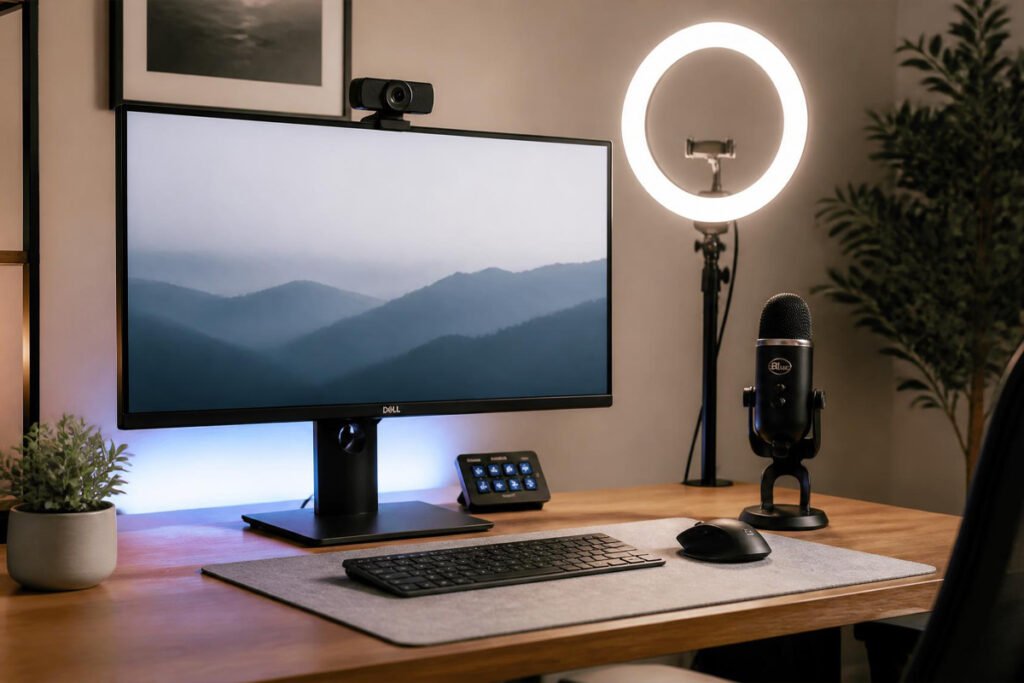
You spent hours getting the proposal itself right — the pricing, the scope, the pitch. Then the client meeting starts, and you’re grainy, backlit, and half-audible over a laptop’s built-in mic, while the client’s screen is crisp and their audio is clean. It’s a small thing, and it shouldn’t matter as much as it does — but it does. Presentation quality quietly shapes how competent and prepared you seem, before a single word of your actual proposal lands.
This is one of the most overlooked pieces of writing a business proposal that actually wins clients. You can have the sharpest pricing structure and the clearest scope of work in the industry, but if the meeting where you present it looks and sounds amateurish, you’re fighting an uphill battle you didn’t need to create. This matters just as much whether you’re starting a freelancing business and pitching your first few clients, or running an established agency where every pitch competes against two or three other firms.
The fix isn’t complicated or expensive. A handful of well-chosen pieces of equipment — camera, lighting, audio, and a couple of practical extras — close almost the entire gap between “looks like a hobbyist” and “looks like the obvious choice.”
In this guide, we break down the five pieces of equipment worth investing in first, what problem each one actually solves, and how to prioritize your budget based on how often you’re pitching.
Quick Answer
The best client meeting setup depends on which weak point is hurting your presentation most. If your video looks grainy or dark, an external webcam is the single highest-leverage upgrade, since built-in laptop cameras are consistently the weakest link in any call. If your webcam is fine but your lighting is inconsistent, a ring light fixes flattering, even lighting in seconds regardless of the room you’re in. If clients have ever asked you to repeat yourself, a dedicated USB microphone solves that instantly, since audio quality affects perceived competence more than most people realize. A wireless presentation remote removes the awkward lean-back-to-the-laptop moment during in-person pitches, and a portable document scanner lets you digitize and send a signed contract the same day you get it, instead of waiting until you’re back at a desk. The right principle: fix the piece a client would actually notice going wrong, not the piece that looks most impressive to you.
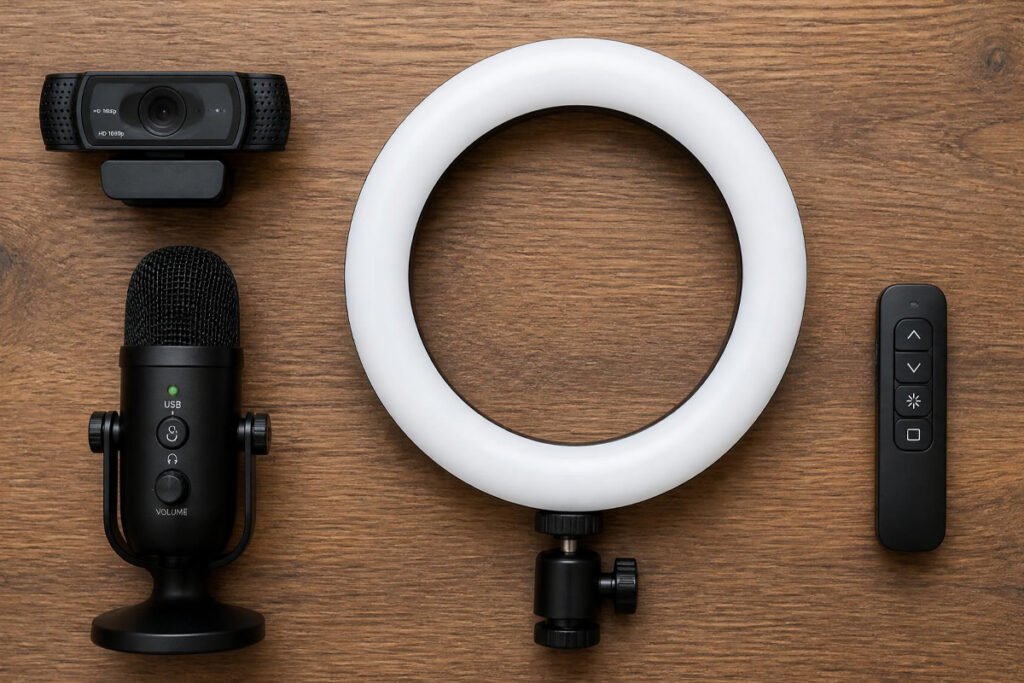
Table of Contents
- Why Presentation Equipment Actually Affects Proposal Outcomes
- How to Choose the Right Gear for Your Meeting Style
- Best Presentation & Client Meeting Equipment Available
- Comparison Table
- Best Setup for Different Types of Client Meetings
- How to Build Your Meeting Setup Step by Step
- Common Mistakes
- Expert Tips
- Final Thoughts
- Frequently Asked Questions
Why Presentation Equipment Actually Affects Proposal Outcomes {#what-is}
A proposal meeting is a sales moment, whether you frame it that way or not — and like any sales moment, small signals of competence and preparation shape trust before the content itself is even evaluated. Presentation equipment isn’t vanity; it removes friction and distraction so the client’s attention stays on your actual pitch instead of straining to see or hear you clearly.
The categories that matter most, in rough order of impact, are:
- Camera quality, since most laptop webcams are genuinely poor in anything but perfect lighting, and a grainy image is one of the fastest ways to look unprepared
- Lighting, which affects how a decent camera actually performs — even a great webcam looks bad in bad light
- Audio clarity, since clients tolerate imperfect video far more than they tolerate straining to hear you
- In-person presentation tools, for pitches delivered live rather than over video
- Document handling, for the moment a proposal actually gets signed
According to research summarized by workplace communication studies, nonverbal and audiovisual clarity meaningfully affects how credible and competent a speaker is perceived to be — a factor that applies directly to a client deciding whether to trust you with a project, not just to on-camera professionals.
How to Choose the Right Gear for Your Meeting Style {#how-to-choose}
Before buying anything, ask yourself three questions:
Are most of your proposal meetings on video, or in person? If you’re almost entirely on video calls, camera, lighting, and audio should be your priority. If you pitch mostly in person, a presentation remote and portable scanner matter more than camera gear.
How many client-facing meetings do you run per month? If it’s an occasional call, a single well-chosen upgrade like a webcam or ring light solves most of the problem. If you’re pitching multiple times a week, a complete setup pays for itself quickly in win rate alone.
What’s the most common thing clients have commented on? If someone has ever asked you to repeat yourself, fix your audio first. If a call has ever felt oddly dark or grainy, fix lighting and camera first — let real feedback, not assumptions, guide your first purchase.
Best Presentation & Client Meeting Equipment Available {#best-options}
1. External HD/4K Webcam
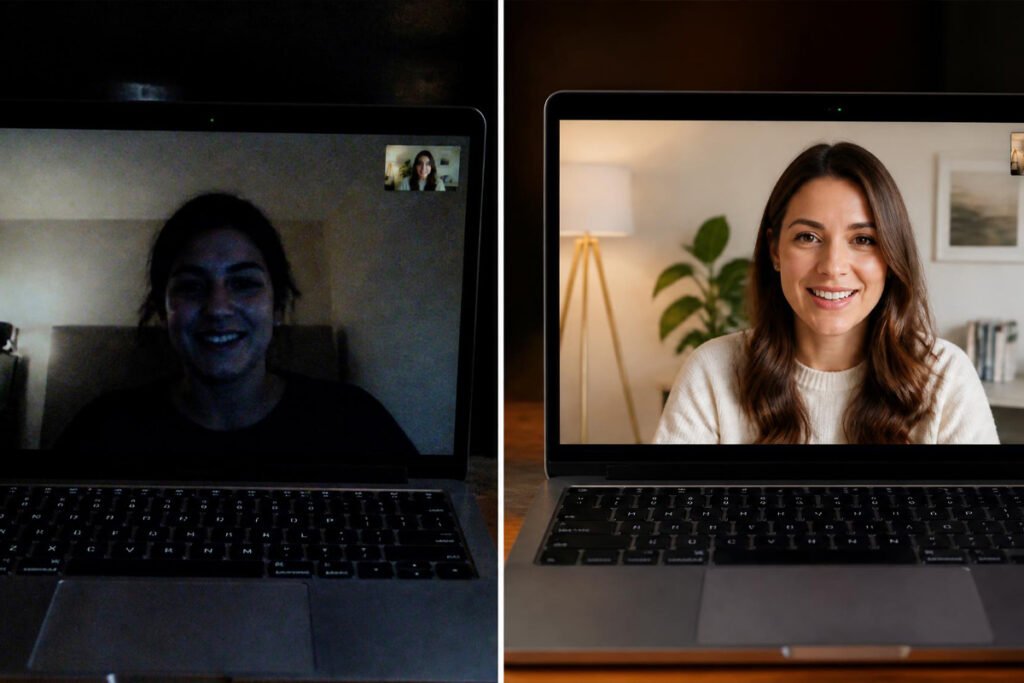
Overview: Built-in laptop cameras are consistently the weakest link in any video call — small sensors, poor low-light performance, and fixed angles that rarely flatter. A dedicated external webcam is one of the cheapest, highest-leverage upgrades you can make to how you come across on every single client call from here forward.
Key Features:
- 1080p or 4K resolution with genuine autofocus, not just digital sharpening
- Stronger low-light performance than virtually any built-in laptop camera
- Wide compatibility with Zoom, Teams, and Google Meet without extra drivers
- Physical privacy shutter on most models for security between calls
Best For: Anyone doing regular video-based client meetings who hasn’t upgraded their camera since buying their laptop.
Pros: ✅ One of the most noticeable single upgrades to how professional you look on camera ✅ Plug-and-play compatibility across nearly every meeting platform ✅ A one-time purchase that improves every future call
Cons: ❌ Requires a free USB port and a stable mounting spot on your monitor ❌ Image quality still depends heavily on having decent lighting
Our Verdict: If you’re starting a freelancing business and pitching clients mostly over video, this is the first upgrade to make — it fixes the most visible weak point in almost every home office setup.
2. Ring Light / Video Lighting
Overview: Even a great webcam looks flat, dark, or unevenly lit without proper lighting — and most home offices rely on inconsistent overhead or window light that changes throughout the day. A ring light gives you consistent, flattering, even lighting regardless of the room or time of day you’re presenting in.
Key Features:
- Adjustable brightness and color temperature to match different rooms and skin tones
- Clip-on or desktop stand mounting that sits beside your monitor without taking up desk space
- Even, shadow-free “donut” lighting that flatters faces on camera
- USB-powered, so no separate outlet or bulky power supply is needed
Best For: Anyone whose video calls look inconsistent depending on the time of day or room they’re in.
Pros: ✅ Immediate, noticeable improvement to video quality regardless of webcam ✅ Inexpensive relative to the visual impact ✅ Compact and easy to reposition or store between calls
Cons: ❌ Can look overly staged if brightness isn’t dialed in correctly ❌ Budget clip-on models can feel less sturdy over time
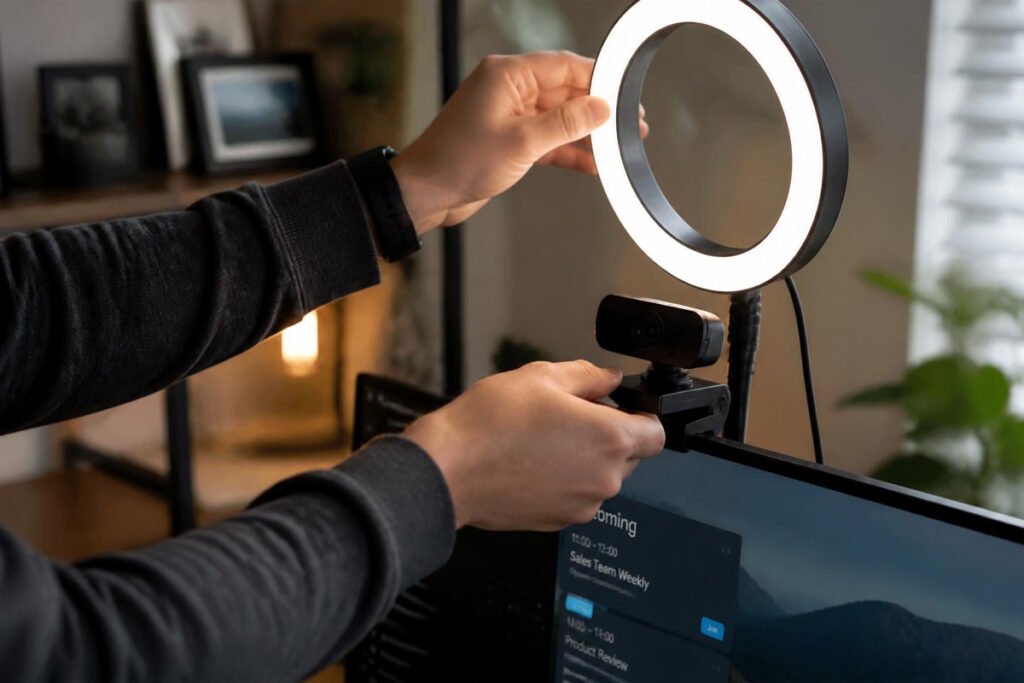
Our Verdict: Pair this with your webcam rather than buying one without the other — lighting is what actually lets a good camera perform well, which matters directly when you’re writing and presenting a proposal that needs to land well on a first call.
3. USB Microphone
Overview: Clients will forgive imperfect video far more readily than they’ll forgive straining to hear you. A dedicated USB microphone consistently outperforms even premium built-in webcam microphones, cutting background noise and delivering the kind of clear, close audio that makes a call feel effortless to sit through.
Key Features:
- Cardioid or noise-cancelling pickup pattern that isolates your voice from background noise
- Plug-and-play USB connection with no separate audio interface required
- Mute button and gain control built directly into most models
- Desk stand or boom arm compatibility for hands-free positioning
Best For: Anyone who has ever been asked to repeat themselves on a call, or who works from a space with regular background noise.
Pros: ✅ Meaningfully improves how clear and professional you sound ✅ Budget models still outperform almost any built-in laptop or webcam mic ✅ Reduces the need to ask clients to repeat themselves due to poor audio on your end
Cons: ❌ Requires a stable desk position, which can clutter a compact setup ❌ Some models need brief gain adjustment to avoid sounding too quiet or too hot
Our Verdict: If you had to pick only one audio-visual upgrade, audio quality has an outsized effect on perceived competence relative to its cost — a detail worth prioritizing before video gear if your budget is tight.
4. Wireless Presentation Remote
Overview: For in-person pitches, walking back to your laptop to advance a slide breaks the flow of a presentation and makes even a strong pitch feel clumsy. A wireless presentation remote lets you advance slides, use a laser pointer, and control your screen from anywhere in the room, keeping your attention on the client instead of your keyboard.
Key Features:
- Wireless range typically covering an entire conference room
- Built-in laser pointer or on-screen highlighter for emphasizing key points
- Simple forward/back navigation with minimal learning curve
- Compact enough to keep in a laptop bag or pocket
Best For: Anyone delivering in-person pitches or presentations rather than purely video-based meetings.
Pros: ✅ Removes the awkward return-to-laptop moment during live presentations ✅ Genuinely inexpensive relative to its impact on presentation flow ✅ Works across most major presentation software without setup
Cons: ❌ Irrelevant if all your meetings happen over video rather than in person ❌ Easy to misplace given its small size
Our Verdict: A small, cheap upgrade that pays off disproportionately for anyone regularly delivering pitch decks in a conference room rather than over a screen share.
5. Portable Document Scanner
Overview: When a client signs a physical proposal or contract in person, the fastest way to lose momentum is telling them you’ll “scan it when you’re back at the office.” A compact portable scanner lets you digitize a signed document on the spot and send it immediately, closing the loop while the client’s decision is still fresh.
Key Features:
- Compact, battery-powered design that fits in a laptop bag
- Fast single-pass scanning directly to PDF or image format
- Automatic edge detection and image cleanup for a professional-looking scan
- Direct-to-phone or direct-to-cloud transfer on most modern models
Best For: Anyone who regularly closes deals in person and needs signed paperwork digitized immediately, not hours later.
Pros: ✅ Removes the awkward delay between an in-person signature and a digital copy ✅ Compact enough to carry to every client meeting without a second thought ✅ Produces cleaner scans than a phone camera photo in most lighting conditions
Cons: ❌ An extra device to remember and keep charged ❌ Less necessary if your proposals are already handled entirely through proposal software with built-in e-signatures
Our Verdict: Most useful as a backup for the moments a physical signature happens anyway — pair it with a proper e-signature workflow rather than treating it as a full replacement.
Comparison Table {#comparison-table}
| Equipment | Best For | Relative Cost | Video Calls | In-Person Meetings |
|---|---|---|---|---|
| External Webcam | Overall video call quality | Low–Moderate | ✅ Essential | ❌ Not relevant |
| Ring Light | Consistent, flattering lighting | Low | ✅ High impact | ❌ Not relevant |
| USB Microphone | Clear, professional audio | Low–Moderate | ✅ High impact | Occasionally useful |
| Wireless Presentation Remote | Smooth in-person pitch flow | Very Low | ❌ Not relevant | ✅ Essential |
| Portable Document Scanner | Fast on-the-spot signing | Moderate | ❌ Not relevant | ✅ Useful |
Prices vary by brand and feature tier — compare current listings against your specific meeting frequency before buying.
Best Setup for Different Types of Client Meetings {#use-cases}
Primarily Video-Based Freelancers and Consultants
If most of your proposal meetings happen over Zoom or Teams, prioritize the webcam, ring light, and microphone together — this trio solves nearly the entire gap between an amateur-looking call and a polished one, which matters most when you’re pitching as a solo freelancer competing against agencies with more resources.
Agencies Pitching In-Person
If your team regularly presents in conference rooms, the wireless remote is a small but meaningful upgrade to how smoothly your pitch flows, and pairs well with the broader operational polish clients expect from an established firm.
Mobile or Field-Based Service Businesses
If you’re running a mobile service business and often close deals with an in-person signature, a portable scanner keeps your paperwork moving without requiring a trip back to an office before you can send a signed copy.

How to Build Your Meeting Setup Step by Step {#how-to}
Step 1: Record a Test Call With Your Current Setup
Before buying anything, record a short test call using what you already have. Watch it back and identify whether video, lighting, or audio is the weakest link.
Step 2: Fix Audio First if It’s the Problem
If clients have ever struggled to hear you clearly, prioritize a USB microphone before anything else — audio issues are more disruptive to a client’s experience than imperfect video.
Step 3: Add the Webcam and Lighting Together
Buy these as a pair rather than separately, since lighting has a major effect on how well even a good webcam performs.
Step 4: Test Your Full Setup on an Actual Call
Once your gear is set up, do a real test call with a colleague or friend and ask specifically about audio clarity and video brightness — direct feedback catches issues you won’t notice yourself.
Step 5: Add In-Person Tools Only if You Actually Present Live
Skip the presentation remote and scanner entirely if your meetings are purely video-based — there’s no reason to buy equipment for a meeting format you don’t use.
Common Mistakes {#mistakes}
Upgrading video before fixing audio. Clients notice poor audio faster and more negatively than imperfect video — if you can only fix one thing first, audio is usually the higher-impact choice.
Buying a ring light without checking your webcam’s low-light performance. A cheap webcam can still look grainy even under good lighting — test the combination together rather than assuming one upgrade fixes everything.
Skipping a test call before an actual client meeting. New equipment can have setup issues — wrong input selected, light positioned to cause glare — that are far better caught in a private test than during a live pitch, similar to reviewing your actual proposal before sending it rather than after.
Expert Tips {#tips}
Position your ring light slightly above eye level, angled down. This creates the most flattering light angle and avoids the harsh shadows that come from lighting positioned too low or too far to the side.
Keep your microphone six to twelve inches from your mouth. Too close causes distortion on louder words; too far reintroduces the background noise you bought the microphone to eliminate.
Do a five-minute equipment check before every important pitch, not just the first time. Cables get bumped, lighting changes with the season, and a quick check catches problems before the client does.
Final Thoughts {#final-thoughts}
There’s no single piece of equipment that fixes a weak presentation — only the right combination for how you actually meet with clients. If most of your pitches happen on video, the webcam, ring light, and microphone together close nearly the entire gap between amateur and polished. If you present mostly in person, a wireless remote and portable scanner solve the friction points specific to that format.
Whichever pieces you start with, remember that presentation quality is part of your pitch, not separate from it — a detail worth as much attention as the proposal content itself, and one that pays off on every client meeting from here forward, not just the next one.
Frequently Asked Questions {#faq}
Do I really need an external webcam, or is my laptop camera good enough? Most built-in laptop cameras are noticeably weaker than even budget external webcams, especially in low light. If you do regular client-facing video calls, the upgrade is one of the cheapest, highest-impact changes you can make.
Webcam vs. ring light — which should I buy first? If you had to choose one, prioritize whichever is actually causing the visible problem. A great webcam still looks bad in poor lighting, and a great ring light can’t fix a genuinely low-quality camera sensor — ideally, budget for both together.
How much should I spend on a full presentation setup? A functional webcam, ring light, and microphone combination can be assembled at a wide range of price points — prioritize the microphone and webcam first if your budget is limited, since those affect every call regardless of format.
Is a ring light overkill for a professional business call? No — ring lights have become standard equipment for remote professionals, not just content creators. Used at a moderate brightness, they simply provide the even, flattering lighting that overhead office lighting rarely delivers on its own.
Do I need a wireless presentation remote if I mostly do video calls? No — this tool is specifically for in-person presentations. Skip it entirely if your client meetings happen over video, where screen sharing handles slide navigation.
Can a portable scanner replace e-signature software? Not fully — a scanner is best used as a backup for the occasional in-person signature, while e-signature software built into proposal tools is the more efficient default for most day-to-day proposals.
What’s the single most common mistake people make with meeting equipment? Buying video equipment while ignoring audio. Clients are far more forgiving of imperfect video than they are of straining to hear you clearly throughout a call.
Will better equipment actually help me win more proposals? Equipment alone won’t win a weak proposal, but it removes a real source of friction and unconscious doubt that can undercut an otherwise strong pitch — it’s a supporting factor, not a replacement for the proposal itself.
How often should I test my equipment before meetings? A quick check before any high-stakes pitch is worth the two minutes it takes — lighting, camera angle, and audio levels can all shift slightly between sessions without you noticing until you’re already on the call.
Do these upgrades matter for phone-based sales calls too? Audio equipment matters just as much on a phone-based call, but video-specific gear like webcams and ring lights obviously only apply to video meetings.
Author: Morne Winston Last Updated: July 2026