
You finally landed the discovery call. The client loved the pitch. Then you spent four hours that night wrestling with a Word document, fighting page breaks, and copy-pasting a pricing table from your last proposal — only to email a flat PDF that sat unopened for a week with no way to know if anyone had even looked at it.
This is the quiet bottleneck in almost every service business. Founders and freelancers get good at the work long before they get good at the paperwork that wins the work. If you’ve already read our guide on how to write a business proposal that actually wins clients, you know that structure and message matter — but the right software is what turns a solid proposal into a repeatable, trackable, fast system instead of a one-off scramble.
That gap is exactly what business proposal software is built to close. The right tool doesn’t just make a document look nicer — it saves you hours per proposal, tells you the moment a client opens it, and lets you collect a signature and get paid without ever leaving the platform. It matters just as much whether you’re starting a freelancing business from scratch or already running an agency with a full sales pipeline.
In this guide, we compare the five proposal tools worth your actual attention in 2026, break down who each one is built for, and show you exactly how to pick the right one for your stage of business.
Quick Answer
The best business proposal software depends on your team size and sales volume. Solo freelancers and consultants sending occasional proposals get the most value from Better Proposals or Bidsketch — both are affordable, fast to set up, and don’t force you to pay for features you’ll never touch. Small agencies that need approval workflows and pipeline visibility should look at Proposify. Teams that want proposals, contracts, and e-signatures handled in one connected system are best served by PandaDoc. And if your proposal itself needs to look and feel like a premium sales asset — think interactive, web-page-style presentations — Qwilr is the strongest pick. The right principle: match the tool to your sales volume, not to the flashiest feature list.
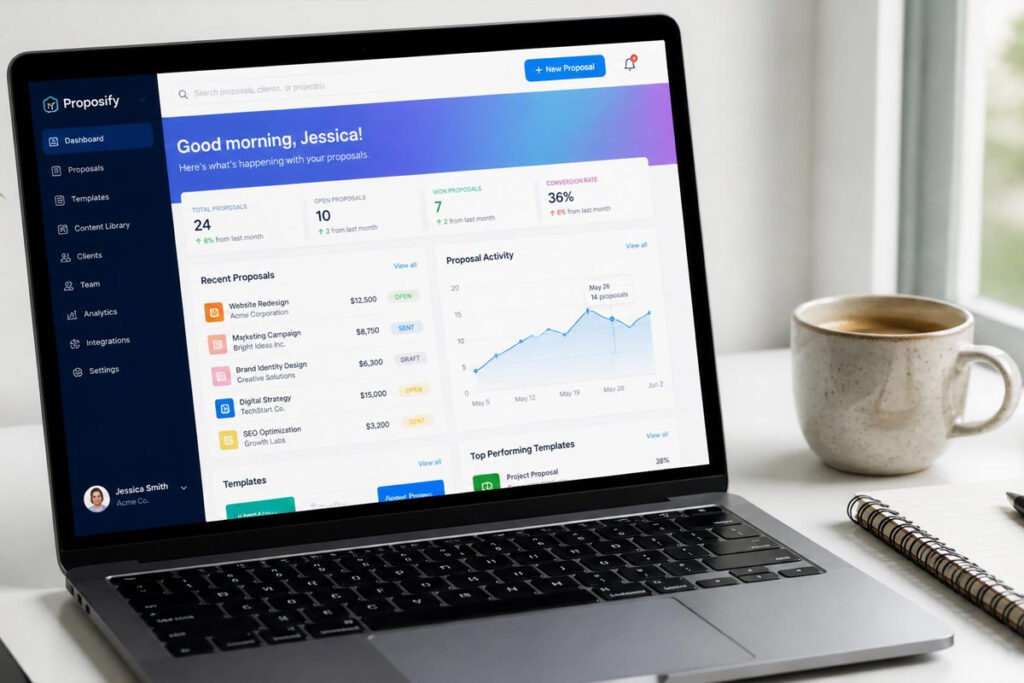
Table of Contents
- What Is Business Proposal Software?
- How to Choose the Right Proposal Tool
- Best Business Proposal Software Available
- Comparison Table
- Best Proposal Software for Different Business Types
- How to Set Up Your First Proposal Workflow
- Common Mistakes
- Expert Tips
- Final Thoughts
- Frequently Asked Questions

What Is Business Proposal Software? {#what-is}
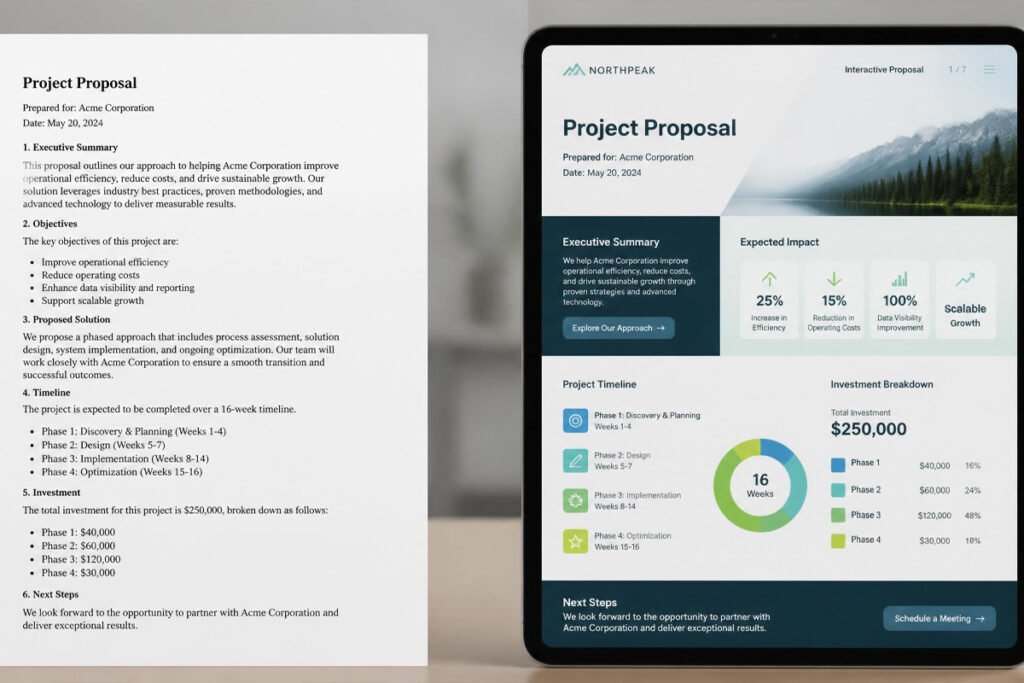
Business proposal software is a purpose-built platform for creating, sending, tracking, and closing client-facing proposals — replacing the old habit of drafting proposals in Word or Google Docs and emailing them as static PDFs. Instead of a document that goes silent the moment you hit send, proposal software gives you a live, trackable page you can update, and it tells you exactly what happens after the client opens it.
At a minimum, the best business proposal software gives you three things static documents can’t:
- Branded templates you can reuse and customize per client instead of rebuilding from scratch every time
- View and engagement tracking, so you know the moment a proposal is opened and which sections get the most attention
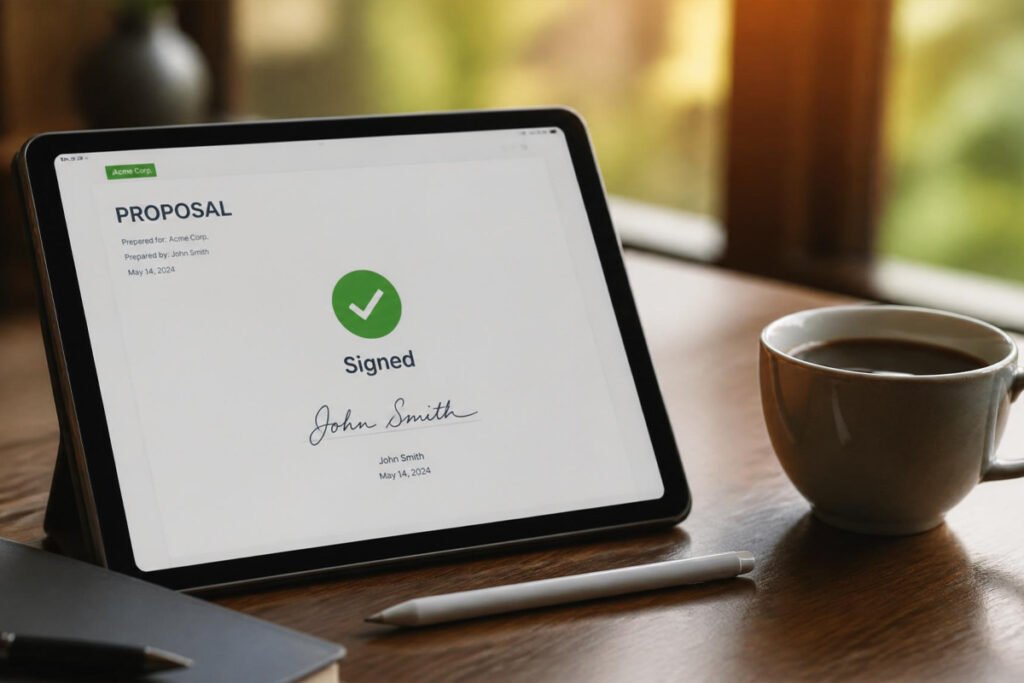
- Built-in e-signatures, so a client can approve and sign without printing, scanning, or a separate tool
Most modern platforms also fold in pricing tables, optional add-ons the client can select themselves, payment collection, and integrations with the CRM or accounting software you already use. This matters because a proposal is rarely just a document — it’s the last thing a prospect sees before they decide whether to trust you with their money, which is why writing a proposal that wins and sending it through the right system are two halves of the same job.
How to Choose the Right Proposal Tool {#how-to-choose}
Before comparing individual products, ask yourself three questions:
How many proposals do you send per month? If it’s fewer than ten and you’re working solo, an expensive per-seat sales tool is overkill — a lightweight, flat-rate option will save you money without costing you features you’d actually use.
Do you need more than a signature? If you also invoice, manage contracts, or collect payments, a tool that connects those steps saves real time. If proposals are the only piece you need solved, a dedicated proposal-only tool is usually cheaper and simpler to learn.
Does your proposal need to sell on its own? Agencies pitching high-ticket, competitive deals often benefit from an interactive, visually rich proposal format, while operational or B2B service proposals are frequently judged more on clarity and pricing structure than design flair.
According to the U.S. Small Business Administration, clearly written, professional client-facing documents are one of the most commonly overlooked factors in small business credibility with new customers — which is worth keeping in mind before you default to the cheapest option available.
Best Business Proposal Software Available {#best-options}
1. PandaDoc
Overview: PandaDoc is the most complete all-in-one document platform on this list, covering proposals, quotes, contracts, and e-signatures inside a single workflow. It’s built for businesses that don’t want to juggle a separate tool for every document type, and it has one of the largest user bases and review volumes of any platform in this category.
Key Features:
- Drag-and-drop proposal, quote, and contract builder
- Legally binding e-signatures with audit trails
- Deep CRM integrations (HubSpot, Salesforce, Pipedrive, and others)
- Built-in payment collection at the point of signature
- Real-time document analytics showing exactly when and how long a client viewed each section
Best For: Businesses that want proposals, contracts, and signatures handled in one connected system rather than three separate tools.
Pros: ✅ Broadest feature set of any tool in this comparison ✅ Strong CRM and payment integrations ✅ Includes a free e-signature-only plan
Cons: ❌ Full proposal features are locked behind paid tiers ❌ Can feel like more platform than a solo freelancer actually needs
Our Verdict: PandaDoc earns its reputation as the safe, scalable default — especially for anyone who also needs help with the legal side of running a business, since contracts and compliant e-signatures live in the same place as the proposal itself.
2. Qwilr
Overview: Qwilr takes a different approach to the proposal entirely — instead of a document, it builds an interactive, mobile-responsive web page that feels closer to a landing page than a PDF. It’s designed specifically around making a proposal feel like part of your sales pitch, not an afterthought to it.
Key Features:
- Web-page-style proposals with embedded video, pricing calculators, and interactive elements
- Reusable content blocks for fast rebuilding across similar deals
- Native e-signature and CRM integration
- Engagement analytics down to time spent per section
Best For: Agencies and creative or consulting businesses where the proposal itself needs to demonstrate quality and polish.
Pros: ✅ The most visually distinctive proposals of any tool here ✅ Fast to build once templates are set up ✅ Strong CRM connectivity
Cons: ❌ Sits at a higher price point than budget-focused tools ❌ Design flexibility can feel restrictive if you want a fully custom layout
Our Verdict: If you’re starting a drone photography business, a design studio, or any visually driven service, Qwilr’s format does real selling work before the client ever gets on a call with you.
3. Proposify
Overview: Proposify is built around control — specifically, giving sales teams and agency leads the ability to lock down approved language, pricing, and branding while still letting reps customize each proposal for the client in front of them. It leans hardest into approval workflows and pipeline-level analytics.
Key Features:
- Role-based approval workflows before a proposal can be sent
- Locked content blocks to protect pricing and legal language
- Pipeline-level reporting across all sent proposals
- Team permissions and multi-user collaboration
Best For: Small agencies and sales teams of three or more who need oversight over what goes out under the company name.
Pros: ✅ The strongest approval and permission controls in this list ✅ Useful deal-stage analytics across your whole team ✅ Solid design customization
Cons: ❌ Priced per seat, which adds up quickly as a team grows ❌ Deeper CRM integrations (like Salesforce) often cost extra
Our Verdict: Proposify makes the most sense once you’ve outgrown “one person sends what they want” and need consistency across a growing team — a natural next step after building out your business’s operational and compliance basics.
4. Better Proposals
Overview: Better Proposals is built for simplicity and speed rather than depth. It strips the category down to what most freelancers and small service businesses actually use — templates, tracking, e-signatures, and payment collection — without the enterprise features that drive up cost elsewhere.
Key Features:
- Large library of industry-specific templates
- Real-time view and engagement tracking
- Integrated e-signatures and payment collection (Stripe, PayPal, GoCardless)
- Simple, flat learning curve — most users are sending proposals within an hour
Best For: Freelancers, consultants, and solopreneurs who want a professional result without a steep price or learning curve.
Pros: ✅ One of the most affordable dedicated proposal tools available ✅ Fast setup and genuinely easy to use ✅ Clean, professional templates out of the box
Cons: ❌ No contracts, invoicing, or project management beyond the proposal itself ❌ Fewer advanced integrations than PandaDoc or Proposify
Our Verdict: For anyone starting a freelancing business or working solo, Better Proposals hits the sweet spot of looking professional without paying for a sales stack you don’t need yet.
5. Bidsketch
Overview: Bidsketch is one of the longest-running names in this category and has built its reputation specifically around individual freelancers and very small agencies. It focuses on speed — reusable content blocks and templates let you assemble a new proposal from past work in minutes rather than starting from a blank page.
Key Features:
- Reusable content library so you’re never rebuilding a proposal from scratch
- Optional add-on line items clients can select themselves, designed to increase average deal size
- Basic e-signatures and client-facing approval pages
- Straightforward, flat-rate-friendly plans for solo users
Best For: Solo freelancers and micro-agencies who send proposals occasionally and want a low-cost, no-frills tool.
Pros: ✅ Genuinely fast once your content library is built ✅ Built-in upsell line items can meaningfully increase deal value ✅ Simple plans with a low entry cost for single users
Cons: ❌ Team collaboration is limited even on higher tiers ❌ Design customization is more restrictive than Qwilr or Proposify
Our Verdict: Bidsketch is a strong fit if you’re the kind of solo operator who also reads our guide on passive income ideas that actually work — it’s built for people who want proposals off their plate fast, not a full sales operation.
Comparison Table {#comparison-table}
| Tool | Best For | Starting Price | E-Signature | CRM Integration | Design Flexibility |
|---|---|---|---|---|---|
| PandaDoc | All-in-one document workflow | Free plan; paid tiers scale up | ✅ Yes | Extensive | High |
| Qwilr | Visually rich, interactive proposals | Mid-range per seat | ✅ Yes | Strong | High |
| Proposify | Team approval workflows | Mid-to-high per seat | ✅ Yes | Strong (add-ons cost extra) | High |
| Better Proposals | Fast, affordable solo use | Budget-friendly per seat | ✅ Yes | Limited | Moderate |
| Bidsketch | Solo freelancers, micro-agencies | Budget-friendly flat/per user | ✅ Yes | Basic | Moderate |
Pricing changes frequently — always confirm current rates on each vendor’s official pricing page before subscribing.
Best Proposal Software for Different Business Types {#use-cases}
Solo Freelancers and Consultants
If you’re sending fewer than ten proposals a month and working alone, prioritize speed and cost over features you won’t use. Better Proposals and Bidsketch both let you go from template to sent proposal in minutes, which matters most in the early stage of starting a small business from home when every hour spent on admin is an hour not spent on client work or growing through affiliate marketing on the side.
Small Agencies and Service Teams
Once you have two or more people sending proposals under the same brand, consistency becomes the priority. Proposify’s locked content blocks and approval steps prevent an inexperienced team member from sending out-of-date pricing, while PandaDoc’s CRM sync keeps your sales pipeline and your proposal activity in the same place — both worth considering as you formalize the legal and compliance basics of a growing team.
Design, Creative, and High-Ticket Sales
If your proposal is competing against two or three other agencies for the same client, presentation quality genuinely affects win rate. Qwilr’s interactive format works especially well for creative studios, web design shops keeping up with current design trends, or any mobile or on-location service business that wants photos and video embedded directly into the pitch.
How to Set Up Your First Proposal Workflow {#how-to}
Step 1: Audit Your Last 3–5 Proposals
Before choosing software, look at what you’ve already sent. Identify the sections that repeat almost word-for-word every time — that’s exactly what should become a reusable template.
Step 2: Build One Master Template
Rather than importing every past proposal, build a single clean master template with placeholder text for pricing, scope, and timeline. This becomes the foundation every future proposal is copied from.
Step 3: Connect Your Tracking and Signature Settings
Turn on view notifications and set up your e-signature block before you send anything live. This step is what actually gives you visibility into whether a client opened your proposal at all.
Step 4: Send a Test Proposal to Yourself
Every tool on this list lets you preview or send a test version. Check that pricing tables calculate correctly and that the mobile view looks clean — most clients open proposals on their phone first.
Step 5: Set a Follow-Up Trigger
Decide in advance when you’ll follow up if a proposal is opened but not signed within 48–72 hours, and build that into your calendar or your tool’s automation settings so it doesn’t rely on memory.
Common Mistakes {#mistakes}
Choosing based on price alone. The cheapest plan often caps your monthly proposal sends or client count, which can quietly cost you more once you scale — a mistake similar to skipping proper business licensing early to save money and paying for it later.
Never rebuilding your template. A proposal template built once during setup and never updated slowly falls out of sync with your actual pricing and services, which creates confusion at the exact moment you’re trying to close a deal.
Ignoring engagement data. Most tools show you when and how long a client viewed your proposal — but that data is only useful if you actually check it before following up, rather than sending a generic “just checking in” email on a fixed schedule.
Expert Tips {#tips}
Lead with pricing options, not a single number. Presenting two or three tiered options instead of one flat price tends to increase both close rate and average deal size, because it shifts the client’s decision from “yes or no” to “which one.”
Keep your proposal under five pages. Longer proposals rarely win more often — they mostly signal that the scope wasn’t clearly defined before the document was written.
Time your follow-up to the tracking data, not the calendar. A follow-up sent within an hour of a client reopening your proposal for a second time converts far better than one sent on a fixed three-day schedule.
Final Thoughts {#final-thoughts}
There’s no single best business proposal software — there’s only the best fit for your sales volume and business stage. Better Proposals or Bidsketch are the smartest starting points for solo freelancers who want a professional result without overpaying. PandaDoc is the safest all-around pick once you need contracts and payments in the same workflow. Proposify earns its place once you’re managing a team and need approval controls. And Qwilr is worth the premium if your proposal itself needs to close the sale on design alone.
Whichever tool you choose, remember that software only fixes half the problem — pair it with a genuinely strong proposal structure, which is exactly what we break down in how to write a business proposal that wins clients, and back it with a properly registered business entity so every proposal you send looks — and is — fully legitimate.
Frequently Asked Questions {#faq}
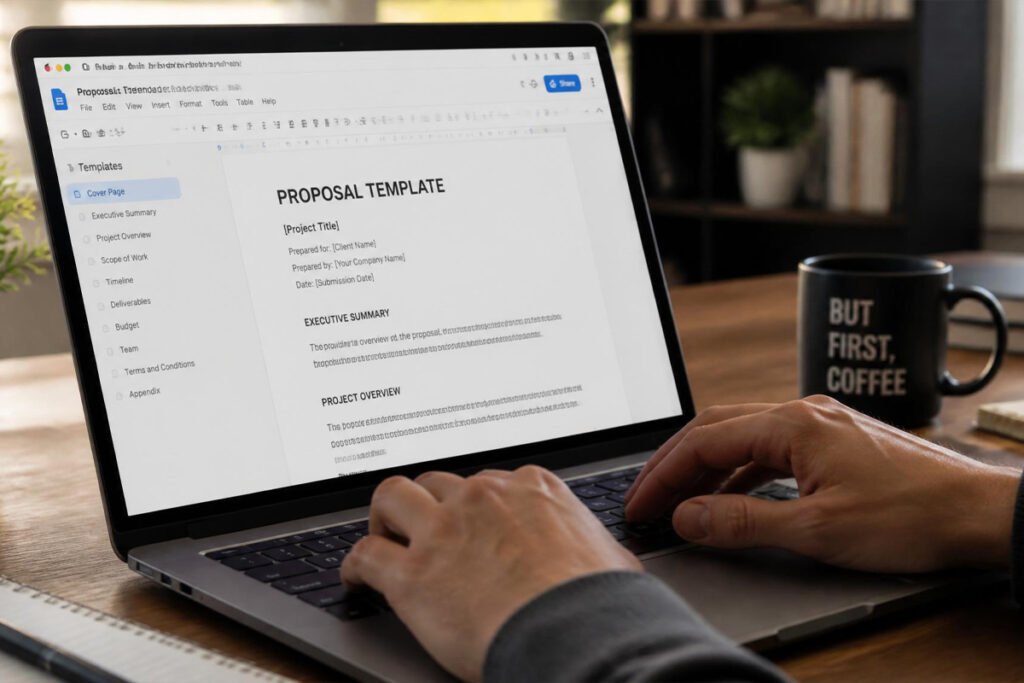
Do I really need proposal software, or is a Word document enough? A Word document works fine early on, but you lose visibility into whether a client even opened it. Proposal software adds tracking, e-signatures, and faster template reuse — which matters most once you’re sending more than a handful of proposals a month.
How much does business proposal software typically cost? Most dedicated tools range from roughly $10 to $40+ per user per month depending on features, with several offering free trials or limited free plans. All-in-one platforms with contracts and payments tend to sit at the higher end.
PandaDoc vs. Proposify — which should I choose? PandaDoc is the better choice if you also need contracts and payment collection in one place. Proposify is the stronger pick if your priority is team approval workflows and pipeline-level reporting.
Can I use these tools without a business license? You can technically send a proposal without one, but operating without proper licensing puts you at risk once money changes hands. Check our guide on whether you need a business license before signing your first client.
Do these tools work for non-sales proposals, like grant or project proposals? Most are built primarily for sales and service proposals, but the templating, tracking, and e-signature features translate reasonably well to internal or project proposals too.
What happens if a client doesn’t open my proposal at all? Check your spam-folder deliverability first — this is a common, underreported issue with proposal tools. If it was opened but ignored, a short, specific follow-up referencing one section of the proposal usually outperforms a generic check-in.
Is a free plan enough to get started? Free plans are useful for testing a tool’s interface, but most cap either the number of sends or lock e-signatures and tracking behind a paid tier — treat them as a trial, not a long-term solution.
Do I need e-signature functionality, or can I just get a verbal yes? Always get it in writing. A verbal agreement isn’t enforceable the same way, and e-signatures create a timestamped audit trail that protects both you and the client.
How long should a business proposal be? Most effective proposals run three to five pages. Longer documents rarely close more deals — they usually indicate the scope wasn’t tightly defined before writing began.
Can proposal software replace a contract? Some tools (like PandaDoc) can generate legally binding contracts alongside the proposal, but always confirm the document meets your state’s requirements, especially for higher-value engagements.
Author: Morne Winston Last Updated: July 2026