
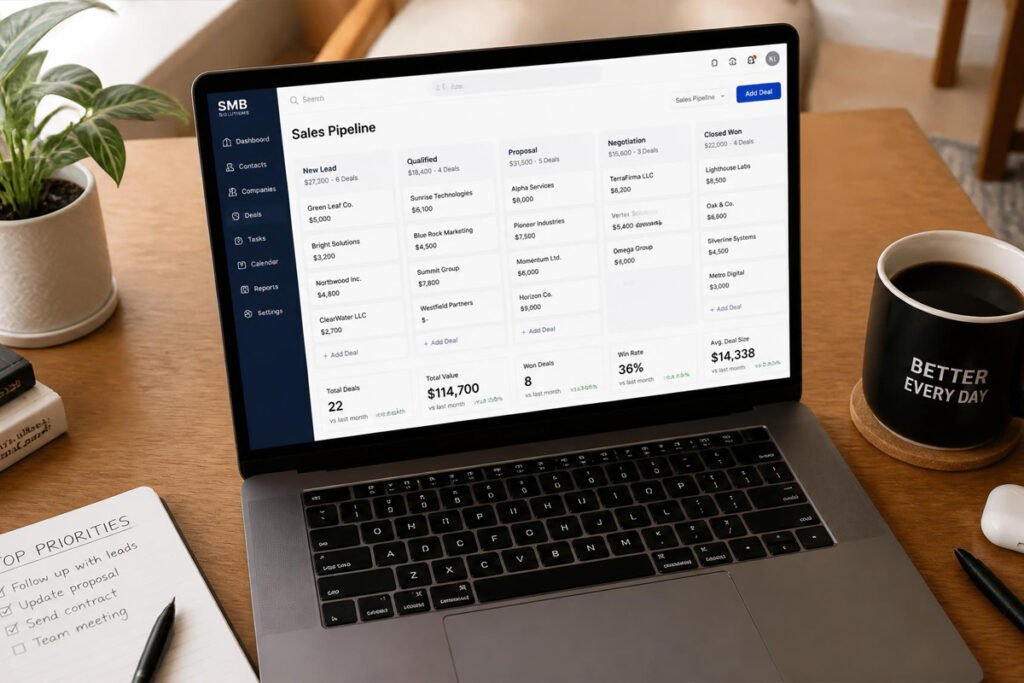
You met a promising lead three weeks ago. You meant to follow up. Then a client emergency happened, then another proposal took over your week, and now you genuinely can’t remember whether you sent that last email or just thought about sending it. Multiply that by every lead, every client, and every half-finished follow-up sitting in your inbox, and it’s easy to see how much revenue quietly disappears simply because nothing was tracked.
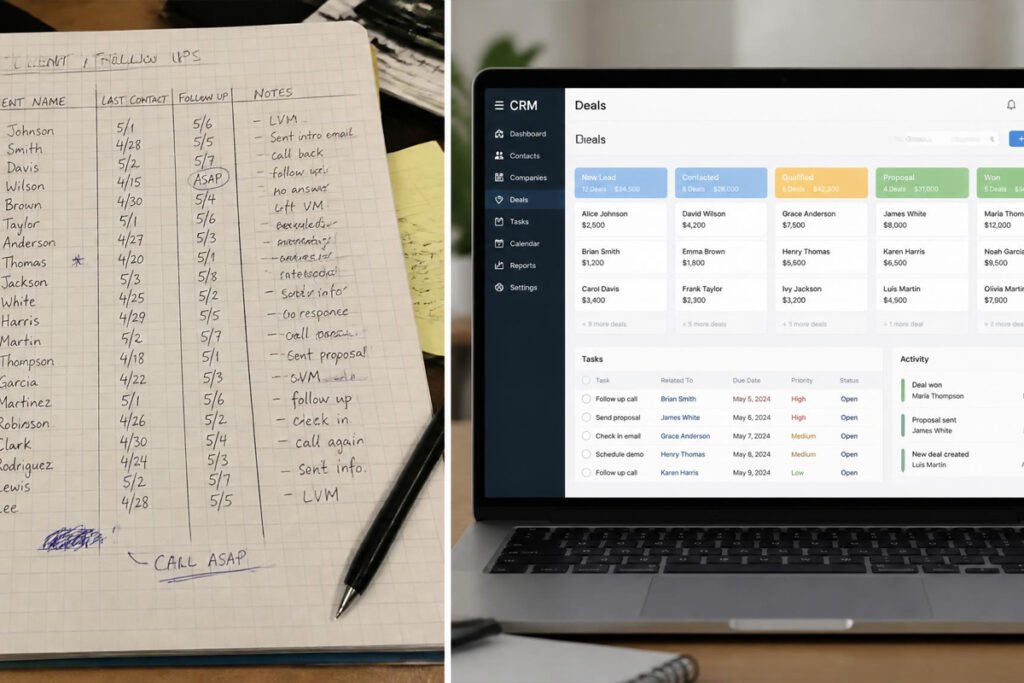
A CRM (customer relationship management) tool exists to close exactly that gap. Instead of relying on memory, sticky notes, or a spreadsheet that’s always one version behind, a CRM gives every lead and client a single record — what stage they’re at, what was last said, and what needs to happen next. If you’re already sending proposals with our business proposal software guide or closing deals with e-signature tools, a CRM is what ties those individual actions into one visible pipeline instead of a string of disconnected steps.
This guide compares the six best CRM platforms for small businesses in 2026, who each one is really built for, and how to avoid paying for a tool that’s bigger than what you actually need.
Quick Answer
The best CRM depends on team size and how sales-driven your business already is. HubSpot CRM is the strongest starting point for most small businesses because its free tier is genuinely usable, not a stripped-down trial. Pipedrive is the better pick if your business runs on a clear, visual sales pipeline and little else. Zoho CRM makes sense if you want deep customization and plan to connect it to a wider stack of business tools. Salesforce Starter suits businesses that expect to grow into more complex sales and service needs. monday.com CRM is a strong fit if your team already manages projects in monday and wants sales tracking in the same place. And Freshsales is worth a look if built-in calling, email, and chat inside the CRM itself matters more than anything else.

What Is CRM Software and How Does It Work?
CRM software is a tool that stores every lead and client in one place, tracking what stage they’re at in your sales process and what interactions have already happened. Instead of a lead living in your inbox, your notes app, and your memory all at once, it lives in one record that anyone on your team can open and immediately understand.
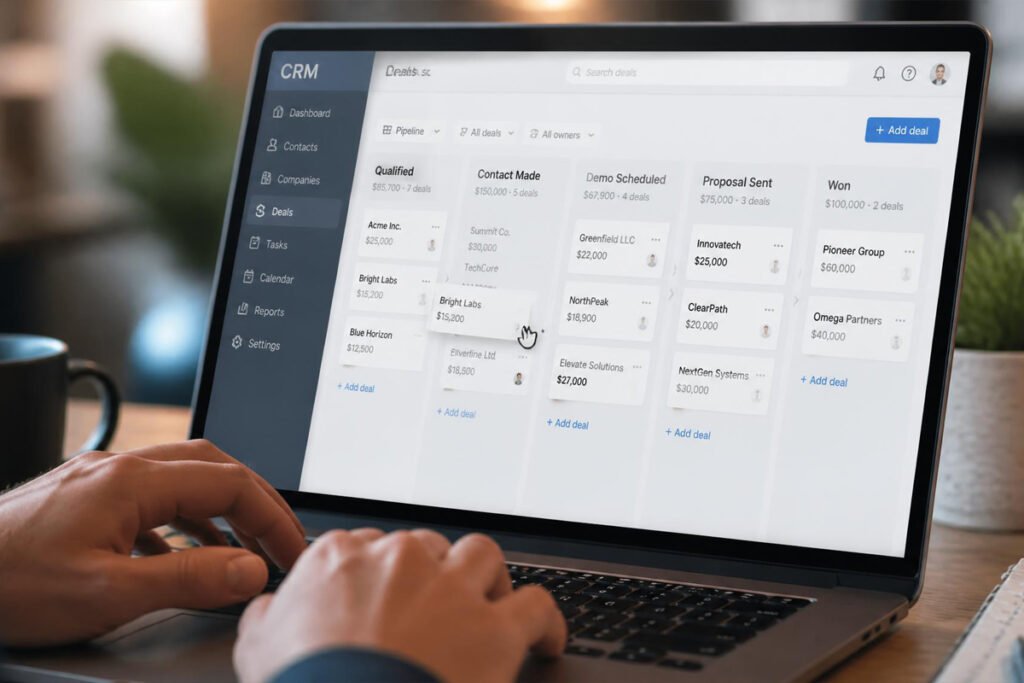
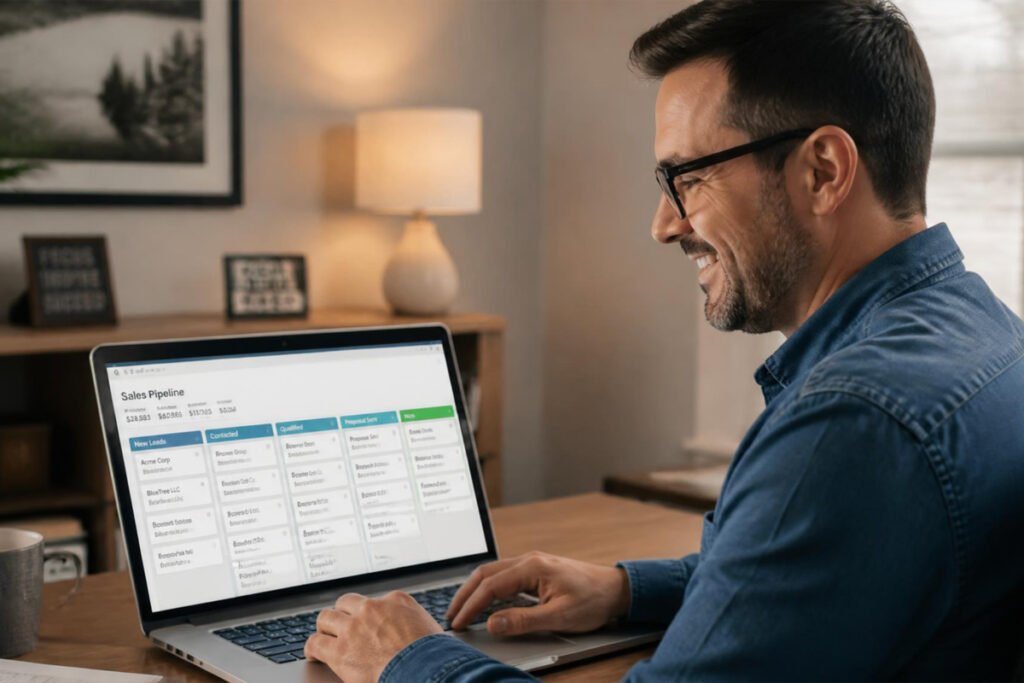
Most CRMs organize this around a visual pipeline — a series of stages like “New Lead,” “Contacted,” “Proposal Sent,” and “Closed Won” — with each contact moving through as the relationship progresses. On top of that, most platforms add automated follow-up reminders, email tracking so you know when a message was opened, and reporting that shows where deals tend to stall.
For a small business, the real value isn’t the software itself — it’s that nothing falls through the cracks simply because you were busy. If you’re still finalizing the legal side of your business before you start actively selling, our guides on getting an EIN and getting a business license in 2026 are worth working through first.
How to Choose the Right CRM Tool
How big is your team, and will it stay that size? A solo operator or two-person team rarely needs the same tool as a business planning to hire a sales team within the year. Picking a CRM that scales avoids a painful platform switch later.
Do you need a pure sales pipeline, or a fuller business suite? Some CRMs stay narrowly focused on tracking deals. Others bundle in marketing automation, customer service tools, and reporting most small teams won’t touch for a while. Paying for the bigger suite before you need it is a common, avoidable expense.
What tools do you already rely on daily? A CRM that connects cleanly to your email, calendar, and project management tool saves real time. One that requires manual re-entry from your other systems tends to get abandoned within a few months.
Best CRM Software Available
1. HubSpot CRM
Overview: HubSpot’s free CRM is one of the most generous starting points in the market — unlimited users, deal pipelines, contact management, email tracking, and basic reporting, all without a subscription fee. For a small business unsure whether a CRM is even worth the investment yet, HubSpot removes the financial risk of finding out.
Key Features:
- Free tier with unlimited users and contacts
- Visual deal pipeline with drag-and-drop stages
- Email tracking and meeting scheduler built in
- Marketing and service tools available as add-ons
- Large app marketplace for integrations
Best For: Small businesses that want a fully usable CRM without committing to a paid plan first.
Pros: ✅ Genuinely useful free tier ✅ Easy for non-technical teams to learn ✅ Scales into marketing and service tools later Cons: ❌ Advanced features get expensive quickly past the free tier ❌ Can feel like more platform than a very small team needs at first
Our Verdict: If you’re not yet sure how much CRM you actually need, HubSpot lets you find out without paying anything until the free tier genuinely stops being enough.
2. Pipedrive
Overview: Pipedrive is built around one thing — a clear, visual sales pipeline — and it does that one thing very well. There’s little clutter here; it’s designed for a small team that wants to see exactly where every deal stands without digging through menus.
Key Features:
- Highly visual, drag-and-drop pipeline view
- Email sync with open and click tracking
- Sales automation for repetitive follow-up tasks
- Built-in reporting on deal stages and conversion rates
- No-code email builder for outreach
Best For: Sales-focused small businesses that want simplicity over an all-in-one suite.
Pros: ✅ Intuitive, visual pipeline ✅ Fast to set up and learn ✅ Strong reporting on where deals stall Cons: ❌ No free tier ❌ Fewer built-in marketing and service features than bundled platforms
Our Verdict: For a business where the sales pipeline is the whole picture — no marketing automation, no support tickets, just deals moving forward — Pipedrive avoids paying for features you’d never open.
3. Zoho CRM
Overview: Zoho CRM stands out for depth and flexibility, with over a thousand integrations and heavy customization options. It’s part of the wider Zoho ecosystem, so it connects naturally if you’re already using tools like Zoho Invoice, but it holds up perfectly well as a standalone CRM too.
Key Features:
- Extensive customization of fields, layouts, and workflows
- Over 1,000 third-party integrations
- Kanban-style task and pipeline boards
- AI-assisted lead scoring and insights
- Multi-channel communication (email, phone, chat, social)
Best For: Businesses with a larger tech stack that want a CRM flexible enough to fit around it.
Pros: ✅ Deep customization ✅ Very wide integration library ✅ Scales well as complexity grows Cons: ❌ Steeper learning curve than simpler tools ❌ Easy to over-customize into something confusing without a clear plan
Our Verdict: If you’re already inside the Zoho ecosystem for invoicing or accounting, Zoho CRM keeps your client data, invoices, and sales pipeline talking to each other without extra integration work.
4. Salesforce Starter
Overview: Salesforce Starter brings the trusted Salesforce name down to small business pricing, combining sales, service, and basic marketing tools into a single guided dashboard. It’s built for a business that expects its needs to grow past a simple pipeline within the next year or two.
Key Features:
- Guided onboarding for teams new to CRM software
- Combined sales, service, and commerce tools in one dashboard
- AI-assisted email drafting and optimization
- Straightforward data import for fast setup
- Clear upgrade path into full Salesforce as you grow
Best For: Small businesses that expect to scale into more complex sales and service needs.
Pros: ✅ Trusted, well-established platform ✅ Combines sales and service in one place ✅ Clear growth path built in Cons: ❌ Less budget-friendly than pure small-business tools ❌ More setup involved than lighter competitors
Our Verdict: If you’re building toward a bigger sales and support operation rather than staying a lean two-person team indefinitely, starting on Salesforce avoids a harder migration later.
5. monday.com CRM
Overview: monday.com CRM is built on top of monday’s familiar project-board interface, making it a natural fit for a small business that already manages projects or tasks there and wants sales tracking without learning an entirely separate tool.
Key Features:
- Familiar board-and-column layout shared with monday’s project tools
- Customizable pipelines and automation recipes
- Contact and deal management with activity tracking
- Integrates cleanly with monday’s project management boards
- Beginner-friendly for teams new to CRM software
Best For: Startups and small teams already using monday.com for project management.
Pros: ✅ Easy for existing monday.com users to adopt ✅ Highly visual and customizable ✅ Good fit for newcomers to CRM tools Cons: ❌ Less sales-specific depth than dedicated CRM platforms ❌ Best value only if you’re already paying for monday.com elsewhere
Our Verdict: If your team already lives inside monday.com boards for project work, keeping your sales pipeline in the same tool cuts down on app-switching without much of a learning curve.
6. Freshsales
Overview: Freshsales leans into built-in communication — email, phone, and chat all live inside the CRM itself, rather than requiring separate tools bolted on through integrations. Its AI features are aimed squarely at helping a small sales team prioritize which deals actually deserve attention.
Key Features:
- Built-in phone, email, and chat inside the platform
- AI-generated deal insights and next-step suggestions
- Marketing automation with customer segmentation
- Automated lead assignment and sales sequencing
- Context-aware conversation tracking across channels
Best For: Small sales teams that want calling and messaging built directly into their CRM.
Pros: ✅ Strong built-in communication tools ✅ Useful AI-driven deal prioritization ✅ Good multichannel visibility on one contact record Cons: ❌ Full feature set requires a higher-tier plan ❌ Communication tools may duplicate what you already pay for elsewhere
Our Verdict: If your sales process depends heavily on calls and multichannel outreach rather than just email, Freshsales keeps that activity logged automatically instead of relying on manual notes.
Comparison Table
| Software | Best For | Free Plan | Built-In Calling | Best If You Already Use… |
|---|---|---|---|---|
| HubSpot CRM | General small business starting point | Yes | No | Nothing yet — clean slate |
| Pipedrive | Pure sales pipeline focus | No | No | A simple, standalone sales process |
| Zoho CRM | Customization + integrations | Limited | Add-on | Zoho Invoice or Zoho Books |
| Salesforce Starter | Scaling sales & service needs | No | Add-on | A growth-stage business plan |
| monday.com CRM | Teams already using monday.com | Limited | No | monday.com project boards |
| Freshsales | Multichannel sales teams | Limited | Yes | Heavy phone/chat-based selling |
Best CRM Software for Different Business Types
Freelancers and Solo Consultants
A lightweight, free-tier CRM like HubSpot is usually more than enough when you’re tracking a handful of active leads. Pair it with our guide on pricing a business proposal so every lead in your pipeline moves toward a clearly priced offer.
Sales-Driven Service Businesses
If closing deals is the core of what you do — consulting, agency work, B2B services — Pipedrive or Freshsales keep the pipeline itself front and center. Once a deal reaches “Closed Won,” route it straight into e-signature software to get it formally signed without losing momentum.
Growing Teams Managing Projects and Sales Together
If your business already runs projects through monday.com, or expects to need service and support tools alongside sales soon, monday.com CRM or Salesforce Starter avoid juggling multiple disconnected platforms.
How to Set Up Your First CRM Pipeline
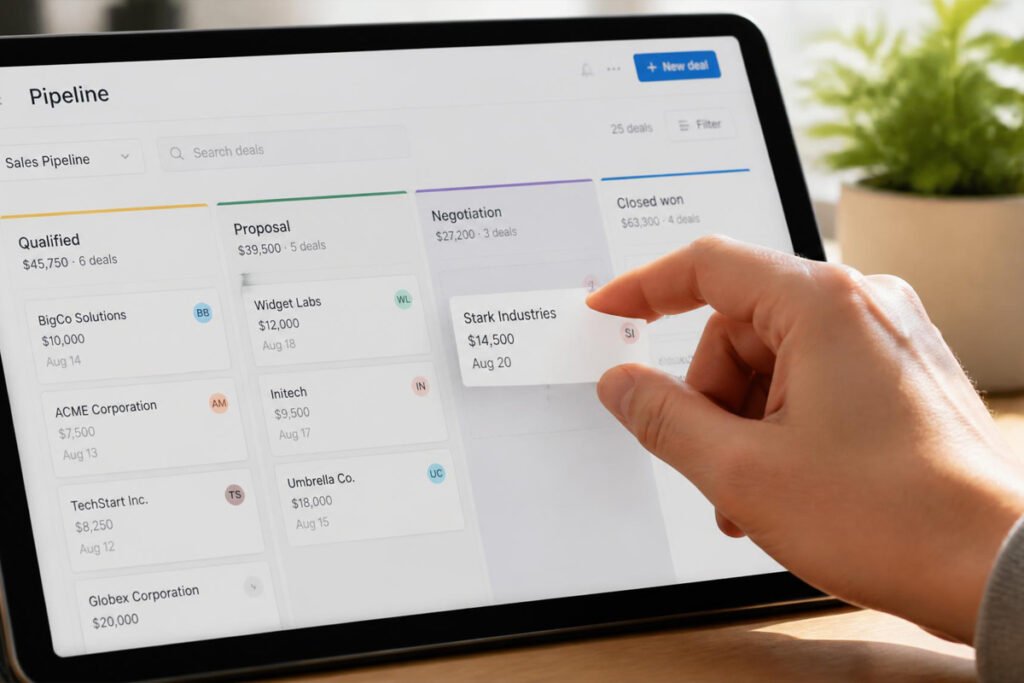
Step 1: Define Your Pipeline Stages
Map out the real stages a lead moves through in your business — for example, New Lead, Contacted, Proposal Sent, Signed, Invoiced — rather than copying a generic template that doesn’t match how you actually sell.
Step 2: Import Your Existing Contacts
Bring in leads and clients you’re already tracking elsewhere, whether that’s a spreadsheet or your email contacts, so nothing gets lost in the switch.
Step 3: Connect Your Email and Calendar
Sync your inbox and calendar so activity logs and meeting scheduling happen automatically instead of requiring manual entry after every call.
Step 4: Set Follow-Up Reminders
Turn on automated reminders for leads that haven’t been contacted in a set number of days, so nothing sits untouched simply because the week got busy.
Step 5: Review the Pipeline Weekly
Set a recurring weekly check to see which deals are stalled, which need a nudge, and which are ready to move toward a signed agreement and an invoice.
Common Mistakes
Choosing a CRM before mapping your actual sales process. Adopting software before you know your own pipeline stages leads to a messy setup that gets abandoned within weeks. Define the process first, then pick the tool that fits it.
Letting the CRM go stale. A CRM with outdated, half-entered records is worse than no CRM at all — it creates false confidence that leads are being tracked when they’re not. Build a habit of updating records right after each interaction, not days later.
Over-customizing from day one. Especially in flexible tools like Zoho CRM, it’s tempting to build a complex system before you’ve used the basics long enough to know what you actually need. Start simple, then customize based on real friction points.
Expert Tips
Log every “next step,” not just contact info. A CRM record that only shows a name and email doesn’t help you follow up well. Note exactly what the next action is and when it should happen.
Route closed deals straight into your next tool. A deal marked “Closed Won” should immediately trigger the next real step — sending a contract through your e-signature tool or generating an invoice — rather than sitting until you remember to act on it.
Don’t skip the free tier just because it feels “less serious.” Several tools on this list, especially HubSpot, offer free plans that are genuinely capable, not crippled trials. Paying for features you’re not using yet doesn’t make your sales process any more effective.
Final Thoughts
Best overall: HubSpot CRM, for a genuinely usable free starting point. Best for pure sales focus: Pipedrive, for a clean, visual pipeline without extra clutter. Best for integrations: Zoho CRM, for businesses with a wider connected tech stack. Best for scaling businesses: Salesforce Starter, for teams planning real growth. Best for monday.com users: monday.com CRM, for staying inside one familiar interface. Best for multichannel selling: Freshsales, for teams relying heavily on calls and chat.
Whichever CRM you choose, the real goal is the same: no lead disappears just because you got busy. Once a deal moves from lead to signed client, our guides on e-signature software and invoicing software cover the next two steps in that same pipeline.
Frequently Asked Questions
Do I really need a CRM if I only have a handful of clients? If you can genuinely keep every lead and follow-up straight in your head or a simple note, you may not need one yet. Once you’re regularly losing track of who you last contacted, a free-tier CRM like HubSpot pays for itself quickly.
How much does CRM software typically cost? Costs range from free (HubSpot’s core CRM) to roughly $15–$50+ per user per month for full-featured plans on platforms like Pipedrive, Zoho CRM, or Salesforce Starter, depending on the tier.
What’s the difference between a CRM and a spreadsheet? A spreadsheet can technically track leads, but it doesn’t send automated reminders, log email activity, or give you a visual view of where deals are stalling — all of which a CRM handles without manual upkeep.
Which CRM is best for a solo freelancer? HubSpot’s free tier or Pipedrive’s simple pipeline view both work well for a single person managing a manageable number of active leads without added complexity.
Can a CRM connect to my invoicing or accounting software? Yes — Zoho CRM connects natively with Zoho Invoice and Zoho Books, and most other CRMs on this list offer integrations with popular accounting tools through their app marketplaces.
Is it worth switching CRMs once I’ve already started using one? Only if the current tool is actively costing you deals through missing features or a workflow that doesn’t fit. Switching costs time and re-training, so it’s worth doing deliberately rather than chasing every new feature release.
Do I need a business license before actively selling and using a CRM? In most cases, yes — operating and billing for services generally requires the appropriate local licensing first. Our guide on getting a business license in 2026 covers what’s typically required before you start actively selling.
How do I know when to upgrade from a free CRM plan? Common signs include hitting contact or user limits, needing marketing automation, wanting more detailed reporting, or needing built-in calling features that the free tier doesn’t include.
Author: Morne Winston Last Updated: August 2026
Pingback: Best Project Management Software for Small Business: Top 6 Proven Picks | Ideas Junction – Your Hub for Startups, Business Growth & Innovation
Pingback: Best Business Phone Systems for Small Business: Top 6 Proven Picks | Ideas Junction – Your Hub for Startups, Business Growth & Innovation
Pingback: Best Website Builders for Small Business: Top 6 Proven Picks | Ideas Junction – Your Hub for Startups, Business Growth & Innovation