
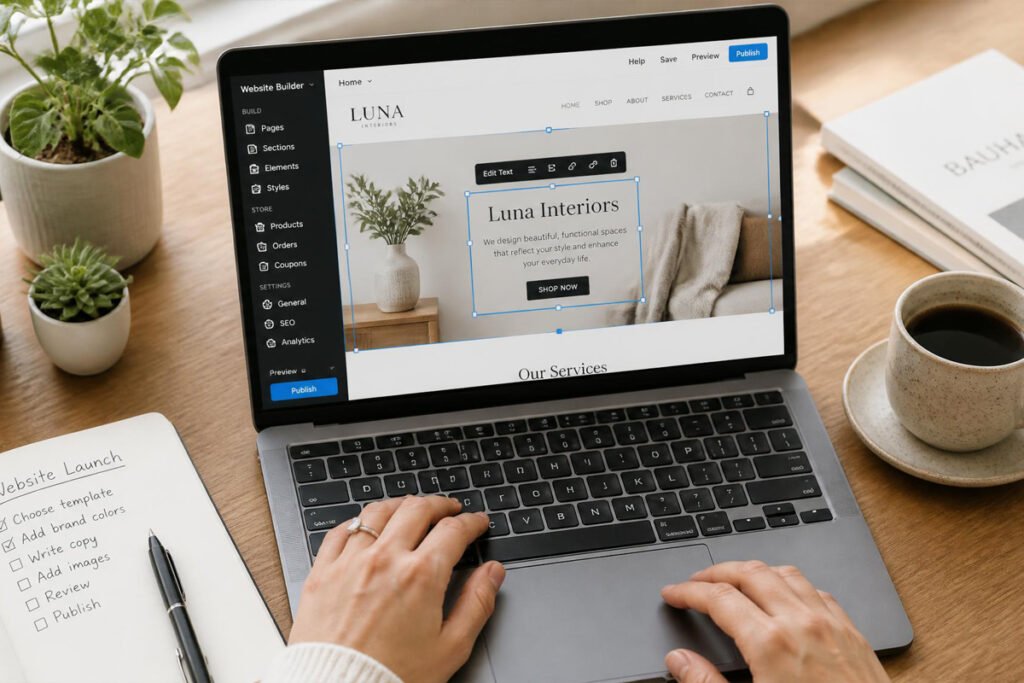
You’ve had “build the website” on your to-do list for months. Every time you sit down to actually start, it turns into a rabbit hole of hosting, domains, plugins, and templates that don’t quite fit — and by the end of the evening, you’ve made zero real progress and lost an evening you didn’t have to spare. Meanwhile, potential customers who search for your business find nothing, or worse, find an outdated Facebook page from three years ago.
Website builders exist specifically to remove that friction. Instead of coding a site from scratch or piecing one together from disconnected tools, a builder gives you a working, professional site in an afternoon — no developer required. If you’re already selling through digital product platforms or building landing pages for specific offers, a full website builder is what ties everything together into one real home base for your business online.
This guide compares the six best website builders for small businesses in 2026, what each one is genuinely built for, and how to pick the right one without spending a weekend testing platforms you’ll abandon a month later.
Quick Answer
The best website builder depends on what your site actually needs to do. Wix is the strongest all-around pick for most small businesses, thanks to its ease of use and genuinely helpful AI design tools. Squarespace is the better fit if design quality and polish matter most, especially for service businesses and creatives. Shopify is purpose-built for anyone whose site is primarily an online store. WordPress.com suits businesses that plan to blog heavily or want more long-term flexibility and content ownership. Webflow is worth the steeper learning curve if you want pixel-perfect design control. And Hostinger is the strongest budget option if cost is the deciding factor and your needs are relatively simple.
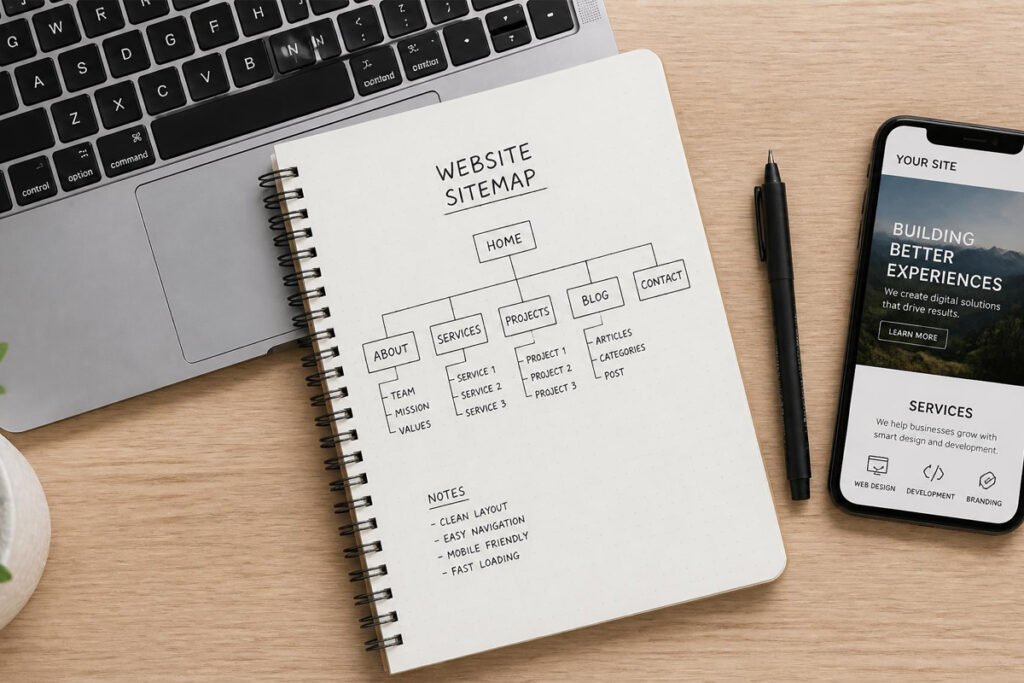
What Is a Website Builder and How Does It Work?
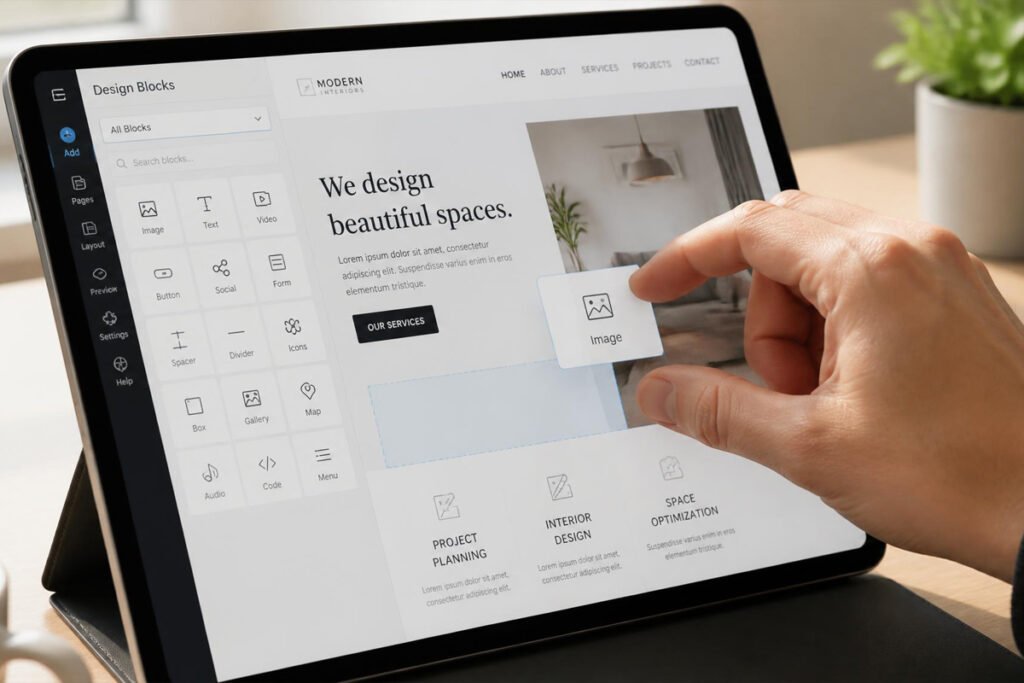
A website builder is a platform that lets you design, publish, and manage a website using a visual editor instead of writing code. Most work on a drag-and-drop or block-based system: you pick a template, then add and rearrange text, images, and features like contact forms or online stores directly on the page you’re building.
Modern builders bundle in far more than just page design. Hosting, security, and domain connection are usually included, so there’s no separate server to manage. Most also include SEO settings, mobile-responsive templates that automatically adapt to phone screens, and increasingly, AI tools that can generate a starting layout or write draft copy based on a short description of your business.
The real value for a small business isn’t the design tool itself — it’s that your site becomes a place customers can actually find and trust, working alongside tools like email marketing software to turn visitors into an audience you can reach again later, not just a one-time page view.
How to Choose the Right Website Builder
What is the primary job of your site? A portfolio or service business site has very different needs than an online store selling dozens of products. Be honest about whether e-commerce is central to the site or a secondary feature, since that changes which builder makes sense.
How much design control do you actually want? Some builders, like Wix or Squarespace, prioritize ease of use with well-designed defaults. Others, like Webflow, offer far more granular control but require more time to learn. Neither is “better” — it depends on how much you want to fine-tune versus just get something live.
Will content — blogging, articles, resources — be a big part of your strategy? If publishing regularly is core to how you plan to attract visitors, a platform with strong native blogging tools, like WordPress.com, tends to hold up better long-term than one where blogging is a bolted-on feature.
Best Website Builders Available
1. Wix
Overview: Wix remains one of the most complete, easy-to-use website builders on the market, combining a genuinely intuitive drag-and-drop editor with AI tools that can generate a starting layout from a short description of your business. For a small business owner who wants to build a professional site without a steep learning curve, Wix consistently strikes that balance.
Key Features:
- AI-powered site generation from a business description
- Large library of designer-made templates
- Built-in e-commerce, booking, and blogging tools
- Drag-and-drop editor with real design flexibility
- App marketplace for extending functionality
Best For: Small businesses that want an all-in-one, easy-to-use builder with strong AI assistance.
Pros: ✅ Very easy to learn ✅ Genuinely useful AI design tools ✅ Handles e-commerce, bookings, and blogging in one platform Cons: ❌ Switching templates later can require rebuilding parts of the site ❌ Can feel like more platform than a very simple one-page site needs
Our Verdict: For most small businesses building a first real website, Wix offers the most balanced mix of ease, design quality, and built-in functionality without requiring a design background.
2. Squarespace
Overview: Squarespace has built its reputation on design quality — its templates are consistently polished, modern, and mobile-responsive without much manual tweaking required. It’s a particularly strong fit for service businesses and creatives who want their site to visually reflect a premium brand.
Key Features:
- High-quality, professionally designed templates
- Strong built-in blogging and content tools
- E-commerce features suitable for small to mid-sized stores
- Built-in email marketing and social media scheduling tools
- Member areas and appointment scheduling available natively
Best For: Service businesses and creatives who want a visually polished site with minimal design effort.
Pros: ✅ Consistently high-quality templates ✅ Strong all-in-one feature set ✅ Good for both content and light e-commerce Cons: ❌ Less flexible layout customization than Wix or Webflow ❌ E-commerce features are solid but not as deep as a dedicated store platform
Our Verdict: If your site is as much about brand impression as function — a design studio, a wellness practice, a photography business — Squarespace’s template quality does a lot of the visual heavy lifting for you.
3. Shopify
Overview: Shopify is purpose-built for one thing above all else: managing and scaling an online store. If your website’s primary job is selling products, Shopify offers dedicated tools for inventory, payments, and multi-channel selling that general-purpose builders simply don’t match.
Key Features:
- Dedicated tools for inventory, orders, and payment processing
- Omnichannel selling across web, in-person, and social platforms
- Large app ecosystem for shipping, marketing, and customer support
- Built-in abandoned cart recovery and discount tools
- Scales from a first product to a large catalog
Best For: Businesses where an online store is the core of the website, not a secondary feature.
Pros: ✅ Purpose-built for e-commerce depth ✅ Strong multi-channel selling tools ✅ Scales well as product catalogs grow Cons: ❌ Overkill if you’re not primarily selling physical or digital products ❌ Transaction fees can apply depending on your payment setup
Our Verdict: If you’ve already worked through our guides on shipping and packaging supplies or dropshipping tools, Shopify is the platform built specifically to run the store those tools support.
4. WordPress.com
Overview: WordPress.com gives small businesses a hosted, simplified version of the open-source WordPress platform that powers a significant share of the web. It’s the strongest choice for businesses that plan to publish content regularly and want more long-term flexibility than a fully closed website builder offers.
Key Features:
- Powerful native blogging and content tools
- Large plugin and theme ecosystem for extending functionality
- Strong SEO foundation out of the box
- Flexible content ownership and export options
- Scales from a simple hosted plan to more advanced self-managed setups
Best For: Businesses where publishing content and blogging are a core part of the growth strategy.
Pros: ✅ Best-in-class blogging and content tools ✅ Strong SEO foundation ✅ More long-term flexibility than closed platforms Cons: ❌ Steeper learning curve than Wix or Squarespace ❌ Design flexibility depends heavily on which theme and plan you choose
Our Verdict: If content marketing — guides, articles, resources — is genuinely part of how you plan to attract customers, WordPress.com’s publishing tools tend to hold up better over years than a site builder where blogging is an afterthought.
5. Webflow
Overview: Webflow is built for users who want far more granular design control than typical drag-and-drop builders allow, without writing code by hand. It’s popular among designers and agencies precisely because it offers that level of precision while still remaining a visual, no-code tool.
Key Features:
- Pixel-level control over layout, spacing, and animation
- Clean, semantic code output under the hood
- CMS functionality for structured, dynamic content
- Strong for building highly custom, branded designs
- Popular platform for managing multiple client sites
Best For: Businesses and designers who want highly custom, precise design control.
Pros: ✅ Unmatched design precision for a no-code tool ✅ Clean underlying code ✅ Strong CMS for dynamic content Cons: ❌ Meaningfully steeper learning curve than the other builders on this list ❌ Best value realized when you’re willing to invest real time learning it
Our Verdict: If you’ve outgrown template-based builders and want a site that looks genuinely custom rather than recognizably “built on a template,” Webflow rewards the extra learning time with real design freedom.
6. Hostinger Website Builder
Overview: Hostinger has built a reputation on aggressive affordability without cutting the AI-assisted tools that have become standard elsewhere. For a small business watching every line item in the budget, Hostinger offers a genuinely capable builder at a fraction of the cost of more established names.
Key Features:
- AI website builder that generates a starting site from a description
- Very low starting price point relative to competitors
- Built-in hosting, domain, and basic e-commerce tools
- Simple drag-and-drop editor
- Business and marketing tools bundled into paid plans
Best For: Budget-conscious small businesses with relatively simple website needs.
Pros: ✅ Very affordable starting price ✅ Genuinely usable AI site generation ✅ Straightforward setup Cons: ❌ Fewer advanced features and less scalability than premium platforms ❌ Design flexibility is more limited at the entry tier
Our Verdict: If keeping monthly costs low matters more than deep customization, Hostinger gets a real, functional website live without the price tag of the bigger names on this list.
Comparison Table
| Builder | Best For | Starting Price Range | E-Commerce Depth | Blogging Tools |
|---|---|---|---|---|
| Wix | All-around ease of use | Mid-range | Strong | Good |
| Squarespace | Design-focused service businesses | Mid-range | Moderate | Strong |
| Shopify | Online stores as the primary focus | Mid-range | Strongest | Basic |
| WordPress.com | Content and blogging-heavy sites | Low to mid-range | Moderate | Strongest |
| Webflow | Highly custom design | Mid to high | Moderate | Good |
| Hostinger | Budget-conscious, simple sites | Lowest | Basic | Basic |
Best Website Builders for Different Business Types
Service Businesses and Consultants
Squarespace or Wix both deliver a polished, professional first impression without requiring design expertise. Once your site is live, pair it with our guide on business proposal software so leads generated through the site flow smoothly into your actual sales process.
Online Sellers and E-Commerce Businesses
Shopify is purpose-built for this use case, and connects naturally with the tools covered in our guides on payment processors and Amazon FBA tools if you’re selling across multiple channels.
Content Creators and Publishers
If regular publishing is central to your growth strategy, WordPress.com’s blogging tools outperform general-purpose builders over time, and pair well with our guide on self-publishing tools if you’re also creating longer-form content like ebooks or guides.
How to Build Your First Website
Step 1: Choose a Domain Name
Pick something short, easy to spell, and closely tied to your business name — most builders let you register a domain directly during setup.
Step 2: Start From a Template or AI-Generated Layout
Rather than starting from a blank page, use a template or AI-generated starting point close to your industry, then customize from there.
Step 3: Set Up Your Core Pages
At minimum, build a home page, an about page, a services or products page, and a contact page before worrying about anything more elaborate.
Step 4: Add Your Contact Information and Booking or Purchase Options
Make it as easy as possible for a visitor to actually take the next step — book a call, make a purchase, or send an inquiry — without hunting for how to do it.
Step 5: Test on Mobile Before Publishing
Check how your site looks and functions on a phone screen specifically, since a majority of visitors will likely find you there first.
Common Mistakes
Publishing a site with no clear next step for visitors. A beautiful site that doesn’t clearly tell a visitor what to do next — book a call, buy a product, sign up for a list — wastes most of its potential value.
Choosing a platform based on price alone. The cheapest option can end up costing more time and frustration later if it can’t grow with features you need in six months. Weigh cost against how much room the platform has to grow with you.
Letting the site sit untouched after launch. A site built once and never updated slowly falls behind — outdated hours, old pricing, or a portfolio missing your best recent work all quietly undermine trust.
Expert Tips
Keep your navigation simple. A confusing menu with too many options makes visitors work harder to find what they need. Fewer, clearer choices usually convert better than a comprehensive but cluttered menu.
Use your site to capture emails, not just make a sale. Even visitors who don’t buy or book today are worth capturing for later outreach — pair your site with our email marketing tools guide to build that list from day one.
Revisit your site every few months, not just at launch. Treat your website as a living asset that gets small updates regularly, rather than a one-time project you check off and forget.

Final Thoughts
Best overall: Wix, for the strongest balance of ease of use and features. Best for design quality: Squarespace, for polished, professional templates. Best for online stores: Shopify, for dedicated e-commerce depth. Best for content and blogging: WordPress.com, for long-term publishing flexibility. Best for custom design: Webflow, for precise, no-code design control. Best on a budget: Hostinger, for a genuinely usable site at the lowest cost.
Whichever builder you choose, the real goal is the same: give customers a real, trustworthy place to find you online instead of a scattered mix of social profiles. Once your site is live, our guides on CRM software and invoicing software cover what happens after a visitor becomes a real lead or client.
Frequently Asked Questions
Do I need a website if I’m already active on social media? Social media platforms can disappear, change algorithms, or restrict your account without warning. A website is something you actually own and control, and it’s often where potential customers go to verify legitimacy before reaching out.
How much does a website builder typically cost? Costs range from roughly $3–$5 per month for budget options like Hostinger to $25–$40+ per month for full-featured e-commerce plans on platforms like Shopify, depending on the tier and features included.
Which website builder is easiest for a complete beginner? Wix and Hostinger are both designed with minimal learning curves, especially when using their AI-assisted site generation tools to get a starting layout in place quickly.
Can I switch website builders later if I outgrow one? Yes, though it typically requires manually rebuilding the site on the new platform, since most builders don’t offer a direct one-click migration between different systems.
Do I need coding knowledge to use any of these builders? No — all six platforms in this guide are designed for visual, no-code editing, though Webflow does offer more advanced customization options for users comfortable with more technical control.
Which builder is best if I sell both products and services? Wix or Squarespace handle a mix of e-commerce and service-based content well without forcing you to choose one focus, whereas Shopify is more purpose-built for a store-first business.
How important is SEO when choosing a website builder? All six platforms offer basic SEO tools, but WordPress.com generally offers the strongest long-term SEO foundation for content-heavy sites, given its flexibility and plugin ecosystem.
Do I need a business license before launching a website? Launching a website itself doesn’t typically require a license, but actively selling products or services through it usually does. Our guide on getting a business license in 2026 covers what’s generally required before you start transacting.
Author: Morne Winston Last Updated: August 2026