
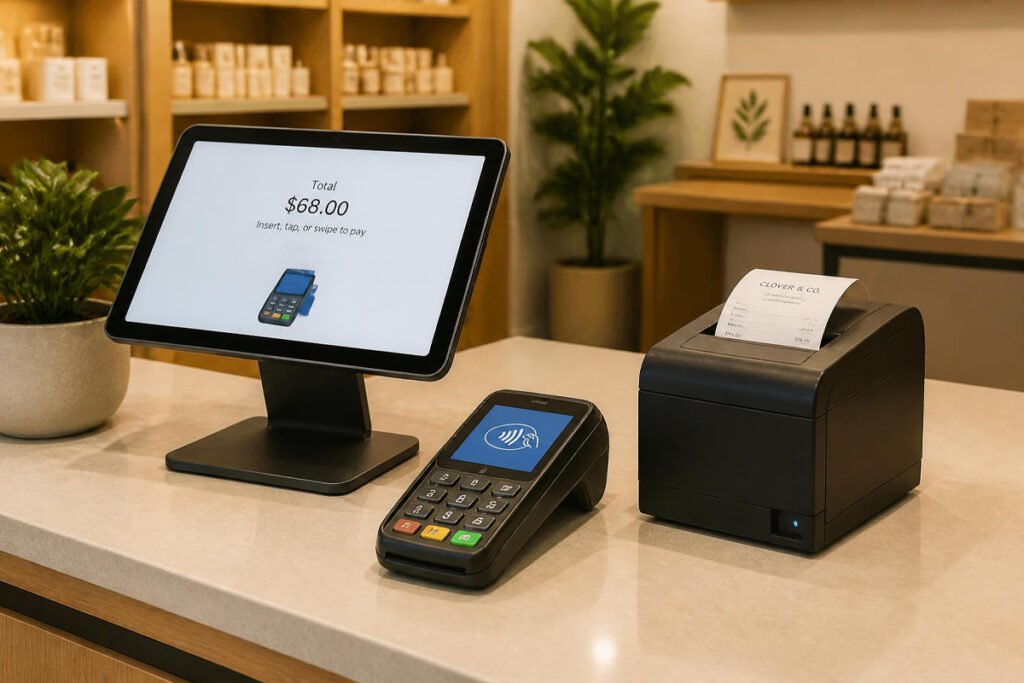
The line’s forming, the card reader is frozen mid-transaction, and you’re now apologizing while fumbling to restart it — meanwhile the customer behind them is already checking their phone, deciding whether to just leave. A slow, unreliable checkout doesn’t just cost you that one sale; it quietly shapes whether people come back at all.
This is one of the most operationally critical decisions for anyone starting a food truck business, running a vending machine business, or opening any storefront or mobile service — the checkout experience is often the very last touchpoint a customer has with you, and it’s the one moment where speed and reliability matter more than almost anything else in the business.
The good news is that a solid point-of-sale hardware setup doesn’t require an enterprise budget. A handful of well-chosen pieces — a card reader, printer, cash drawer, scanner, and a stand to hold it all together — cover the vast majority of small business checkout needs, whether you’re running a single counter or a fully mobile operation.
In this guide, we break down the five pieces of point-of-sale hardware worth investing in first, what problem each one solves, and how to build a checkout setup that matches how your specific business actually operates.
Quick Answer
The best point-of-sale setup depends on how and where you’re actually taking payments. If you’re mobile or just starting out, a wireless card reader paired with your phone or tablet is the fastest, lowest-cost way to accept payments anywhere. If customers expect a physical receipt and you’re currently emailing or texting them one at a time, a thermal receipt printer speeds up checkout significantly. If you still handle meaningful cash volume, a cash drawer keeps that cash organized and secure rather than loose in a box or apron. A barcode scanner becomes essential the moment you’re managing more than a handful of distinct products, since manual lookup slows every single transaction. And a tablet stand turns a phone or tablet into a proper, stable checkout station instead of something balanced awkwardly on a counter. The right principle: match your hardware to your actual transaction volume and mobility needs, not to what a full retail store uses by default.
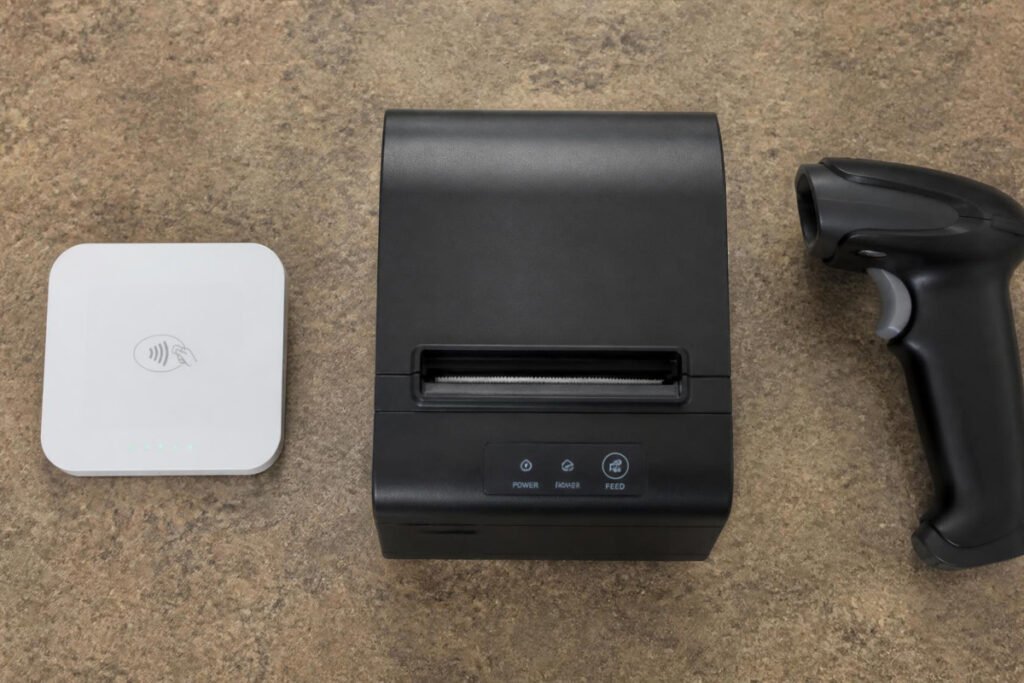
Table of Contents
- What a Small Business Checkout Setup Actually Needs
- How to Choose the Right Hardware for Your Business
- Best Point-of-Sale Equipment Available
- Comparison Table
- Best Setup for Different Types of Small Businesses
- How to Set Up Your Checkout Station Step by Step
- Common Mistakes
- Expert Tips
- Final Thoughts
- Frequently Asked Questions
What a Small Business Checkout Setup Actually Needs {#what-is}
A functional point-of-sale setup needs to do three things well: accept payment reliably, give the customer proof of purchase, and keep the transaction moving quickly enough that a line doesn’t form. Most small businesses don’t need the full hardware stack a large retail chain uses — the right setup depends heavily on whether you’re mobile or fixed, and how much of your volume is cash versus card.
The core hardware categories, in rough order of how commonly they’re needed, are:
- A card reader or terminal, since card and contactless payments now make up the majority of small business transactions in most industries
- A receipt printer, for businesses where customers expect or need a physical receipt rather than a digital one
- A cash drawer, for any business still handling meaningful cash volume
- A barcode scanner, once you’re managing enough distinct products that manual price lookup becomes a bottleneck
- A stand or mount, to turn a phone or tablet into an actual stable checkout station
Before buying any specific hardware, most guidance recommends deciding on your POS software and payment processor first, since hardware compatibility varies significantly between ecosystems — buying a receipt printer or cash drawer before confirming it works with your chosen software is one of the most common avoidable mistakes in this category.
How to Choose the Right Hardware for Your Business {#how-to-choose}
Before buying anything, ask yourself three questions:
Are you mobile, fixed, or both? A mobile car detailing business needs lightweight, wireless, battery-powered hardware. A fixed retail counter can use wired, countertop equipment with fewer battery concerns.
How much of your volume is cash versus card? If you’re overwhelmingly card-based, a cash drawer may not be necessary at all. If you regularly handle cash, skipping a proper drawer creates real security and reconciliation headaches.
How many distinct products or services do you sell? A business with a handful of set prices doesn’t need a barcode scanner. A retail shop or vending operation with dozens or hundreds of SKUs will slow down significantly without one.
Best Point-of-Sale Equipment Available {#best-options}
1. Wireless Card Reader / Terminal
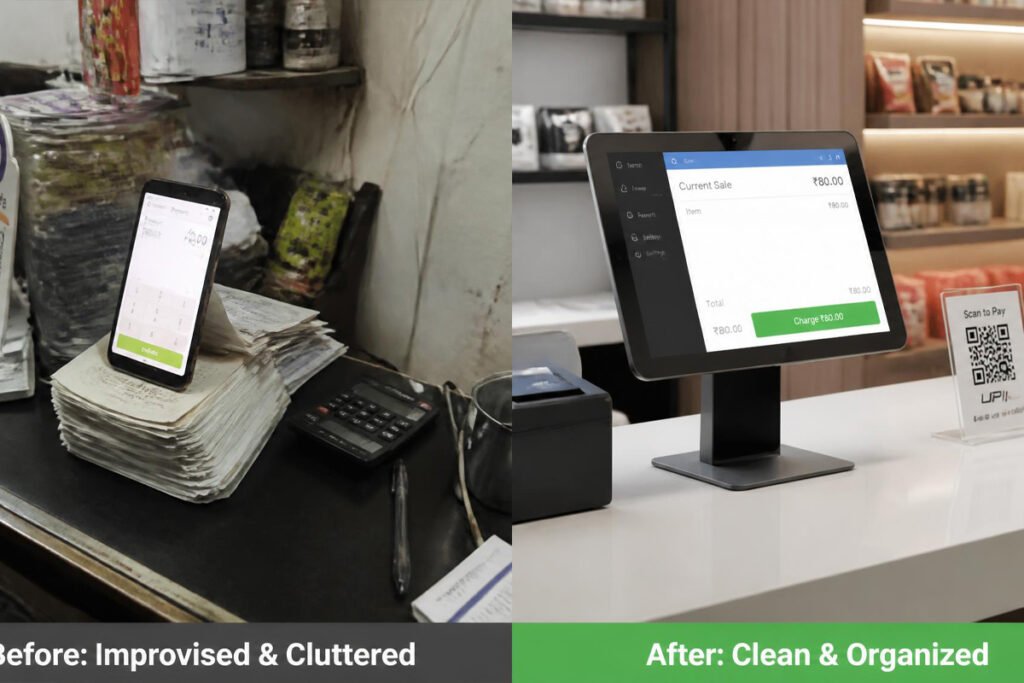
Overview: A wireless card reader is the foundation of nearly every modern small business checkout, supporting chip, magstripe, and contactless payments in a compact, often battery-powered device that pairs with a phone or tablet. It’s usually the very first piece of hardware any new business buys, and often the only one needed at low transaction volumes.
Key Features:
- Support for EMV chip, magnetic stripe, and NFC/contactless (tap-to-pay) transactions
- Wireless connectivity (Bluetooth or built-in cellular) for use away from a fixed counter
- Rechargeable battery rated for a full shift of transactions
- Compatibility with major POS software ecosystems for reporting and inventory sync
Best For: Any small business, mobile or fixed, that needs to accept card payments — this is close to a universal requirement rather than an optional upgrade.
Pros: ✅ The single most essential piece of hardware for accepting modern payment methods ✅ Works equally well for mobile and fixed checkout setups ✅ Fast to set up and start using compared to a full POS terminal
Cons: ❌ Ongoing per-transaction processing fees are a real cost beyond the hardware itself ❌ Battery-powered models need regular charging discipline during high-volume periods
Our Verdict: Choose your POS software and payment processor first, since the right card reader depends entirely on that ecosystem — this is the one purchase worth researching before anything else on this list.
2. Thermal Receipt Printer
Overview: A thermal receipt printer produces fast, reliable, ink-free receipts and is standard equipment anywhere customers expect a physical proof of purchase. Unlike inkjet printers, thermal models have essentially no ongoing ink cost and hold up well under high-volume daily use.
Key Features:
- Fast print speed built for back-to-back transactions without a queue
- No ink or toner required — only thermal paper rolls
- Compact countertop footprint, or mobile Bluetooth models for portable setups
- Auto-cutter on most models for clean, consistent receipt tear-off
Best For: Any business where customers regularly expect or request a printed receipt, especially retail counters and food service.
Pros: ✅ Virtually no ongoing ink cost, only paper roll replacement ✅ Fast and reliable even during high-volume rush periods ✅ Mobile versions extend the same functionality to fully portable setups
Cons: ❌ An extra device to power and maintain alongside your card reader ❌ Thermal paper receipts fade over time, which matters if customers need them for long-term records
Our Verdict: If your business type — like a food truck or retail counter — regularly deals with customers expecting a paper receipt, this pays for itself quickly in both speed and professionalism compared to manually texting or emailing every receipt.
3. Cash Drawer
Overview: Even in an increasingly cashless environment, many small businesses still handle meaningful cash volume, and a proper locking cash drawer keeps that cash organized, secure, and easy to reconcile at the end of a shift — a real upgrade over a cash box or apron pocket.
Key Features:
- Locking mechanism for basic security when the drawer isn’t actively in use
- Printer-driven or USB trigger, opening automatically after a completed transaction
- Compartmentalized bill and coin tray for fast, organized cash handling
- Durable metal construction built for daily open-and-close use
Best For: Any business handling regular cash transactions, especially retail counters, food service, and markets or events.
Pros: ✅ Meaningfully speeds up and organizes cash handling compared to a loose box ✅ Basic locking security when unattended ✅ Automatic trigger integration removes a manual step from each cash transaction
Cons: ❌ Unnecessary if your business is overwhelmingly card-based ❌ Compatibility with your specific printer or POS system needs to be confirmed before buying
Our Verdict: Skip this entirely if cash is a small fraction of your transactions — but if you’re running something like a vending machine business or a market stall with regular cash volume, a proper drawer is worth the investment for security and speed alike.
4. Barcode Scanner
Overview: Once a business carries more than a handful of distinct products, manually looking up prices becomes one of the biggest hidden slowdowns at checkout. A barcode scanner instantly pulls the correct price and updates inventory in real time, cutting per-transaction time significantly for any product-heavy business.
Key Features:
- Fast, reliable scan recognition even on damaged or angled barcodes
- Wired or wireless connectivity depending on counter layout and mobility needs
- Integration with POS software for real-time inventory tracking alongside checkout
- Durable construction rated for repeated daily use
Best For: Retail shops, vending operations, or any business managing more than a small handful of distinct priced products.
Pros: ✅ Dramatically speeds up checkout for product-heavy businesses ✅ Reduces pricing errors compared to manual lookup or memorization ✅ Doubles as an inventory management tool alongside checkout
Cons: ❌ Unnecessary overhead for service-based businesses with only a few fixed prices ❌ Requires barcode-labeled inventory to be useful, which adds setup work upfront
Our Verdict: Skip this if you’re a service business with a short, memorized price list — but for anything retail or product-based, this is one of the fastest ways to remove friction from a busy checkout line.
5. Tablet POS Stand
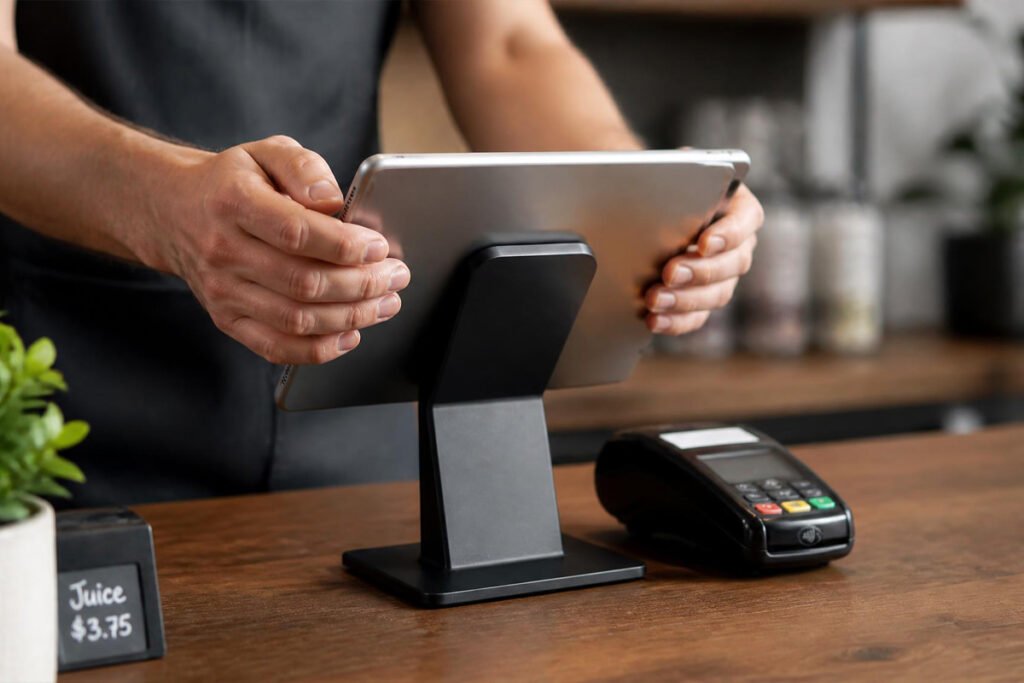
Overview: A tablet or phone balanced precariously on a counter looks — and functions — like an improvised setup rather than a real checkout station. A proper stand turns that same device into a stable, professional-looking point-of-sale terminal, often at an adjustable angle that makes customer-facing card entry and signatures easier too.
Key Features:
- Secure, weighted or clamped base that won’t tip during regular use
- Adjustable viewing angle for both staff and customer-facing use
- Cable management routing to keep charging cords tidy and out of the way
- Compatibility with a range of tablet and phone sizes
Best For: Any business using a phone or tablet as the core of its checkout system rather than a dedicated POS terminal.
Pros: ✅ Inexpensive relative to the professional appearance it adds ✅ Reduces the risk of a dropped or knocked-over device mid-transaction ✅ Customer-facing angle options improve the payment experience directly
Cons: ❌ Fixed stands reduce mobility compared to a fully handheld setup ❌ Cheaper stands can feel less stable with larger tablets
Our Verdict: A small, inexpensive purchase that makes a real difference in how professional your checkout counter looks and functions — especially useful for Etsy sellers or makers who also sell in person at markets and pop-ups.
Comparison Table {#comparison-table}
| Equipment | Best For | Relative Cost | Mobile-Friendly | Priority |
|---|---|---|---|---|
| Wireless Card Reader | Accepting card and contactless payments | Low (plus processing fees) | ✅ Yes | Essential |
| Thermal Receipt Printer | Fast, ink-free printed receipts | Low–Moderate | Some models | High |
| Cash Drawer | Organized, secure cash handling | Moderate | ❌ Fixed-counter use | Conditional (cash-heavy businesses) |
| Barcode Scanner | Fast checkout for product-heavy catalogs | Low–Moderate | Some models | Conditional (retail/product businesses) |
| Tablet POS Stand | Stable, professional checkout station | Very Low | Depends on model | Moderate |
Always confirm hardware compatibility with your chosen POS software and payment processor before purchasing any individual piece.
Best Setup for Different Types of Small Businesses {#use-cases}
Mobile and On-Location Service Businesses
If you’re running a mobile car detailing business or any on-location service, prioritize a wireless card reader and skip the cash drawer and barcode scanner entirely — lightweight, battery-powered hardware matters far more than a full countertop setup you’d never actually use.
Food Trucks and Mobile Food Service
If you’re starting a food truck business, a card reader paired with a mobile receipt printer covers most of what you need, with a compact cash drawer added only if you expect meaningful walk-up cash volume at events or festivals.
Retail, Vending, and Product-Based Businesses
If you’re managing a real product catalog — whether through a vending machine business or a retail counter — the barcode scanner becomes far more valuable here than in a service business, since it directly speeds up checkout and keeps inventory accurate at the same time.

How to Set Up Your Checkout Station Step by Step {#how-to}
Step 1: Choose Your POS Software and Payment Processor First
Decide on the software layer before buying any hardware — this determines which specific card readers, printers, and drawers will actually be compatible.
Step 2: Add a Wireless Card Reader
This is close to a universal first purchase regardless of business type, since card and contactless payments now make up the majority of small business transactions.
Step 3: Add a Receipt Printer if Customers Expect One
Skip this if digital receipts work fine for your customer base — but add it immediately if paper receipts are the norm in your specific business or location.
Step 4: Add a Cash Drawer and Barcode Scanner Only if They Match Your Business
Don’t default to buying the full hardware stack — add these two specifically based on your actual cash volume and product catalog size.
Step 5: Mount Everything on a Stable Stand
Once your core hardware is chosen, a proper tablet or phone stand turns the full setup into something that looks and functions like a real checkout station rather than an improvised one.
Common Mistakes {#mistakes}
Buying hardware before choosing POS software. Compatibility issues between mismatched hardware and software are one of the most common and most avoidable setup headaches — always confirm your software choice first, similar to how you’d confirm licensing requirements before committing to other business decisions.
Buying a full retail hardware stack for a small or mobile operation. A solo freelancer or mobile service provider rarely needs a cash drawer or barcode scanner — match your hardware to your actual transaction pattern, not to what a full storefront uses by default.
Ignoring battery management for mobile hardware. A wireless card reader or mobile printer that dies mid-shift creates exactly the kind of checkout delay this hardware is supposed to prevent — build a charging routine into your daily setup.
Expert Tips {#tips}
Test your full hardware chain together before your first real transaction. Card reader, printer, and cash drawer triggering can all have compatibility quirks that are far better caught in a test run than during a live sale.
Keep a backup charging cable and battery pack for mobile hardware. A dead card reader with no way to recharge it on-site can bring an entire mobile operation to a stop during a busy event.
Reassess your hardware needs as your product catalog grows. A barcode scanner that felt unnecessary at ten products can become essential once you’re managing fifty — revisit this decision periodically rather than assuming your original setup still fits.
Final Thoughts {#final-thoughts}
There’s no single “best” point-of-sale setup — only the right combination of hardware for how your specific business actually operates. If you’re just getting started or working mobile, a wireless card reader alone covers most of what you need. If customers expect paper receipts, add a thermal printer next. And if you’re managing real cash volume or a genuine product catalog, a cash drawer and barcode scanner round out a complete setup.
Whichever pieces you start with, remember that checkout speed and reliability directly shape whether a customer comes back — a detail worth as much attention as the business idea itself.
Frequently Asked Questions {#faq}
Do I need a full POS system, or is a simple card reader enough? A simple card reader paired with your phone is genuinely sufficient for many small or mobile businesses. A fuller POS system with inventory tracking and reporting becomes more valuable once you’re managing a real product catalog or multiple staff members.
How much should I budget for basic point-of-sale hardware? A wireless card reader alone can be a relatively small upfront cost, with ongoing per-transaction processing fees being the larger long-term expense. A fuller setup with a printer, drawer, and scanner adds a moderate additional investment depending on the specific hardware chosen.
Do I need a cash drawer if most customers pay by card? Not necessarily — if cash makes up a small fraction of your transactions, a locked box or simple pouch may be sufficient, and a full cash drawer becomes worth the investment mainly once cash volume becomes regular and meaningful.
Card reader vs. full POS terminal — which should I choose first? Start with a card reader paired with your phone or tablet. A full dedicated POS terminal becomes worth the added cost once your transaction volume or hardware needs (printer, drawer, scanner) genuinely outgrow a phone-based setup.
Will POS hardware work with any payment processor? No — hardware compatibility varies significantly by ecosystem, which is why choosing your POS software and payment processor first is strongly recommended before buying any specific card reader, printer, or drawer.
Do mobile businesses need different hardware than fixed retail counters? Yes — mobile businesses should prioritize lightweight, battery-powered, wireless hardware, while fixed counters can use wired, countertop equipment without the same battery and portability concerns.
How do I know if I need a barcode scanner? If you’re manually looking up prices for more than a handful of products regularly, a scanner will meaningfully speed up checkout. Businesses with a short, memorized price list generally don’t need one.
What’s the most common point-of-sale hardware mistake new business owners make? Buying hardware before confirming it’s compatible with their chosen POS software and payment processor — this single step prevents the majority of common setup headaches.
Do I need a receipt printer if I can email or text receipts instead? Not necessarily — many small businesses run entirely on digital receipts. A physical printer becomes worth adding once customers regularly expect or request a paper copy, particularly in food service and retail settings.
Can I upgrade my point-of-sale hardware gradually instead of buying everything at once? Yes, and it’s usually the smarter approach — start with a card reader, then add a printer, drawer, or scanner specifically as your actual transaction pattern makes each one necessary.
Author: Morne Winston Last Updated: July 2026