
Not long ago, building a digital product — a full ebook, a set of templates, a mini video course — meant weeks of writing, designing, and editing before you had anything worth selling. That timeline has collapsed. A solo creator with the right AI tools can now go from idea to a sellable product in a single weekend, without hiring a writer, designer, or video editor.
The catch is that there are dozens of AI tools claiming to do this, and most of them solve only one small piece of the puzzle. If you’re building on the momentum from choosing a platform to sell your digital products or exploring small business ideas more broadly, the tools in this guide are the ones creators actually rely on to produce the product itself — covering writing, visual design, templates, and video, so you’re not stitching together ten different subscriptions to launch one product.
Quick Answer
For most creators, three tools cover 90% of the work: Claude or ChatGPT for long-form writing like ebooks and course scripts, Canva AI for polished templates, worksheets, and covers without any design background, and Midjourney for high-quality custom illustrations and cover art when a photo or generic template isn’t quite right. Notion AI is worth adding if you’re building structured products like planners, dashboards, or productivity templates, and Descript rounds things out if your product involves any video or audio, like a mini-course or narrated guide. You rarely need more than two or three of these running at once — the goal is picking the right one for your specific product format, not collecting subscriptions.

Table of Contents
- Why AI Tools Changed Digital Product Creation
- How to Choose the Right AI Tool for Your Product
- Top 5 Best AI Tools for Creating Digital Products
- Tool Comparison Table
- Best AI Tool by Product Type
- How to Build Your First AI-Assisted Digital Product
- Common Mistakes Creators Make With AI Tools
- Expert Tips for Getting Better Results
- Final Thoughts
- Frequently Asked Questions
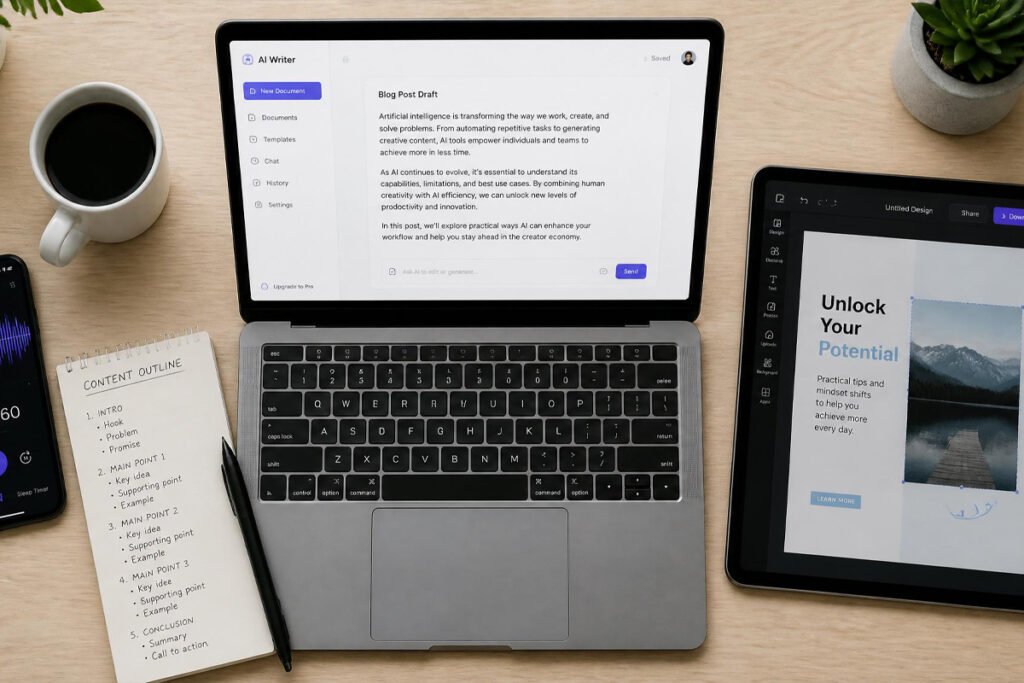
Why AI Tools Changed Digital Product Creation
Digital products used to require a small team’s worth of skills packed into one person: writing, design, sometimes video editing, and always a lot of time. AI tools didn’t just speed each of those steps up individually — they removed the skill requirement almost entirely. A creator with no design background can produce a polished template pack, and someone who’s never edited video can put together a professional-looking mini-course.
That shift matters most for the people this site already talks to — anyone exploring passive income ideas or considering freelancing alongside a product business, since AI tools lower the barrier to actually finishing a product instead of it staying an idea in a notes app.
How to Choose the Right AI Tool for Your Product
- What format is your product? A written ebook needs a completely different tool than a video course or a visual template pack — match the tool to the format, not the other way around.
- Do you need the tool for the whole product, or just one part? Some tools handle an entire product end-to-end; others are best used for a single piece, like cover art or narration, layered on top of your own writing.
- How much editing are you willing to do afterward? AI output is a starting point, not a finished product — factor in the time you’ll spend refining, fact-checking, and adding your own voice before it’s ready to sell, the same way you’d refine any passive income project before putting it in front of buyers.

Top 5 Best AI Tools for Creating Digital Products
1. Claude / ChatGPT (Writing & Content)
Overview: For any product that’s primarily text-based — ebooks, workbooks, course scripts, email sequences — a conversational AI assistant is the fastest way to go from outline to full first draft.
Key Features:
- Generates long-form structured content from a simple outline or prompt
- Can adapt tone and reading level for different audiences
- Useful for outlining, drafting, and editing in the same tool
Best For: Ebooks, workbooks, guides, and any product built primarily around written content.
Pros: ✅ Fastest way to get from idea to full first draft ✅ Works for both outlining and drafting ✅ Iterates quickly based on feedback Cons: ❌ Still needs a human editing pass for accuracy and voice ❌ Can produce generic-sounding text without a detailed prompt
Our Verdict: If your product is words-first, this is where nearly every creator starts — pair it with a clear outline of what you learned from researching affiliate marketing or your own niche expertise for the best results.
2. Canva AI (Design & Templates)
Overview: Canva’s AI features turn a blank page into a polished template, worksheet, or cover design without needing any prior design skill, using text prompts and drag-and-drop editing together.
Key Features:
- Text-to-design generation for templates, worksheets, and social graphics
- Massive library of pre-built layouts to start from instead of a blank canvas
- Brand kit tools to keep every product visually consistent
Best For: Templates, planners, worksheets, and any visually-driven digital product.
Pros: ✅ No design skill required ✅ Huge time savings on cover art and layouts ✅ Easy to keep a consistent visual brand across products Cons: ❌ Popular templates can look similar to other creators’ work if not customized ❌ Advanced customization still has a learning curve
Our Verdict: For visually-driven products — the kind that do especially well on marketplaces like Etsy — Canva AI is close to essential rather than optional.
3. Midjourney (Custom Illustration & Cover Art)
Overview: When a generic template stock image won’t cut it, Midjourney generates fully custom illustrations, icons, and cover art from a text description, giving products a distinctive look competitors can’t easily copy.
Key Features:
- Generates highly detailed, stylized custom artwork from text prompts
- Strong for cover art, icon sets, and distinctive visual branding
- Wide range of art styles achievable through prompt adjustments
Best For: Products where distinctive visual branding matters — book covers, premium template packs, and branded icon sets.
Pros: ✅ Produces genuinely unique visuals, not stock-look-alikes ✅ Strong differentiator in a crowded marketplace Cons: ❌ Prompt-writing has a real learning curve ❌ Best results often take several iterations
Our Verdict: Worth adding once you’ve validated a product and want it to visually stand out — not necessary for your very first test product.
4. Notion AI (Structured Templates & Dashboards)
Overview: Notion AI is purpose-built for structured, productivity-style digital products — templates, trackers, and dashboards that buyers duplicate directly into their own Notion workspace.
Key Features:
- Generates structured databases, trackers, and page layouts from a prompt
- Products are duplicated directly into a buyer’s workspace, so there’s no separate file delivery to manage
- Growing dedicated marketplace demand for Notion templates specifically
Best For: Productivity templates, planners, trackers, and dashboard-style products.
Pros: ✅ Fast to build structured, functional templates ✅ Strong existing buyer demand in this specific niche Cons: ❌ Narrower use case than the other tools on this list ❌ Buyers need their own Notion account to use the product
Our Verdict: If you’re already active in the productivity or organization space, this is a focused niche worth exploring alongside broader online business ideas.
5. Descript (Video & Audio Courses)
Overview: Descript edits video and audio the way you’d edit a text document — cut a sentence from the transcript, and it removes the matching video clip — making it realistic for a non-editor to produce a clean mini-course or narrated guide.
Key Features:
- Transcript-based editing removes the need for traditional timeline video editing
- AI voice and overdub tools can clean up or regenerate narration
- Built-in screen recording for tutorial-style course content
Best For: Mini-courses, tutorial content, and any product involving video or narrated audio.
Pros: ✅ Dramatically lowers the skill floor for video editing ✅ Useful for both recorded and fully AI-narrated content Cons: ❌ Overkill if your product is purely text or visual ❌ Subscription cost adds up if it’s the only tool you use occasionally
Our Verdict: If your product roadmap includes anything video-based — a natural next step once you’ve built an audience through a dropshipping or content business — Descript removes the biggest traditional barrier to producing it.
Tool Comparison Table
| Tool | Best For | Skill Required | Output Type |
|---|---|---|---|
| Claude / ChatGPT | Ebooks, workbooks, scripts | Low | Written content |
| Canva AI | Templates, worksheets, covers | Low | Visual design |
| Midjourney | Custom illustrations & cover art | Moderate (prompting) | Custom artwork |
| Notion AI | Trackers, planners, dashboards | Low | Structured templates |
| Descript | Mini-courses, tutorials | Low | Video & audio |
Best AI Tool by Product Type
Ebooks and Written Guides
Claude or ChatGPT for drafting, paired with Canva AI for the cover and interior layout, covers this category almost entirely from outline to finished file.
Templates and Printables
Canva AI handles the bulk of the design work, with Midjourney layered in when you want fully custom illustrations instead of stock-style graphics.
Notion Templates and Productivity Tools
Notion AI is purpose-built for this niche specifically, since the product format and the creation tool are effectively the same platform.
Video Courses and Tutorials
Descript covers both the recording and editing side, making it realistic to produce a polished mini-course without traditional video editing experience.

How to Build Your First AI-Assisted Digital Product
Step 1: Pick One Product Format to Start
Choose a single, specific format — an ebook, a template pack, a short course — rather than trying to combine several formats into your first product.
Step 2: Draft the Core Content With AI, Then Edit It Yourself
Use your chosen writing or design tool to produce a first draft, then spend real time editing it for accuracy, your own voice, and anything the AI got generically wrong.
Step 3: Add Visual Polish Last
Once the core content is solid, layer in design and cover art — polishing a weak product first just delays finding out whether the content itself actually works.
Step 4: Test the Product With a Small Audience Before a Full Launch
Share it with a small group or your existing audience before a full public launch, so you can fix obvious gaps before they show up in reviews.
Step 5: Publish to Your Chosen Platform
Once it’s ready, list it on the platform that fits your format — see our platform comparison guide if you haven’t picked one yet.
Common Mistakes Creators Make With AI Tools
Publishing the first AI draft without editing it. Raw AI output is a starting point, not a finished product — buyers can tell the difference, and unedited AI content is one of the fastest ways to generate refund requests.
Using too many tools at once for a single simple product. Stacking five different AI subscriptions for your first template pack adds cost and complexity without adding much value — start with one or two tools that match your product format.
Skipping the licensing and tax side of running the business. Once AI-assisted products start generating consistent revenue, the same rules apply as any other online income — it’s worth revisiting whether you need a business license to sell online and what basic business insurance makes sense at that point.
Expert Tips for Getting Better Results
Write detailed prompts, not vague ones. The difference between generic AI output and something genuinely sellable almost always comes down to prompt specificity — describe the audience, tone, and format you want in detail rather than a one-line request.
Use AI for the first draft, not the final polish. The fastest workflow treats AI as a speed multiplier for the first 70% of the work, with your own judgment handling the last 30% that actually makes a product feel finished and trustworthy.
Build a repeatable process, not a one-off product. Once you find a tool combination that works, document your exact steps so your second and third products take a fraction of the time your first one did — the same efficiency mindset that pays off in any small business.

Final Thoughts
Best overall starting point: Claude or ChatGPT paired with Canva AI — together they cover writing and design for the vast majority of first digital products. Best for standout visuals: Midjourney, once you’re ready to differentiate a proven product. Best for a focused niche: Notion AI, if productivity templates match your audience. Best for video-based products: Descript, for anyone building a course or tutorial-style product.
None of these tools replace genuine expertise or a clear understanding of what your audience actually needs — they simply remove the technical bottlenecks that used to stop good ideas from becoming finished products. Pair the right tool with a solid online business plan and some affiliate marketing know-how, and you’ll move from idea to first sale far faster than creators could even a year or two ago.
Frequently Asked Questions
Can I really create a digital product using only AI tools? Mostly, yes — AI tools can handle the bulk of writing, design, and video production, but most successful creators still spend meaningful time editing and personalizing the output before selling it.
Is it legal to sell AI-generated digital products? Generally yes, though platform policies and copyright rules around AI-generated content are still evolving, so it’s worth checking your specific platform’s current guidelines before listing a product that’s heavily or entirely AI-generated.
Which AI tool is best for beginners with no design or writing skills? Canva AI is typically the easiest starting point for visually-driven products since it requires no design background, while Claude or ChatGPT works similarly well for anyone starting with a written product.
Do I need to disclose that my product was made with AI? Requirements vary by platform and are changing frequently, so check your specific marketplace’s current disclosure policy before publishing rather than assuming it’s the same as it was last year.
How much do these AI tools typically cost? Most offer free or low-cost starter tiers, with paid plans commonly ranging from around $10–$30 per month depending on the tool and usage level, which is usually recoverable after a handful of sales.
Can I use free versions of these tools to make a sellable product? Often yes for a first test product, though free tiers usually cap usage or output quality in ways that paid plans remove once you’re producing products regularly.
Which tool should I learn first if I can only pick one? Start with whichever tool matches your product’s core format — a conversational AI assistant for written products, or Canva AI for visual ones — rather than trying to learn several tools at once.
Do AI-made products sell as well as manually created ones? Buyers generally care more about whether a product solves their problem well than how it was made, so quality and usefulness matter far more than whether AI was involved in creating it.
How long does it take to make a digital product with AI tools? Simple products like a template pack or short guide can realistically go from idea to finished file in a single day, while more complex products like full courses typically take several days to a couple of weeks.
What’s the biggest mistake beginners make with AI product tools? Publishing the first AI-generated draft without a real editing pass — it’s the single most common reason AI-assisted products underperform or generate refund requests.
Author: Morne Winston Last Updated: July 2026