

Your first hire is exciting. Your first payroll is not. Between withholding, employer taxes, quarterly filings, and year-end forms, one missed deposit can turn a good week into a letter from the IRS. That is why payroll software for small business is one of the few tools worth paying for early, long before your team gets big.
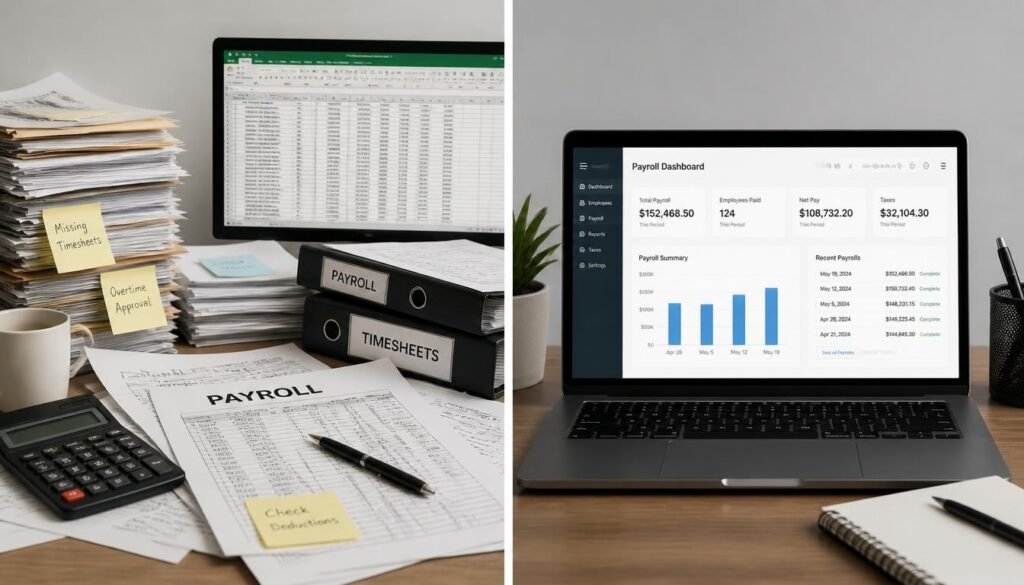
Most owners start with a spreadsheet and a calculator, and it works until it doesn’t: a wrong withholding figure, a late deposit, a state account nobody mentioned. Good software automates the math and the filings so people get paid correctly and on time.
If you’re still setting up the basics, start with our guide on how to get an EIN for your small business, because you need one before you can run payroll. Already tracking hours? Pair this guide with our roundup of the best time tracking software for small business.
Below, we compare five payroll platforms on price, tax filing, multi-state support, and fit, so you can choose with confidence.
Quick Answer
The best payroll software for a small business depends on your team size, how many states you pay people in, and whether you already use accounting software. Gusto is the best all-rounder for small teams that want payroll, onboarding, and benefits in one place. OnPay suits multi-state employers, Patriot is the cheapest full-service option, QuickBooks Payroll fits owners who already keep their books in QuickBooks, and Square Payroll fits businesses that already sell through Square. Match the tool to your situation, then confirm current pricing before you sign up.

Table of Contents
- What Is Payroll Software for Small Business?
- How to Choose the Right Payroll Software
- Best Payroll Software for Small Business: Top 5 Picks
- Comparison Table
- Best Payroll Software for Different Business Types
- How to Set Up Payroll Software Correctly
- Common Mistakes
- Expert Tips
- Final Verdict
- Frequently Asked Questions
What Is Payroll Software for Small Business?
Payroll software is a tool that calculates each employee’s gross-to-net pay, withholds the right taxes, pays people by direct deposit, and produces pay stubs and year-end forms. The better platforms also calculate the employer’s share of payroll taxes and file and deposit them for you.
There are two broad types. With DIY payroll, the software runs the numbers but you file and pay the taxes yourself. With full-service payroll, the provider files federal, state, and often local payroll taxes on your behalf. Full-service costs more, but it removes the most error-prone part of the job.
It matters because payroll taxes follow strict rules. The IRS explains employer responsibilities for withholding, depositing, and reporting in Publication 15, the Employer’s Tax Guide. Software encodes those rules so you aren’t rebuilding them by hand each pay period.
Payroll also doesn’t live in isolation. Wages flow into your books, so the best setups connect to the accounting software you already use. And because you’re storing sensitive employee data, it’s worth reading our guide to document security and recordkeeping tools.
How to Choose the Right Payroll Software
Before comparing logos, answer three questions.
1. Who files your payroll taxes? If you want zero tax paperwork, choose a full-service plan. If you’re comfortable filing yourself to save money, a DIY tier can work.
2. How many states do you pay people in? Some providers charge extra for each additional state, while others include multi-state payroll in the base price. Remote hires make this matter sooner than you’d think.
3. What does payroll need to connect to? If your books live in QuickBooks or your sales run through Square, native integration can save hours of reconciliation every month.
Also understand the pricing model. Nearly every provider charges a monthly base fee plus a per-person fee, so your cost grows with headcount. Open a dedicated account for payroll funding if you can; our list of the best small business bank accounts will help.
Best Payroll Software for Small Business: Top 5 Picks
Pricing below reflects published starting prices checked in November 2026. Vendors change plans and run promotions, so verify on each provider’s site before buying.
1. Gusto — Best Overall
Overview: Gusto is one of the most widely used payroll platforms among US small businesses, and it earns that spot by making payroll feel like a normal part of running the company rather than a compliance chore. It handles direct deposit, automatic tax filings, new-hire onboarding, and pay stubs from one clean dashboard, with benefits and retirement add-ons as you grow.
Key Features:
- Automatic federal and state payroll tax filing and deposits
- Employee self-service onboarding and pay stubs
- Contractor payments and 1099 support
- Benefits and 401(k) add-ons
- Three tiers: Simple, Plus, and Premium
Best For: Teams of roughly 1 to 25 people in one state who want payroll and HR basics in one app.
Pricing: Simple starts around $49/month plus $6 per person. Plus is around $80 plus $12, and Premium around $180 plus $22.
Pros: ✅ Polished, easy-to-use interface ✅ Strong onboarding and HR tools ✅ Scales through clear tiers
Cons: ❌ Charges extra for additional states on the entry plan ❌ Higher tiers get expensive quickly
Our Verdict: Gusto is the safest default for most small teams. Its digital onboarding even pairs well with e-signature software for small business when you need signed offer letters and policies.
2. OnPay — Best for Multi-State Teams
Overview: OnPay keeps things simple with one plan that includes everything: payroll, tax filing, contractor payments, and basic HR tools. Its standout advantage is that multi-state payroll doesn’t cost extra, which makes it a favorite for businesses with remote employees.
Key Features:
- One flat plan with all features included
- Multi-state payroll at no added charge
- Automatic tax filing
- Contractor payments and HR tools
Best For: Growing teams with employees in more than one state.
Pricing: About $49/month plus $6 per person. Check the provider for its current trial offer.
Pros: ✅ Transparent, single-tier pricing ✅ Multi-state included ✅ Good value at higher headcounts
Cons: ❌ Employee experience is less polished than Gusto’s ❌ Fewer premium HR extras
Our Verdict: If your team spans state lines, OnPay usually beats Gusto’s entry plan on cost. Distributed teams also need good project management software to stay coordinated.
3. Patriot Payroll — Best Budget Pick
Overview: Patriot is the lowest-priced credible option on this list. Basic Payroll runs your numbers while you file taxes yourself. Full Service Payroll adds tax filing and deposits, with one state included, for a price that undercuts most rivals.
Key Features:
- Basic and Full Service plans
- Unlimited payroll runs
- Employees and contractors in the same payroll
- Free trial available
Best For: Very small, single-state businesses watching every dollar.
Pricing: Basic starts around $17/month plus $4 per person. Full Service starts around $37/month plus $5 per person.
Pros: ✅ Lowest published pricing ✅ Full Service files taxes for you ✅ Simple to learn
Cons: ❌ Basic plan leaves tax filing to you ❌ Fewer built-in HR and benefits tools
Our Verdict: Patriot is ideal when budget is the priority. Pair it with invoicing software for small business and you’ll cover both money coming in and money going out.
4. QuickBooks Payroll — Best for QuickBooks Users
Overview: QuickBooks Payroll’s selling point is integration. Wages, taxes, and contractor payments post directly into your ledger, which cuts reconciliation work and reduces bookkeeping errors.
Key Features:
- Native sync with QuickBooks Online
- Automatic tax calculations and filing
- 1099 support for contractors
- Tiered plans for growing teams
Best For: Owners already running their accounting in QuickBooks Online.
Pricing: Payroll-only plans start around $50/month plus roughly $7 per person. Bundles with accounting software start higher, around $88 plus $6.50 per person. Introductory discounts are common.
Pros: ✅ Seamless accounting integration ✅ Familiar to most bookkeepers ✅ Multiple tiers
Cons: ❌ Costs more than rivals once any discount ends ❌ Bundles and tiers can be confusing
Our Verdict: Worth it only if QuickBooks is already your system of record. Otherwise, a cheaper option does the same job.
5. Square Payroll — Best for Businesses Already on Square
Overview: Square Payroll suits retail shops, cafés, and service businesses that already take payments with Square. Its pricing is competitive and the setup feels familiar if you use Square’s other tools.
Key Features:
- Full-service payroll with tax filing
- Direct deposit and contractor payments
- Integration with Square’s ecosystem
Best For: Square sellers with a small hourly team.
Pricing: About $35/month plus $6 per person.
Pros: ✅ Competitive entry price ✅ Convenient if you already use Square ✅ Straightforward setup
Cons: ❌ Fewer HR and benefits features ❌ Less compelling if you don’t use Square
Our Verdict: A smart pick for Square-based businesses. If you take online payments elsewhere, compare it against our guide to the best payment processors for online sellers.
Comparison Table
| Provider | Best For | Starting Price | Tax Filing | Multi-State | Est. Monthly Cost (10 Employees) |
|---|---|---|---|---|---|
| Gusto (Simple) | Best overall | ~$49 + $6/person | Included | Extra per added state | ~$109 |
| OnPay | Multi-state teams | ~$49 + $6/person | Included | Included | ~$109 |
| Patriot (Full Service) | Lowest cost | ~$37 + $5/person | Included (one state) | Check provider | ~$87 |
| QuickBooks Payroll | QuickBooks users | ~$50 + ~$7/person | Included | Plan dependent | ~$120 |
| Square Payroll | Square sellers | ~$35 + $6/person | Included | Check provider | ~$95 |
Estimates use published starting prices and exclude promotions, add-ons, and extra states. Always confirm current pricing.
Best Payroll Software for Different Business Types
Solo Owners Making a First Hire
Your needs are simple: one or two people, one state, and a tight budget. Patriot Full Service or Gusto Simple both fit. If you’ve only paid freelancers so far, our guide to freelance marketplaces for service providers shows where contractor work typically comes from, and it’s a good reminder to classify each worker correctly. Before you hire, double-check your business license requirements too.
Remote and Multi-State Teams
Every state where an employee works can mean separate withholding and unemployment tax registrations. OnPay’s included multi-state support is a real advantage here. Equip remote staff properly with our picks for the best business laptops for entrepreneurs and keep leads organized with the best CRM software for small business.
Hourly, Seasonal, and Service Businesses
Restaurants, food trucks, trainers, and shops with variable hours need payroll that imports time cleanly. Look for time tracking integration, and plan for permits first: see our food truck business license guide and personal training business license guide. Square Payroll and Gusto both handle hourly teams well.

How to Set Up Payroll Software Correctly
Step 1: Prepare
Gather your EIN, state withholding and unemployment tax account numbers, and business bank details. Collect a Form W-4, Form I-9, and direct deposit authorization from each employee. The IRS Employer’s Tax Guide explains what you must withhold and report.
Step 2: Connect Your Bank and Set a Pay Schedule
Link the account that will fund payroll and choose weekly, biweekly, semimonthly, or monthly pay. Check your state’s rules, since some states restrict how infrequently you can pay.
Step 3: Add Employees and Pay Details
Enter each person’s pay rate, classification, withholding information, and any deductions. Many platforms let employees finish their own onboarding, which cuts data-entry errors.
Step 4: Run Your First Payroll Carefully
Preview every paycheck before approving. Submit before your provider’s cutoff, because direct deposits typically need a few business days to arrive.
Step 5: Review Filings and Year-End Forms
Confirm that your provider files quarterly Form 941 and annual Form 940, if you chose a full-service plan. Expect W-2s for employees and 1099-NECs for qualifying contractors by January 31.
Common Mistakes
Misclassifying workers. Calling an employee a contractor to save money is a common and costly error. The U.S. Department of Labor offers guidance on employee classification and wage rules. When in doubt, ask an accountant.
Forgetting state registrations. Software can file taxes only for accounts that exist. Register for state withholding and unemployment taxes first, and confirm any licensing requirements for your business.
Skipping reconciliation. Payroll that never matches your books causes headaches at tax time. Make sure it syncs with your accounting software and review it monthly.
Expert Tips
Run the real math before you buy. Per-person pricing makes small differences snowball. Multiply by your headcount a year from now, not today, and include any extra states.
Match your pay schedule to your cash flow. Biweekly feels standard, but if client payments arrive monthly, a semimonthly schedule may be easier on cash. Keep a buffer of roughly one payroll cycle in your funding account.
Audit quarterly. Even with full-service filing, spend ten minutes each quarter confirming that deposits and filings match your records. A secure recordkeeping system makes this painless.

Final Verdict
- Best overall: Gusto, for polish and breadth
- Best budget: Patriot Payroll, for the lowest full-service cost
- Best for multi-state teams: OnPay, for included multi-state payroll
- Best for QuickBooks users: QuickBooks Payroll, for tight accounting sync
- Best for Square sellers: Square Payroll, for ecosystem convenience
Payroll is one piece of a healthy money setup. Keep wages funded from a dedicated account (see the best small business bank accounts), protect your business with the best small business insurance, and explore growth capital through our small business loans guide when you’re ready to hire more.
Frequently Asked Questions
Do I need payroll software if I have only one employee? Not legally, but it’s usually worth it. Even a single employee triggers withholding, deposits, and quarterly filings. Low-cost plans make automation cheap relative to the risk of a penalty for a late or incorrect deposit.
How much does payroll software for small business cost? Most platforms charge a monthly base fee of roughly $17 to $50 plus about $4 to $7 per person. A ten-person team typically lands somewhere around $90 to $120 per month on entry plans, before add-ons.
Gusto or OnPay: which is better? They start at similar prices. Gusto offers a more polished experience and deeper HR tiers, while OnPay includes multi-state payroll in its single plan. Choose Gusto for polish and OnPay if you pay people in several states.
Can I pay contractors with payroll software? Yes. Most platforms pay contractors by direct deposit and generate 1099-NEC forms. Classify workers carefully, because the legal test depends on how much control you have over their work, not what you call them.
Will payroll software file my taxes automatically? On full-service plans, yes: the provider calculates, files, and deposits federal and state payroll taxes. DIY tiers, like Patriot’s Basic plan, calculate taxes but leave the filing to you.
Can I switch payroll providers mid-year? Yes, but plan it carefully. Most providers help you import year-to-date totals so W-2s stay accurate. Many owners switch at a quarter boundary to keep filings tidy.
Is free payroll software worth it? Free tools are rare and usually limited, charging for tax filing or direct deposit. For most employers, a low-cost paid plan is safer because a missed deposit can cost more than a year of subscription fees.
Does payroll software handle workers’ compensation or benefits? Some platforms offer workers’ comp and benefits through add-ons or partners, but you still need a policy. Compare coverage in our guide to small business insurance.
Author: Morne Winston Last Updated: November 2026